How Automated Patch Management Strengthens IT Security in 2026
Automated patch management is the use of centralized software to automatically identify, acquire, test, and deploy security patches across all endpoints in an IT environment -- replacing manual tracking, scheduling, and verification.
A single unpatched vulnerability can undo years of security investment. That's not hypothetical -- it's the pattern behind most breaches today. Attackers aren't relying on sophisticated zero-day exploits. They're targeting known vulnerabilities that sat unpatched for weeks or months. The gap isn't awareness. It's speed, consistency, and the ability to act at scale.
This is why automated patch management has moved from operational nice-to-have to strategic requirement. It closes vulnerabilities before attackers can exploit them, strengthens compliance, and brings the precision and speed that modern IT environments demand.
Why Manual Patching Fails in Modern IT Environments
The complexity and scale of modern IT environments have made manual patch management unsustainable. What was once a manageable weekly task has become an overwhelming burden with real consequences.
The Volume Problem
Every piece of software in your environment -- operating systems, third-party applications, libraries, firmware -- is a potential entry point. Vendors release patches constantly. Tracking and applying these updates manually across hundreds or thousands of endpoints is a logistical problem that grows exponentially as your environment scales.
The result: missed patches, inconsistent application, and exposure windows where systems sit vulnerable for days or weeks.
The Human Error Factor
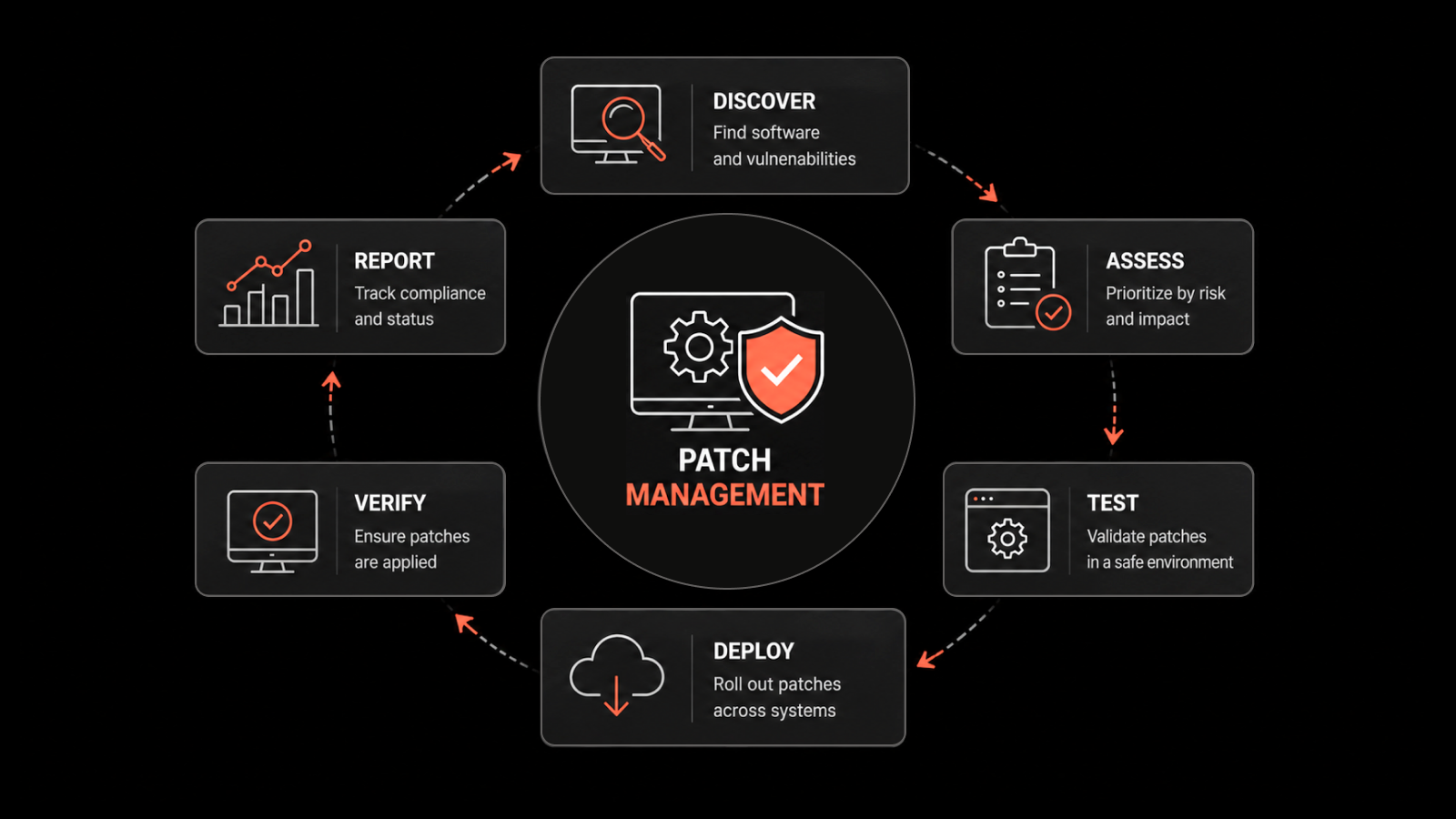
Manual patching is a repetitive cycle of discovery, validation, scheduling, deployment, and verification. IT teams spend hours cross-referencing vulnerability databases with asset inventories, coordinating downtime, and troubleshooting failed installations. A single overlooked server or misconfigured patch deployment can leave a gap in your defenses that nullifies everything else.
The Cost of Falling Behind
Unpatched vulnerabilities are the leading cause of successful cyberattacks, including ransomware incidents that cripple operations and inflict lasting financial and reputational damage. Beyond external threats, unpatched systems suffer from instability, performance degradation, and compatibility issues that drive up downtime and support costs.
Non-compliance with frameworks like HIPAA, PCI DSS, and GDPR adds another layer of risk -- regulatory fines and legal exposure that compound the operational impact.
How Automated Patching Closes Security Gaps
Implementing automated patch management is one of the most effective ways to move from reactive firefighting to proactive defense. Here's how it directly strengthens your security posture.
Proactive Vulnerability Reduction
The core benefit is systematic attack surface reduction. By automatically applying security patches as they're released, automation closes known vulnerabilities before threat actors can exploit them. This continuous remediation process shrinks the number of entry points across all endpoints -- servers, desktops, laptops, and remote devices.
A smaller, well-maintained attack surface is inherently harder to breach.
Faster Response to Critical Threats
When a critical CVE drops, the race between defenders and attackers begins. Manual processes mean multi-day deployment timelines. An automated patch management tool can push updates to thousands of machines in hours or minutes.
This speed advantage is the difference between containing a threat and dealing with a breach.
Consistent Coverage Across All Endpoints
Modern networks include Windows, macOS, Linux, and dozens of third-party applications. Automated patching provides a centralized platform to enforce consistent security policies across this diversity. No device gets left behind -- whether it's on-premises, remote, or in the cloud.
This unified control eliminates the security gaps that manual processes inevitably create.
Compliance Made Measurable
Frameworks like HIPAA, PCI DSS, and GDPR mandate vulnerability management and timely patching. Automated systems generate detailed, auditable reports that demonstrate due diligence and prove consistent patching against known risks.
This automated record-keeping simplifies audits, reduces compliance-related overhead, and mitigates the risk of penalties.
The Operational Efficiency Gains
Security gets the headlines, but the operational impact of patch management automation is equally significant. By automating one of IT's most repetitive tasks, organizations free up resources and reduce costs.
Reclaim IT Team Capacity
Manual patching consumes a disproportionate amount of skilled IT professionals' time. Automation returns those hours. Instead of chasing unpatched machines and troubleshooting failed updates, your team can focus on infrastructure improvements, new business initiatives, and strategic projects.
This shift from maintenance to strategic contribution directly increases IT's value to the organization.
Simplified Deployment at Scale
Automated platforms handle the full deployment lifecycle: discovery of new endpoints, intelligent scheduling to minimize disruption, and policy-based deployment rules. Centralized dashboards give administrators visibility across thousands of devices from a single console.
The result: reliable, predictable patching with significantly less administrative overhead.
Better System Stability and Uptime
Patches include performance improvements and bug fixes alongside security updates. Automated tools also support pre-deployment testing in sandboxed environments and automated rollback capabilities. A problematic patch gets caught and reverted before it causes widespread disruption.
This means fewer unplanned outages and more consistent application performance.
Measurable Cost Reduction
The efficiency gains translate directly to lower costs: fewer hours spent on patching, less downtime, fewer breach-related expenses. By optimizing resource usage and improving system health, automated patch management delivers measurable ROI that finance teams can actually track.
Manual vs. Automated Patch Management: A Direct Comparison
Capability | Manual Patching | Automated Patching |
|---|---|---|
Patch discovery | Cross-reference vendor bulletins manually | Automatic scanning and notification |
Deployment speed | Days to weeks | Hours to minutes |
Coverage consistency | Varies by technician; devices get missed | Uniform policy enforcement across all endpoints |
Error rate | High (human fatigue, oversight) | Low (policy-driven, repeatable) |
Scalability | Degrades with environment growth | Scales linearly with endpoint count |
Compliance reporting | Manual spreadsheet tracking | Automated audit-ready reports |
Rollback | Manual, slow, risky | Automated snapshots and reversion |
IT team time spent | 20-40+ hours/month | 2-5 hours/month (oversight only) |
Integrating Patch Management Into Your Security Stack
Automated patch management delivers the most value when it works alongside your other security tools -- not in isolation.
Closed-Loop Vulnerability Remediation
Integrate your patch management platform with vulnerability scanners. The scanner identifies vulnerabilities across your network; the patch management system uses that data to prioritize and automatically deploy the right patches. This creates a closed-loop cycle where identified risks are actively mitigated, not just reported.
Feeding Security Operations with Context
Patch status data -- successful deployments, failed attempts, compliance rates -- is valuable intelligence for your SOC. Feed this into your SIEM to give analysts context during incident investigation and threat intelligence analysis.
Enabling Security Automation and Orchestration
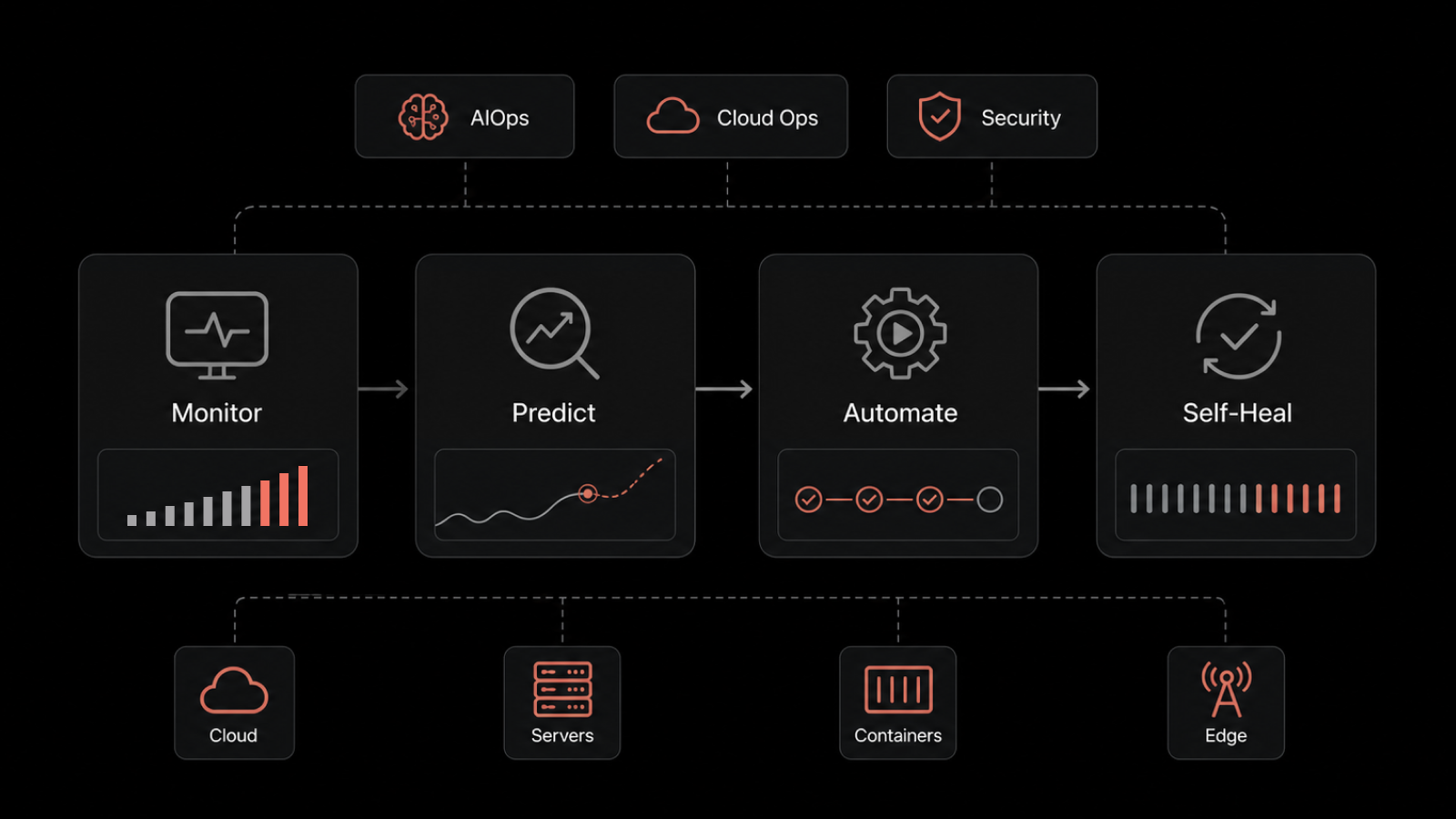
SOAR platforms can use patching status as a trigger for automated workflows. If a device is missing a critical patch, a playbook can automatically isolate it from the network until the patch is confirmed deployed. This level of integration creates a self-healing security infrastructure that responds at machine speed.
Implementing Automated Patch Management: A Practical Roadmap
Step 1: Assess Your Current Environment
Catalog all endpoints, operating systems, and critical third-party software. Document your current patching process, its pain points, and where manual effort creates the most risk. This assessment drives your tool selection and policy design.
Step 2: Select the Right Platform
Look for these capabilities in a patch management tool:
Broad OS support (Windows, macOS, Linux) and third-party application coverage
Flexible policy creation and scheduling
Pre-deployment testing and rollback capabilities
Comprehensive compliance reporting
Centralized dashboard for visibility and management
Integration with your existing security stack
Step 3: Design Deployment Policies
Segment endpoints by function and criticality. Create deployment schedules that minimize disruption -- patch test groups first, then expand to broader rollout. Automate approval for low-risk patches; maintain human oversight for high-impact updates to production-critical systems.
Step 4: Monitor, Measure, and Refine
Track KPIs and continuously adjust. Automation doesn't eliminate the need for skilled professionals -- it changes their role from manual execution to strategic oversight, exception handling, and policy refinement.
Measuring Success: Patch Management KPIs That Matter
KPI | What It Measures | Target Benchmark |
|---|---|---|
Mean Time to Patch (MTTP) | Average time from patch release to deployment | Under 72 hours for critical; under 14 days for high |
Patch Compliance Rate | Percentage of endpoints fully patched | 95%+ across all environments |
Failed Deployment Rate | Percentage of patch deployments that fail | Under 2% |
Vulnerability Exposure Window | Time endpoints remain vulnerable after patch availability | Trending downward quarter over quarter |
IT Hours Saved | Reduction in manual patching effort | 30-40+ hours/month reclaimed |
Patch-Related Incidents | Downtime or issues caused by patching | Trending toward zero |
Close the Gap with Motadata ServiceOps
Every hour a vulnerability sits unpatched is an hour your organization is exposed. Motadata ServiceOps Patch Manager automates the full patching lifecycle -- from vulnerability scanning and risk-based prioritization to scheduled deployment and compliance reporting -- across Windows, macOS, and Linux environments.
Stop spending your team's time on manual patch tracking. Start closing vulnerabilities at the speed your environment demands.
Get a Free Demo and see how Motadata ServiceOps transforms your patch management from reactive overhead into proactive defense.
FAQs
What's the difference between patch management and vulnerability management?
Vulnerability management is the broader discipline of identifying, assessing, and prioritizing security weaknesses. Patch management is one specific remediation method -- applying vendor updates to fix known vulnerabilities. They work best as an integrated cycle: scan for vulnerabilities, prioritize by risk, deploy patches automatically, verify remediation.
How does automated patch management reduce security risk?
It reduces risk by closing known vulnerabilities faster and more consistently than manual processes. Automation shrinks the window between patch availability and deployment, applies patches uniformly across all endpoints, and eliminates human errors like missed systems or misconfigured updates.
Can automated patching cause system downtime?
Poorly managed patching can, which is why modern tools include pre-deployment testing, staged rollouts, and automated rollback. These safeguards mean problematic patches get caught before they affect production. The net effect is actually improved uptime compared to manual patching.
What compliance frameworks require automated patch management?
Most don't explicitly mandate automation, but frameworks like PCI DSS, HIPAA, SOC 2, GDPR, and ISO 27001 all require timely vulnerability remediation and documented evidence of patching. Automation is the practical way to meet these requirements consistently at scale.
Author
Arpit Sharma
Senior Content Marketer
Arpit Sharma is a Senior Content Marketer at Motadata with over 8 years of experience in content writing. Specializing in telecom, fintech, AIOps, and ServiceOps, Arpit crafts insightful and engaging content that resonates with industry professionals. Beyond his professional expertise, he is an avid reader, enjoys running, and loves exploring new places.