12 IT Infrastructure Best Practices Every IT Leader Should Follow
Jagdish Sajnani
Why do IT infrastructure issues continue to slow down teams even when tools keep improving?
In most IT environments, the challenge is not a single failure. It is a set of ongoing operational gaps that are easy to overlook but difficult to control over time.
A few of the common challenges include:
Outdated or inaccurate CMDB data that does not reflect real-time infrastructure
Inconsistent patch management across operating systems and environments
Monitoring tools that operate in silos without unified visibility
Manual change processes that increase the risk of configuration errors
Limited alignment between infrastructure capacity and actual demand
In 2026, IT environments are more distributed and fast-changing than before. Hybrid infrastructure, cloud adoption, and strict compliance requirements make consistency harder to maintain. As a result, teams need more structured and scalable ways to manage infrastructure across all layers.
This guide outlines the IT infrastructure best practices that help teams improve visibility, stability, and control.
It covers key areas such as observability, patch automation, change management, and disaster recovery to build a more reliable and scalable IT environment.
What is IT Infrastructure?
IT infrastructure is the full set of hardware, software, networks, facilities, and processes a business uses to run its IT services.
Be it a single office of 50 people or a global enterprise across multiple data centers, the building blocks are the same.
What changes is the scale, the compliance load, and what it costs you when something breaks.
A useful way to think about modern IT infrastructure is across seven components:
Hardware: It includes servers, laptops, storage arrays, and peripherals.
Software: It includes operating systems, middleware, and business applications.
Data center and compute: It can be on premises, in colocation, in the cloud, or hybrid.
Storage: It includes primary, backup, and archival tiers.
Security controls: It has identity, access, endpoint protection, and config compliance.
People and processes: It includes team, runbooks, change controls, and documented procedures.
When IT leaders talk about managing infrastructure, this is what they mean. Keeping all seven in working order, inside budget, and in compliance.
While the rest of the business expects everything to just work.
12 IT Infrastructure Best Practices for 2026
The best practices below are sequenced by priority and their importance to business. Go in order or pick the two or three with the biggest gap today.
1. Build a Single Source of Truth with a Living CMDB
A Configuration Management Database (CMDB) is a structured record of every asset you run and how those assets relate to each other.
Most CMDBs don't fail because the data model is wrong. They fail because they get populated once during a project, and then nobody updates them.
A living CMDB updates itself through auto-discovery, sorts out conflicts between sources, and reflects the environment as it is today, not as it was 18 months ago.
Why it matters: Without an accurate CMDB, root cause takes hours instead of minutes. Engineers chase the wrong service. Escalations go to the wrong team. The dependency that actually explains the outage gets missed. Be it incident management, change enablement, or capacity planning, every other practice on this list sits on top of the CMDB.
How to implement:
Turn on auto-discovery across your networks, endpoints, and cloud accounts.
Write a reconciliation policy, so the CMDB knows what to do when two sources disagree.
Run a quarterly audit. Compare the CMDB to what's actually in production. Flag the drift.
Connect the CMDB to incidents, changes, and assets, so every ticket comes with context.
Metric to track: CMDB accuracy rate, measured as the percentage of records that match production reality during a quarterly audit. Mature teams hold this above 95 percent.
2. Standardize Asset Lifecycle Management Across All 8 Stages
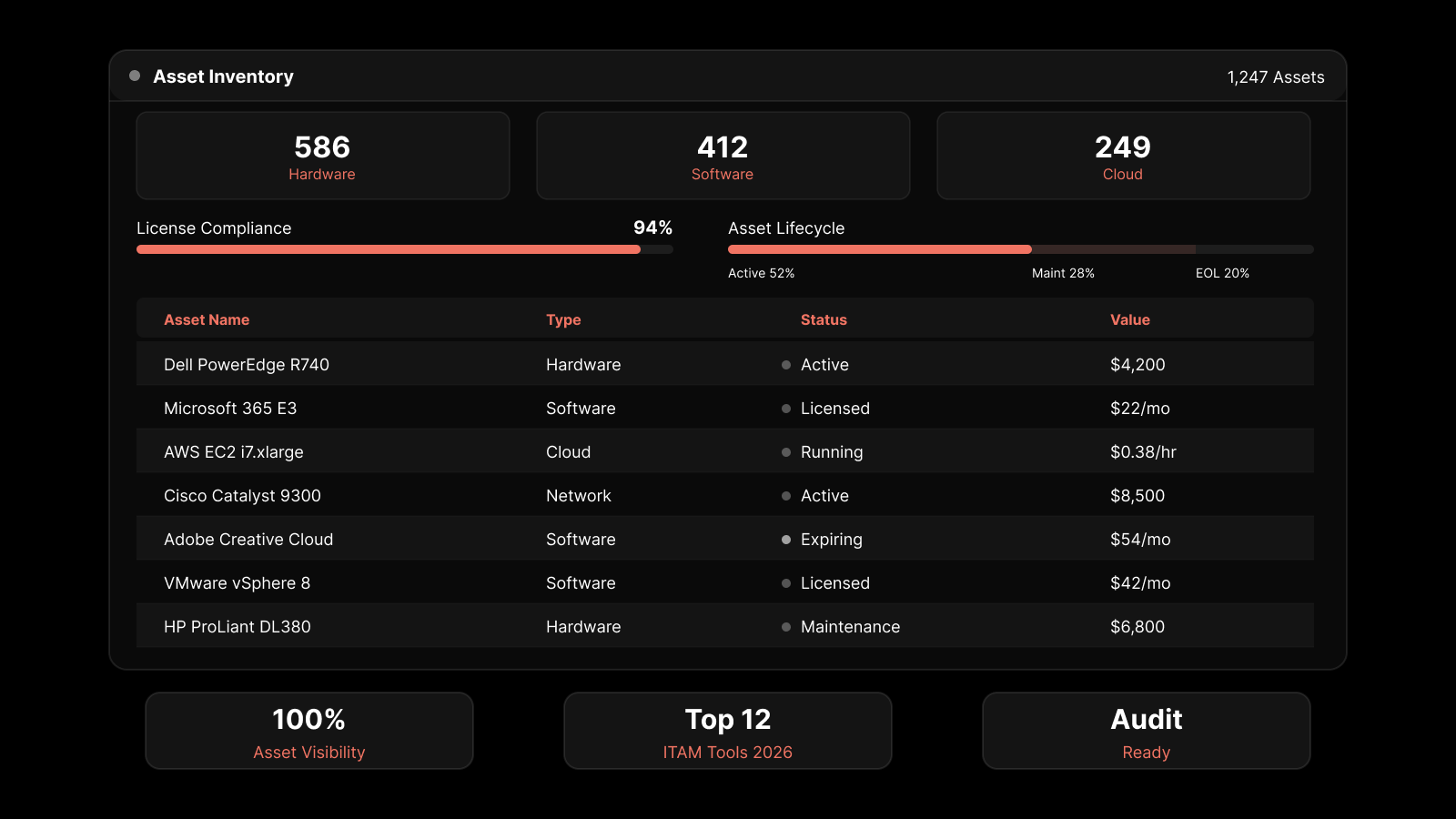
Asset lifecycle management means tracking every asset from planning through disposal.
There are 8 stages: planning, acquisition, deployment, utilization, maintenance, upgrade, decommissioning, and disposal.
Skip any of them, and you end up with hardware nobody owns, warranties that expired last year, and software licenses that surface during the next audit.
Why it matters: Assets without a clear lifecycle cost more across their useful life. You buy duplicates. You let support contracts lapse. You stay licensed for software nobody uses. The bigger the estate, the wider the gap gets. Be it a laptop, a server, or a SaaS subscription; every asset needs a stage, an owner, and a transition rule.
How to implement:
Write down the eight stages and assign an owner to each one. Procurement, IT, and finance handoffs are where things drop.
Automate the transitions you can, especially deployment, decommissioning, and disposal.
Track total cost of ownership at each stage, not just what you paid up front.
Tie the lifecycle data to the CMDB. One record per asset, from cradle to grave.
Metric to track: Percentage of assets with a current lifecycle stage recorded. Anything below 90 percent means you are likely paying for assets you no longer use.
3. Unify Monitoring Across Metrics, Logs, and Flows
Unified observability puts your infrastructure metrics, application logs, and network flow data into one platform that understands they're related.
Most IT teams run these three signals in three separate tools. Which means during an incident, engineers swivel between tabs and correlate timestamps by hand.
Unified observability moves that correlation into the platform. The CPU spike, the error log, and the flow anomaly show up together.
Why it matters: Tool sprawl is one of the most common reasons MTTR refuses to budge. Adding a fourth monitoring tool almost never helps. Consolidating the data layer does. Be it a slow app, a network bottleneck, or a noisy neighbor in the cloud, the answer usually lives at the intersection of two or three signals. Not in any one of them alone.
How to implement:
Pick a platform that ingests metrics, logs, and flows natively. Not one that ties them together through bolted-on integrations.
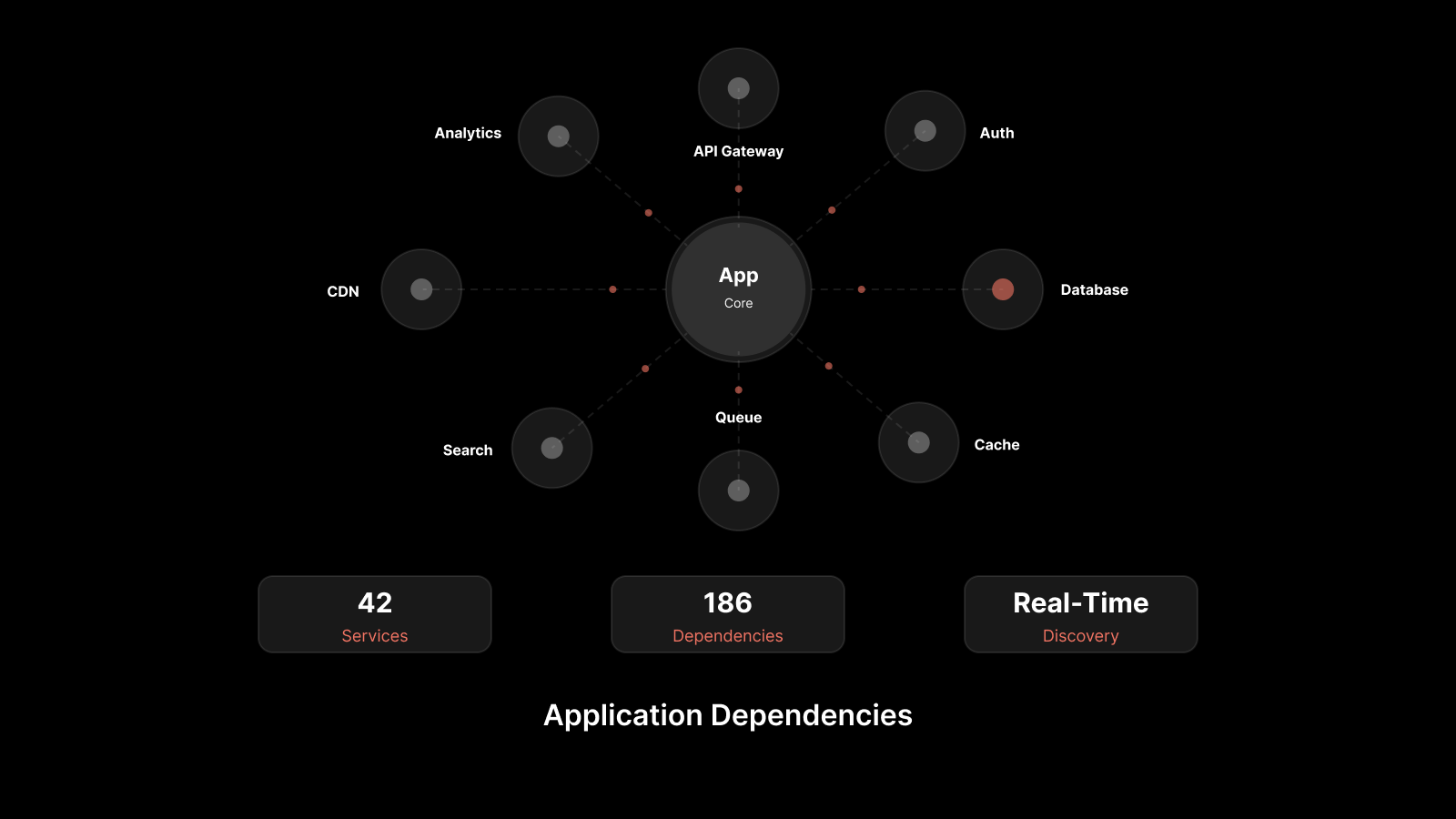
Map service dependencies. An alert on one component should surface what depends on it.
Use causation-based correlation, so related signals group into one incident.
Set noise-reduction policies. Your engineers should see incidents.
Metric to track: Mean time to detect (MTTD) and mean time to resolve (MTTR). Motadata ObserveOps was built around the triangulation of metrics, logs, and flows, and reports an 80 percent MTTR reduction across its customer base, framed as a marketed customer outcome.
4. Automate Patch Management Across Windows, macOS, and Linux
Patch management is the structured process of finding, testing, approving, and deploying software updates across every endpoint and server you run.
Manual patching doesn't scale past a few hundred devices.
Inconsistent patching across operating systems is where most preventable breaches start.
A patch that exists, with the CVE published and a fix available, sitting undeployed for weeks. That's what shows up in incident reports later.
Why it matters: A big share of breaches trace back to vulnerabilities that had a fix available, sometimes for months. Be it a remote code execution flaw, a privilege escalation bug, or a kernel-level vulnerability, the window between disclosure and exploitation keeps getting shorter. Automation closes that window. Manual cycles can't.
How to implement:
Run automated patch discovery daily across Windows, macOS, and Linux.
Stage patches through a test ring of representative devices before rolling out to production.
Use deployment policies that allow deferment for non-critical patches and enforce reboots for security-critical ones.
Generate compliance reports against PCI DSS, HIPAA, or SOX, depending on what regulates you.
Metric to track: Patch coverage percentage and mean time to patch from CVE disclosure. Mature teams achieve 95 percent coverage within 14 days for critical patches.
5. Adopt ITIL 4 Practices, Not Just Tickets
A ticketing tool is not the same thing as ITSM. ITIL 4 is the framework that defines how to do service management well, with documented practices and a shared vocabulary. You don't need to implement every ITIL 4 practice. You need to pick the three or four that close the loudest gaps in your environment and run them every single time.
Why it matters: Teams that only run tickets, without service management discipline underneath, hit a ceiling. The same outage repeats. The same root cause goes unaddressed. The same change rolls back on a Saturday. Be it an incident, a request, a problem, or a change, each one needs its own workflow, its own metrics, and its own owner.
How to implement:
Start with Incident Management, Request Fulfillment, and Change Enablement. These three move the needle fastest.
Define service categories and SLA tiers up front so tickets route correctly without a human triaging them.
Train the team on ITIL 4 terms. Requests, incidents, problems, and changes are different things and shouldn't get conflated.
Pick an ITSM platform that's certified for ITIL 4 alignment. Motadata ServiceOps is PeopleCert ATV ITIL 4 certified across 12 practices, including Incident, Change, and Problem Management.
Metric to track: First-time resolution rate, mean time to resolve by priority tier, and change success rate.
6. Define and Measure SLOs and SLIs, Not Just SLAs
Three terms here, three different jobs. An SLA is the contractual line with your customer, internal or external. An SLO is the internal target you set tighter than the SLA.
An SLI is the actual measurement of how the service is doing. Teams that only watch SLAs find out about degradation when a customer complains. Teams that watch SLOs see it earlier and have time to act.
Why it matters: SLOs give your engineers a number to optimize against that sits inside the contractual line. There's margin to absorb normal variation. SLA breaches stop happening by accident, because the SLO trips first and the team responds before it becomes a breach. Be it availability, latency, error rate, or throughput, every critical service deserves an SLO with an owner.
How to implement:
Pick three to five critical services. Define one or two SLOs for each.
Set the SLO inside the SLA, with enough room that the SLO trips first.
Put SLI compliance on dashboards everyone can see, not just the on-call rotation.
Tie SLO breaches to alerts that page the right service owner. Not a generic queue.
Metric to track: SLO compliance percentage by service over a rolling 30-day window. SLO error budget consumption is the leading indicator most mature teams now use.
7. Document Runbooks, Diagrams, and Standard Operating Procedures
Documentation is the cheapest investment in IT operations, and the one most teams skip. Runbooks turn institutional knowledge into something a new engineer can run at 2 AM.
Network diagrams turn troubleshooting from guesswork into a process. SOPs turn audits from stressful into routine.
Why it matters: Undocumented environments are fragile environments. Every team member who leaves takes a piece of the operating manual with them. The replacement has to relearn it through outages. Be it an incident response, a backup restore, or an onboarding workflow, the knowledge has to live somewhere other than one person's head.
How to implement:
Build runbooks for your top 10 incident types. Include decision points and escalation paths.
Use auto-discovery to generate network topology diagrams. They'll stay current as the network changes.
Write SOPs for change, onboarding, offboarding, backup restore, and incident response.
Store everything in one searchable place with version history and review dates.
Metric to track: The share of incidents resolved using an existing runbook. If it's under 50 percent, runbook coverage is the gap.
8. Manage Change Risk with Formal Change Enablement
Change Enablement is the ITIL 4 practice for how changes move from request to production. The data is steady across industries.
A large share of outages are self-inflicted, caused by a change that wasn't reviewed, tested, or communicated properly. A formal change process catches those changes before they cause incidents.
Why it matters: A change process feels like bureaucracy until it isn't. In practice, it catches the changes that would have caused a Sunday-night outage. Be it a firmware update, a firewall rule change, a database migration, or a config push, every production change carries a blast radius. That deserves a structured review.
How to implement:
Define three change types: standard (pre-approved, low risk, repeatable), normal (CAB review required), and emergency (expedited approval with a post-implementation review).
Require a backout plan on every normal and emergency change. Documented before approval, not after.
Pair every production change with a post-implementation review within seven days.
Track failed change rate and mean time to recover from failed changes as separate metrics.
Metric to track: Failed change rate, ideally under 5 percent. And the share of changes with a documented backout plan.
9. Plan Capacity Before You Need It
Capacity planning is forecasting future demand on infrastructure and acting on the forecast before performance dips. Reactive scaling is expensive, disruptive, and usually emergency-priced. Proactive planning is predictable and quiet.
Why it matters: Capacity surprises cost two to three times more to fix in production than they do to plan for in advance. Cloud bills jump. Hardware lead times slip past your deadline. Performance dips, and customers notice before your monitoring does. Be it CPU, memory, storage, network bandwidth, or database connections, every resource with a ceiling deserves a forecast.
How to implement:
Track utilization on compute, storage, network, and database resources at least monthly.
Forecast 90 and 180 days ahead. Use historical growth and known business drivers.
Build capacity review into the quarterly business planning cycle. Not just the IT planning cycle.
Set alerts at 70 percent utilization. You need time to act before the resource is constrained.
Metric to track: Forecast accuracy. The gap between forecasted and actual utilization is 90 days out. Mature teams hold it within 10 percent.
10. Harden Network Configuration with Compliance Management
Network Configuration and Compliance Management (NCCM) is the practice of backing up, versioning, auditing, and standardizing the configuration of every network device you run.
Configuration drift is one of the quieter causes of network reliability problems. Most teams find out about the drift after it's caused by an outage or shown in an audit.
Why it matters: A misconfigured firewall rule, a forgotten ACL change, or a VLAN setting that's off on one switch can take hours to find without configuration history. Be it a security audit, an incident investigation, or a planned rollback, you need to know what every device looked like at any point in time.
How to implement:
Back up every network device configuration daily, with offsite copies kept for as long as compliance requires.
Track every configuration change with a timestamp, the user who made it, and a diff against the previous version.
Audit configurations against compliance baselines like CIS, GDPR, HIPAA, or SOX, depending on what regulates you.
Build a one-click rollback so a known-good configuration can be restored during an incident without reconstructing it by hand.
Metric to track: Configuration compliance score against your chosen baseline. And the time it takes to restore a previous configuration during a test.
11. Design for Recovery: HA, DR, and Tested Backups
High availability keeps services running when components fail. Disaster recovery gets services back online when a whole site fails.
Backups are useless until you've restored from one. Most teams have all three documented on paper. Almost none of them have tested all three end to end in the last 12 months.
Why it matters: A backup that's never been restored isn't a backup. It's an assumption. Be it a ransomware event, a data center power loss, a misconfigured deployment, or a corrupted database, recovery is the moment your design gets tested. Untested recovery plans fail exactly when you need them to work.
How to implement:
Define RTO and RPO targets for each critical service. Get sign-off from the business owner.
Configure HA for tier-one services. Automatic failover. Documented failover times.
Replicate critical workloads to a geographically separate DR site with runbooks and tested failover procedures.
Test a full restore from backup at least twice a year. Run a full DR failover at least once a year. Write a postmortem each time.
Metric to track: Actual RTO and RPO measured during the most recent recovery test, compared to the target. The gap between them is the next piece of work.
12. Treat Infrastructure as a Product
The shift behind every practice on this list is treating IT infrastructure as a product. Internal customers, a roadmap, measurable outcomes.
Cost centers are managed for minimum spend. Products are managed for value delivered. Over three years, the same dollar invested produces very different outcomes depending on which one you pick.
Why it matters: Teams that run IT as a product get budget approved. Their strategic projects get funded. They get a seat at the business planning table. Teams that run IT as a cost center get budget cuts, get projects deferred, and hear about business changes after they've been decided. Be it a digital transformation initiative, a new line of business, or a regulatory mandate, the business will move faster than your roadmap unless IT operates as a product.
How to implement:
Define your internal customers and the services you deliver to each one, in business language.
Set quarterly OKRs for IT infrastructure with measurable outcomes tied to business goals.
Run a quarterly review with business stakeholders, not just IT leadership. Surface tradeoffs in the open.
Track an internal customer satisfaction score. It's a leading indicator of how the business sees you.
Metric to track: Internal NPS or satisfaction score from business stakeholders. And the share of your IT roadmap linked to a business OKR.
3 Emerging Best Practices That Helps to Improve IT Infrastructure
Let’s now learn about the next emerging best practices that are helpful for shaping IT infrastructure.
1. Adopt Zero Trust Architecture and Continuous Security Validation
Zero Trust is a security model built on one assumption: no user, device, or network segment should be trusted by default, even inside the perimeter. Every access request gets verified against identity, device posture, and policy before it's granted. The model has moved from a cloud-native talking point to a baseline expectation, because perimeter-based security stopped working the moment your workforce went hybrid and your workloads went multi-cloud.
Why it matters: A breached credential, a compromised laptop, or a misconfigured VPN can give an attacker the same access as a legitimate user. Zero Trust limits the blast radius by checking every request, every time. Be it a contractor accessing a code repository, an employee opening a financial application, or a service account hitting an internal API, the same verification rules apply.
How to implement:
Start with identity. Roll out single sign-on, multi-factor authentication, and conditional access policies tied to device posture.
Segment the network into smaller zones so a compromise in one zone doesn't expose the rest of the estate.
Apply least-privilege access by default. Every role gets the minimum permissions it needs, nothing more.
Monitor access patterns continuously and alert on anomalies, like a login from an unusual geography or a privilege escalation outside business hours.
Metric to track: Percentage of critical resources protected by Zero Trust policies, and the number of blocked unauthorized access attempts per month.
2. Manage Infrastructure as Code With GitOps and Policy as Code
Infrastructure as Code (IaC) is the practice of defining your infrastructure (servers, networks, cloud resources, configurations) in version-controlled files rather than configuring things by hand. GitOps takes it one step further by making Git the single source of truth for both code and infrastructure changes. Policy as Code adds guardrails so non-compliant changes are blocked before they're applied.
Why it matters: Manual configuration is where drift starts. Two engineers configure a similar service slightly differently, neither documents it, and six months later one of them breaks during a deployment. IaC makes infrastructure consistent, auditable, and reversible. Be it a single VM, a Kubernetes cluster, or a multi-region cloud deployment, the configuration lives in a file, in version control, with a documented author and a review history.
How to implement:
Pick a declarative IaC tool like Terraform, Ansible, or Pulumi and standardize on it across teams.
Store every infrastructure definition in Git with branch protection and pull request reviews.
Layer in Policy as Code using a tool like Open Policy Agent so non-compliant configurations are blocked at the pull request stage, not after deployment.
Run drift detection so the live environment is compared against the Git definition on a daily cadence.
Metric to track: Percentage of infrastructure managed as code, and configuration drift rate measured by automated comparisons between Git definitions and live environments.
3. Advance Observability With AIOps for Predictive and Autonomous Operations
AIOps is the application of artificial intelligence and machine learning to IT operations data. Where Practice 3 covered unifying metrics, logs, and flows into one platform, AIOps takes that unified data and turns it into predictions, root cause hypotheses, and automated responses. It's the difference between seeing all your data in one place and having the platform tell you what the data means and what to do about it.
Why it matters: Even with unified observability, alert volumes can overwhelm a team. AIOps cuts the noise, surfaces the signals that matter, and flags emerging problems before they become incidents. Be it a slow memory leak, a creeping disk utilization trend, or a subtle latency anomaly across a service dependency, AIOps catches the patterns a human reviewing dashboards is likely to miss.
How to implement:
Choose an observability platform with native AIOps capabilities, not a separate analytics layer bolted on top.
Enable anomaly detection on critical service metrics and tune it over the first 30 days so the baselines reflect normal behavior.
Use causal correlation to group related alerts into single incidents, rather than firing one alert per affected component.
Connect AIOps outputs to automated runbooks for the incident types where the response is well understood and low risk.
Metric to track: Percentage of incidents auto-detected or auto-remediated, and alert-to-incident ratio. Motadata ObserveOps provides native AIOps with anomaly detection, causal correlation, and automated runbooks across hybrid environments, helping teams shift from reactive monitoring to proactive operations.
Follow This IT Infrastructure Best Practices Checklist
Print it. Use it as a quarterly self-assessment.
Assets and CMDB
Auto-discovery is across networks, endpoints, and cloud accounts.
CMDB records are reconciled across sources at least monthly.
Every asset has a current lifecycle stage recorded.
A quarterly audit compares CMDB records against production inventory.
Monitoring and Observability
Metrics, logs, and flows live in one platform with shared context.
Service dependency mapping is current and gets used during incidents.
Alert noise is reviewed and tuned monthly.
The top 10 incident types have runbooks.
Security and Patch
Automated patch discovery runs daily across Windows, macOS, and Linux.
Patches go through a test ring before production.
Compliance reports are generated against the framework that regulates you.
Network device configurations are backed up daily and audited against baselines.
ITSM Processes
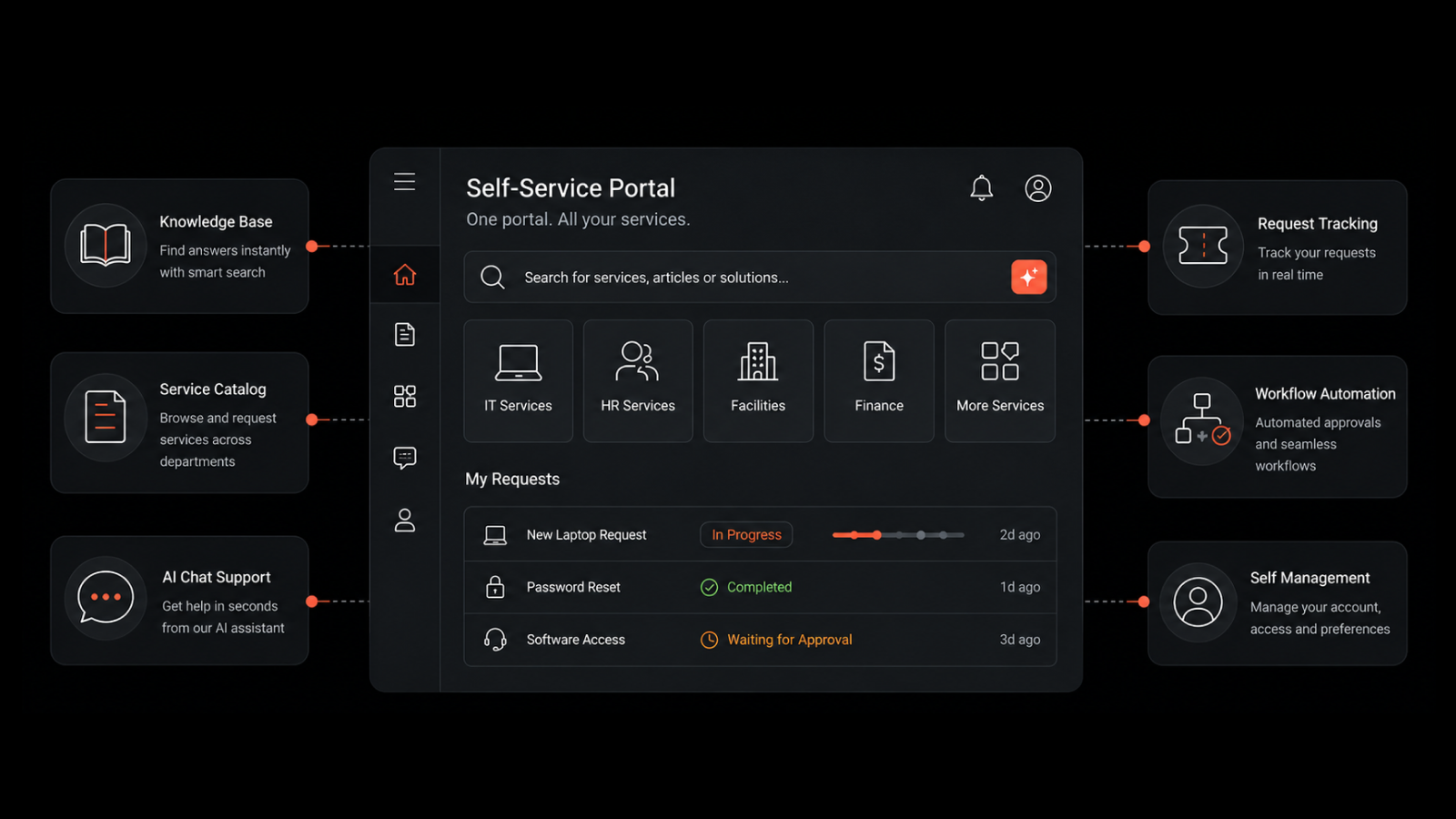
Incident, request, and change management run on a certified ITSM platform.
Three change types are defined: standard, normal, and emergency.
Every change has a backout plan and a post-implementation review.
SLOs are defined for your top three to five critical services.
Documentation and Resilience
Network topology diagrams are auto-generated and current.
SOPs exist for change, onboarding, offboarding, backup restore, and incident response.
RTO and RPO targets are documented for every tier-one service.
A full restore from backup has been tested in the last six months.
A full DR failover has been tested in the last 12 months.
Capacity is reviewed monthly and forecast 90 to 180 days ahead.
Where IT Leaders Should Focus Next
You now have 12 best practices for its infrastructure that cover everything from CMDB and observability to patching, change management, SLOs, and disaster recovery.
The real value of these practices comes when they stop being theory and start becoming part of everyday operations. That’s when teams begin to see fewer surprises and more control over how systems behave.
Start small. Fix what is most broken first, usually visibility, configuration accuracy, or change discipline. Once that foundation is stable, everything else becomes easier to manage and scale.
Over time, the difference is clear. Incidents become easier to handle. Outages reduce. Planning becomes more predictable. And IT starts to feel less reactive and more in control.
If you’re ready to apply these ideas in a real environment, explore how teams put these best practices for its infrastructure into action with a unified approach to operations.
Or, if you want to try it first, you can start with a quick free trial.
FAQs
How do you simplify IT infrastructure for a business?
You simplify it by consolidating tools, standardizing processes, and retiring duplicate systems. Start with an audit of every tool you currently run. Map where they overlap in function. Retire the ones that don't earn their cost. Then standardize what's left around one ITSM platform, one observability platform, and one identity provider. Most mid-market teams cut their tool count meaningfully in the first consolidation cycle.
What is the difference between ITSM and ITIL?
ITSM is the broader discipline of managing IT services end to end, from request through delivery and improvement. ITIL is the specific framework that tells you how to do ITSM well, with documented practices, terminology, and roles. ITIL 4 is the current version. It defines 34 practices across general management, service management, and technical management. A platform like Motadata ServiceOps is certified for ITIL 4 alignment across 12 of those practices.
How often should an IT infrastructure audit be done?
Once a year for the full audit. Quarterly mini-audits on the areas with the highest change rate. The annual audit covers asset inventory, license compliance, security posture, network configuration, and process adherence. The quarterly ones usually focus on the CMDB, patch compliance, and access reviews. Regulated industries often need more frequent audits depending on what framework applies.
What is the most common mistake teams make with IT infrastructure management?
Treating tools as a substitute for processes. Buying a better ITSM platform or a sharper monitoring tool doesn't fix a team that hasn't defined how work flows through it. The pattern repeats every two or three years. New tool, same problems, same frustrated team. The fix is to define the process first, then pick the tool that supports it. The tool is the multiplier. It isn't the answer.
Author
Jagdish Sajnani
Senior Content Strategist
Jagdish Sajnani is a B2B SaaS content strategist and writer. He has experience across different B2B verticals, including enterprise technology domains such as IT Service Management, AI-driven automation, observability, and IT operations. He specializes in translating complex technical systems into structured, engaging, and search-optimized content. His work improves product understanding, strengthens organic visibility, and supports B2B demand generation.