14 Best Service Desk Software Tools Ranked by IT Pros (2026 Guide)
Arpit Sharma
Choosing the best service desk software is one of your most important investments as a service-focused organization. We have seen how the right tool can transform IT support operations—and how the wrong one can create more problems than it solves.
While comparing IT service desk tools, I discovered something surprising: pricing differences are staggering. Zendesk starts at $55 per agent/month, but alternatives like Desk365 begin at just $12. Additionally, many top service desk platforms offer free plans supporting up to 3 agents, including Zoho Desk, Jira, and Freshdesk. However, help desk software isn’t just about price—it’s about finding the right balance of features and usability for your specific needs.
By 2026, AI-driven customer support is expected to become the norm, with smarter chatbots and predictive ticketing transforming how service desks operate. That’s why we’ve created this comprehensive service desk comparison guide. We’ve evaluated 14 leading solutions across critical factors like incident management, workflow customization, and SLA capabilities.
After reading this guide, you’ll know exactly what to look for in a help desk solution that makes your life easier—without breaking the bank or giving you a headache. Let’s dive into the options that truly deliver value in 2026.
1. Motadata ServiceOps
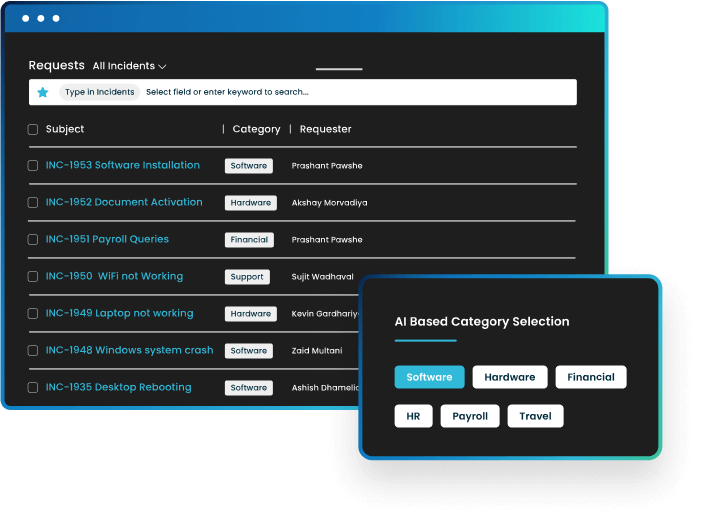
Motadata ServiceOps stands out as an ITIL-compliant unified platform built on their proprietary Deep Learning Framework for IT Operations (DFIT). I’ve found that this AI-enabled solution helps organizations adapt quickly across people, processes, and technology to enhance service delivery.
Key Features
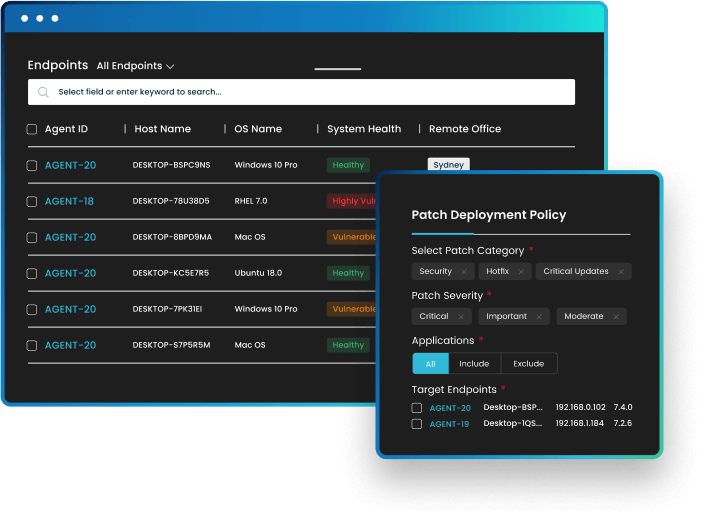
Motadata offers a comprehensive suite that includes PinkVERIFY certified Service Desk, Asset Manager, and Patch Manager—all without requiring third-party tools. The platform’s standout capabilities include:
AI-powered automation
with ticket categorization, routing, and an intelligent load-balancing algorithm that automatically assigns tickets to appropriate technicians
Proactive incident management
with drag-and-drop workflow capabilities that combine ticket management and data management
Multi-channel support
allowing end-users to create tickets via portal, chat, phone, email, mobile app, and third-party applications
Virtual Agent
powered by NLP for self-service, reducing manual intervention
The platform’s intelligent automation focuses not just on replacing manual processes but on driving scalability across IT infrastructure and operations management.
Pros and cons of Motadata ServiceOps
Pros
- Workflow automation significantly enhances operational efficiency and reduces human error
- User-friendly dashboards present data clearly for quick decision-making
- Reports creation (daily, weekly, monthly) helps track team responsiveness
- 85% improvement in resolution time and 72% improvement in customer satisfaction
Cons
- Initial setup can be complex and time-consuming, especially for organizations with limited technical expertise
- Some integrations with third-party software can be challenging
- Occasional delays in technical support due to time zone differences
Motadata ServiceOps best for
From my analysis, Motadata ServiceOps is particularly well-suited for:
Mid-to-large enterprises seeking an all-in-one ITSM solution
Organizations prioritizing AI and automation in their service desk operations
IT departments needing comprehensive asset management alongside their service desk
Companies looking to reduce operational costs (customers report a 25% reduction)
Teams wanting flexible deployment options with cloud and on-premises capabilities
As one of the top service desk platforms, Motadata excels when organizations need robust patch management integrated with their help desk software and want a unified approach to IT service management.
2. Zendesk
Zendesk has established itself as a leading player in the service desk software market with its comprehensive ticketing system and omnichannel support capabilities. First and foremost, this cloud-based solution unifies customer interactions across multiple channels, making it a robust option for organizations prioritizing seamless support experiences.
Key Features
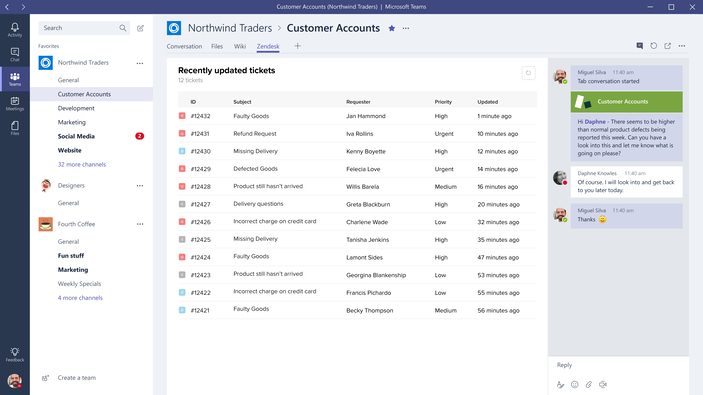
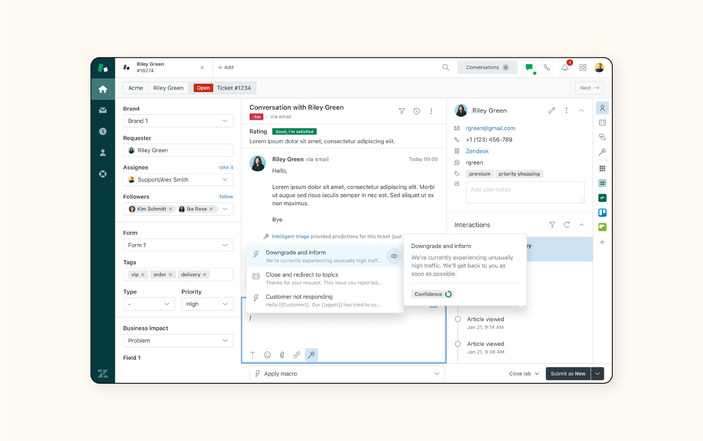
Zendesk’s core functionality revolves around its versatile ticketing system that consolidates customer inquiries from various channels into a centralized dashboard:
Unified ticketing system
that collects support requests from email, social media, chat, and voice into one interface
AI-powered automation
with chatbots that handle routine queries and assist agents with relevant information
Self-service options
including customizable knowledge base and community forums for deflecting tickets
Reporting and analytics
with customizable dashboards that track support metrics and agent performance
Workforce management
capabilities for scheduling and tracking agent activities
Moreover, Zendesk offers ITIL-compliant features including incident management, problem management, service catalogs, and knowledge management tools that streamline IT operations.
Pros and cons of Zendesk
Pros
- Comprehensive omnichannel support capabilities consolidate all customer interactions in one place
- Highly customizable dashboards and workflows adapt to specific business needs
- Robust reporting and analytics tools provide actionable insights
- Extensive integration options with over 1,000 apps and platforms
Cons
- Complex pricing structure can be confusing for new customers
- Steeper learning curve compared to simpler help desk solutions
- Higher price point makes it less accessible for smaller businesses
- Advanced features often require higher-tier plans
Zendesk best for
Zendesk particularly excels for:
Mid-to-large enterprises requiring robust ticketing and workflow automation
Organizations needing comprehensive customer interaction tracking across multiple channels
Businesses prioritizing detailed analytics and reporting capabilities
Companies seeking an ITIL-aligned service desk with extensive integration options
Teams that value customization and scalability for growing support operations
3. Freshdesk
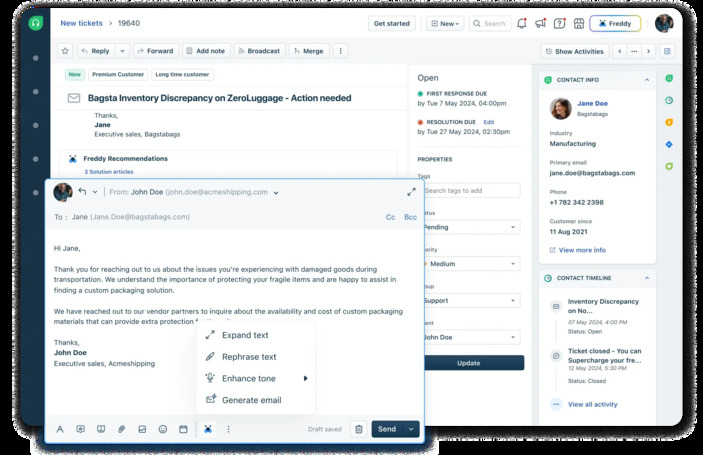
Freshdesk delivers AI-enhanced customer support through a versatile ticketing platform that streamlines service operations across multiple channels. Unlike other service desk options, this solution combines simplicity with powerful automation features that make it accessible for teams of any size.
Key Features
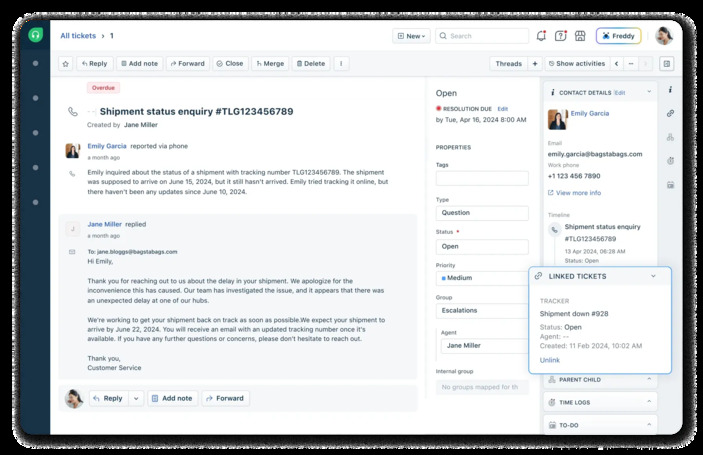
Freshdesk’s core functionality centers around its intelligent ticketing system with several standout capabilities:
Shared inbox
that centralizes all conversations, allowing teams to collaborate with internal notes and prevent duplicate responses
Self-service options
including customizable knowledge base, community forums, and customer portal
Automation tools
for ticket dispatch, follow-ups, and workflow management
Multilingual support
for both agent conversations and knowledge base content
Freddy AI assistance
offering agent copilot features and customer-facing AI chatbots
The platform also provides robust collaboration tools including threads, tasks, and the ability to bring in up to 5,000 external collaborators on higher-tier plans.
Pros and cons of Freshdesk
Pros
- Intuitive interface requiring minimal training for new users
- Comprehensive omnichannel support capabilities
- Extensive integration marketplace extending functionality
- Powerful automation reducing manual workload
- Flexible knowledge base hierarchy for organized self-service
Cons
- Limited customization options for reporting
- Advanced features require higher-tier plans
- Mobile app lacks some desktop version functionality
- Occasional performance lags with large ticket volumes
Freshdesk best for
Freshdesk particularly shines for:
Small-to-medium businesses seeking intuitive yet comprehensive support solutions
Organizations requiring unified management of multiple support channels
Teams wanting to build robust self-service resources
Companies looking for scalable solutions that grow with their support needs
Businesses prioritizing collaboration tools and workflow automation
4. Zoho Desk
In the competitive service desk market, Zoho Desk distinguishes itself through unparalleled customization options and an integrated ecosystem of business applications. This cloud-based customer service solution enables teams to manage tickets efficiently while maintaining context throughout customer interactions.
Key Features
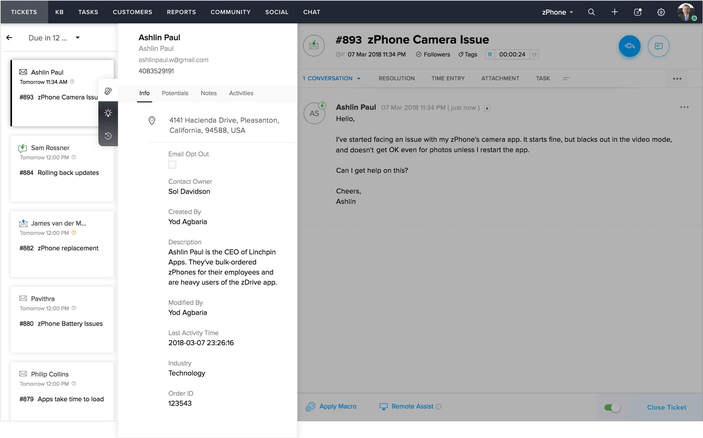
Zoho Desk delivers a comprehensive suite of service desk capabilities:
Multi-channel ticketing
collecting customer requests via email, phone, social media, chat, and web forms into a unified interface
Extensive automation
with workflows, ticket assignment, and notifications that streamline support processes
Zia AI assistant
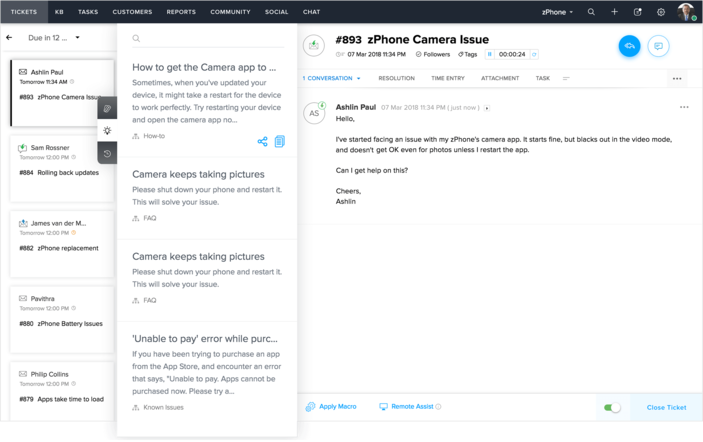
that analyzes sentiment, suggests knowledge base articles, and provides conversational assistance to customers
Multi-department setup
allowing distinct help centers, automation rules, and communication channels for different teams
Blueprint workflow designer
for mapping automated end-to-end processes, going beyond simple task routing
Customization flexibility
enabling teams to rearrange menus, rename components, and modify HTML elements at higher tiers
Pros and cons of Zoho Desk
Pros
- Exceptional value with rich features at lower price points than competitors
- Seamless integration with other Zoho products and third-party applications
- Highly customizable interface adaptable to specific business needs
- Strong automation capabilities reducing manual workload
Cons
- Interface appears dated compared to competitors with text-heavy, nested menus
- Premium support costs extra (20-25% of monthly costs)
- Initial setup and customization can become overwhelming
- Occasional performance lags reported by users
Zoho Desk best for
Zoho Desk particularly excels for:
Small-to-medium businesses requiring robust yet affordable service desk solutions
Organizations wanting extensive customization without advanced technical expertise
Companies using other Zoho products seeking integrated customer support
Teams needing multi-department help desk configurations
Businesses prioritizing workflow automation and AI-assisted customer support
5. Jira Service Management
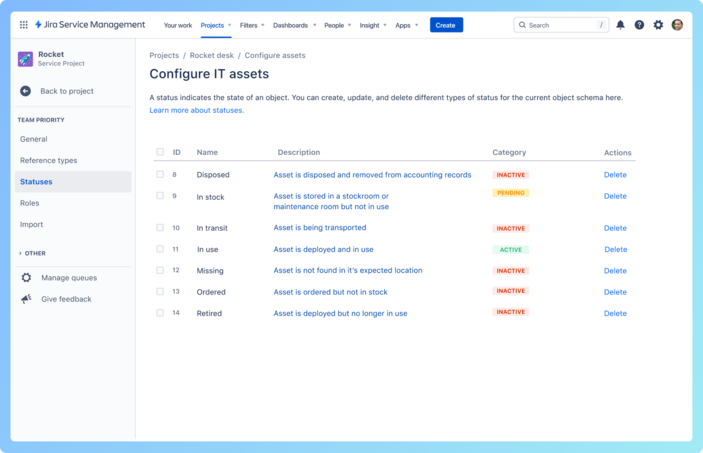
Jira Service Management combines powerful ITIL-aligned capabilities with seamless development integration, making it a standout choice for IT teams seeking unified workflow management. This Atlassian offering builds on its project management foundation to deliver comprehensive service desk functionality.
Key Features
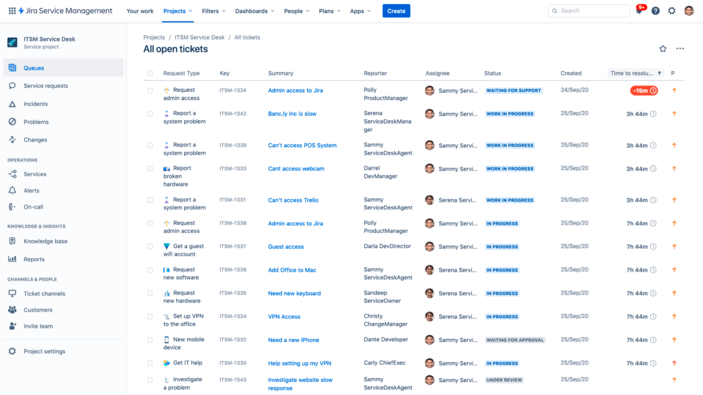
Jira Service Management delivers a robust set of ITIL-compliant capabilities:
Request management
with customizable queues and dynamic forms using conditional logic to collect precise information
Knowledge base integration
with Confluence for self-service options and AI-powered answers
Automation tools
including customizable rules to streamline routine tasks
Service Level Agreements (SLAs)
for tracking response and resolution times
Furthermore, Premium and Enterprise plans include advanced incident, problem, and change management capabilities. The platform also offers asset and configuration management to track IT resources and visualize dependencies between services.
Pros and cons of Jira Service Management
Pros
- Seamless integration with development tools creates a unified experience for IT and dev teams
- Highly customizable workflows adapt to specific organizational processes
- Extensive automation capabilities reduce manual workload
- Strong community support and extensive documentation
Cons
- Steep learning curve for new users, especially with workflow customization
- Higher-tier plans required for advanced ITSM features
- Initial setup and management require significant effort
- Limited customer and organization management capabilities
Jira Service Management best for
Jira Service Management excels primarily for:
Organizations already using Atlassian products seeking integrated service management
IT teams requiring tight collaboration with development departments
Businesses needing highly customizable service desk workflows
Companies wanting to implement ITIL practices with modern tooling
Teams focused on building extensive self-service knowledge bases
6. Help Scout
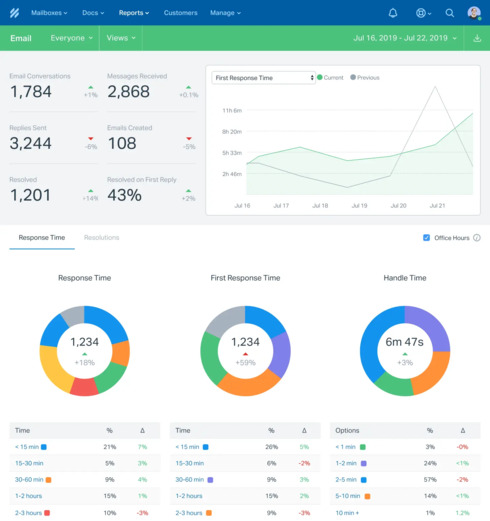
Help Scout takes a refreshingly straightforward approach to customer service with its email-based platform that keeps the human touch at the forefront. This solution stands apart from traditional ticketing systems by maintaining a personal email experience for customers while giving support teams powerful collaboration tools.
Key Features
Help Scout delivers essential service desk functionality with a focus on simplicity:
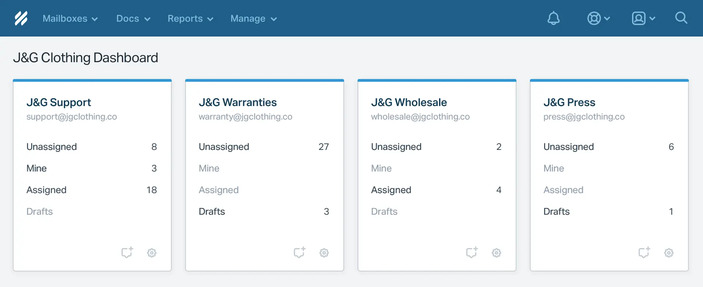
Unified shared inbox
that centralizes all customer conversations across channels into one collaborative workspace
Self-service Docs
for creating searchable knowledge bases with customizable branding
Beacon widget
that embeds on websites or in apps to offer chat, suggested content, and contact forms
Messages feature
for proactive customer communication via in-app notifications
AI capabilities
at no extra cost, including conversation summarization, reply drafting, and translation
Notably, Help Scout’s collision detection prevents duplicate responses by showing when another team member is viewing or responding to a conversation.
Pros and cons of Help Scout
Pros
- No per-seat pricing allows unlimited users on all plans
- Intuitive interface requiring minimal training
- Strong customer service with 99% of emails answered within 24 hours
- Easy setup and maintenance compared to complex help desk systems
Cons
- Limited customization options for knowledge platform layout
- Lacks certain features like ticketing system and scheduling capabilities
- Messaging feature pricing becomes costly beyond 2,000 unique viewers
- Fewer integrations than some competitors despite offering 90+ apps
Help Scout best for
Help Scout excels primarily for:
Small-to-medium businesses prioritizing personal customer communication
Teams wanting unlimited users without per-seat pricing constraints
Healthcare organizations requiring HIPAA compliance
Companies seeking an email-first approach rather than ticket numbering systems
Teams valuing simplicity over complex features
7. Desk365
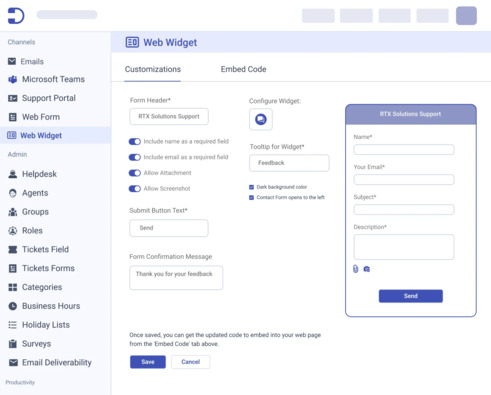
Desk365 emerges as a streamlined service desk solution with deep Microsoft 365 integration, enabling teams to manage support requests without leaving their familiar work environment. This cloud-based platform focuses on simplicity without sacrificing powerful functionality.
Key Features
Desk365 delivers essential service desk capabilities centered around Microsoft integration:
Unified inbox
consolidating all customer support requests into one intuitive interface for streamlined ticket management
Microsoft Teams integration
allowing users to create tickets, receive notifications, and check statuses without switching platforms
AI-powered drafting
that generates and refines responses to save time and boost accuracy
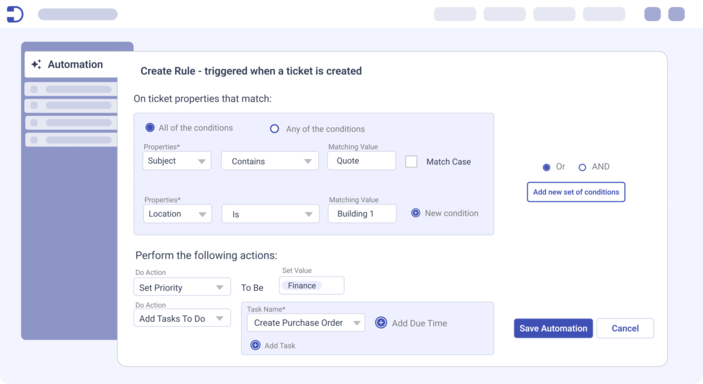
Automation tools
for workflow optimization, including ticket assignment, notifications, and SLA monitoring
Customization options
for support portal, ticket forms, and agent roles to align with specific business needs
The platform also offers knowledge base functionality, allowing teams to create and share solution articles internally or with customers through the support portal.
Pros and cons of Desk365
Pros
- Exceptional Microsoft Teams integration that significantly improves user interaction
- Rapid implementation of customer-requested features
- SOC2 Type 2 compliance and HIPAA-compliant security
- Straightforward, intuitive interface requiring minimal training
Cons
- Limited language options for the agent portal
- No attachment field for customizing forms
- Occasional unannounced changes to ticket fields and form elements
- Notification system could be more robust
Desk365 best for
Desk365 particularly excels for:
Organizations heavily invested in Microsoft 365 ecosystem seeking native integration
Small-to-medium businesses requiring cost-effective yet comprehensive service desk solutions
Teams prioritizing quick implementation with minimal training requirements
Companies seeking modern helpdesk functionality without complex setup processes
IT departments wanting unified ticket management across multiple communication channels
8. HappyFox
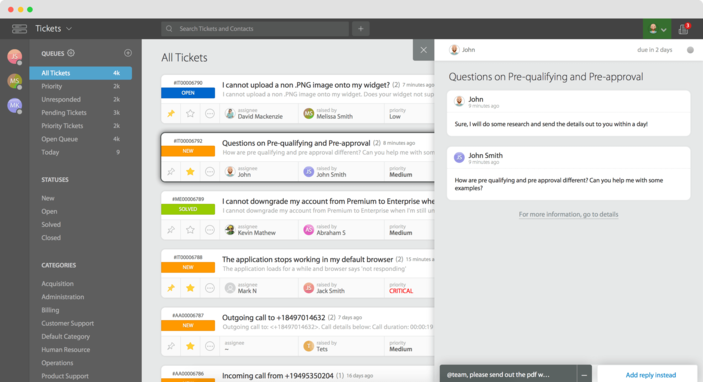
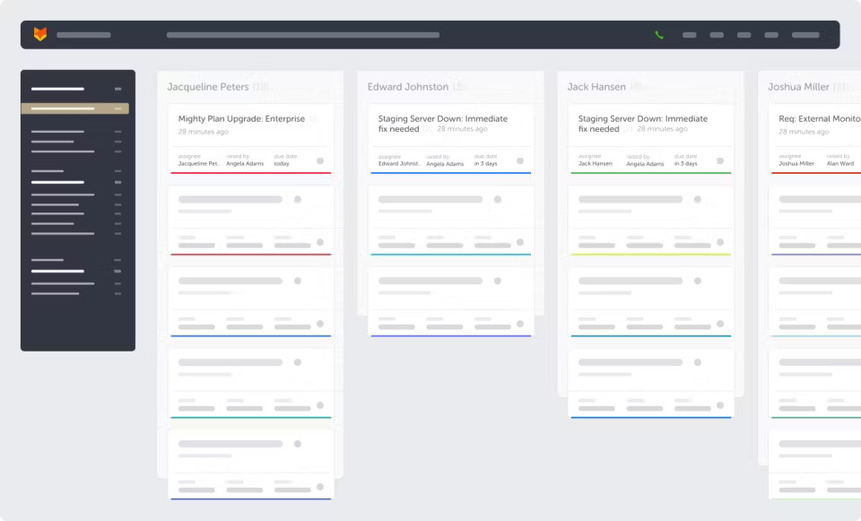
HappyFox delivers a comprehensive help desk solution that combines powerful ticketing capabilities with extensive customization options. This cloud-based platform stands out for its conversational ticketing approach and AI-powered assistance tools that streamline support operations.
Key Features
HappyFox offers a robust set of service desk capabilities:
Omnichannel ticketing
that centralizes support requests from email, social media, chat, and phone into a unified interface
AI-powered assistance
through AssistAI, which integrates with Slack and Microsoft Teams to answer common questions without contacting an agent
Advanced workflow automation
with multi-step processes using HappyFox Workflows for sophisticated business process automation
Customizable knowledge base
with SEO capabilities helping customers find solutions through search engines
Asset management
for tracking hardware and software resources in one location
The platform also offers extensive customization options for ticket fields, statuses, and priorities to align with specific business processes.
Pros and cons of HappyFox
Pros
- Comprehensive feature set making it one of the most complete help desk solutions available
- Deep integration with communication tools like Slack and Microsoft Teams
- Extensive customization options for portals, fields, and workflows
- HappyFox University providing focused training to quickly bring new agents up to speed
Cons
- Higher price point compared to many competitors in the service desk market
- Learning curve associated with the rich feature set
- Asset management capabilities not as robust as specialized solutions
- Limited social media integration (only Facebook and Twitter)
HappyFox best for
Based on its capabilities, HappyFox is ideally suited for:
Mid-sized to enterprise organizations requiring extensive customization options
Companies needing unified support across multiple communication channels
Businesses using Slack or Microsoft Teams seeking native ticket management integration
Organizations valuing sophisticated workflow automation for complex support processes
Teams requiring flexible knowledge base and self-service portal capabilities
9. LiveAgent
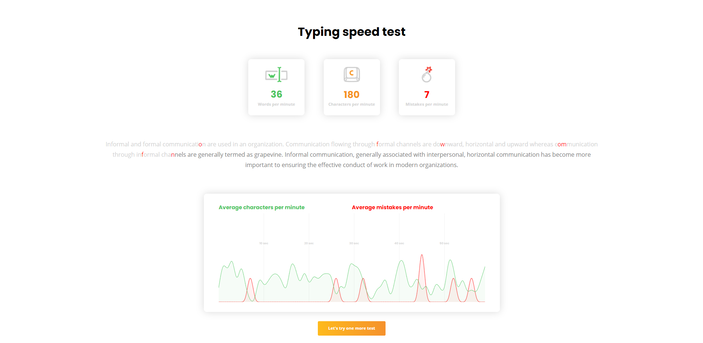
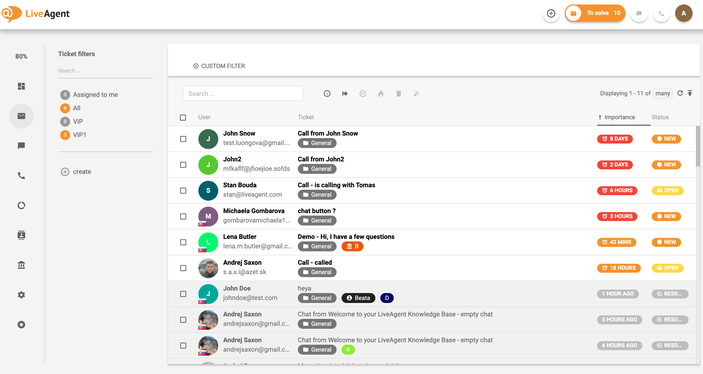
LiveAgent delivers an all-in-one customer support platform focused on real-time communication capabilities across multiple channels. This versatile service desk solution centralizes all customer interactions into a universal inbox, streamlining ticket management for support teams of various sizes.
Key Features
LiveAgent’s functionality centers around its multi-channel support capabilities:
Universal inbox
consolidating customer communications from email, live chat, phone, and social media into a single ticketing system
Real-time chat tools
featuring typing-view that shows what customers are typing before they send messages
Knowledge base integration
enabling self-service options that reduce ticket volume (with 90% of customer traffic coming from knowledge base)
AI chatbot
for handling simple inquiries and guiding customers through product information before reaching support agents
Ticketing system automation
with customizable rules, time triggers, and SLA monitoring
Social media integrations
including Facebook, Twitter, Instagram, WhatsApp, and Viber
The platform claims to help companies save up to 95% of time, money, and resources by implementing their ticketing solution.
Pros and cons of LiveAgent
Pros
- Omnichannel support consolidation improves response speed and team performance
- Automated ticketing rules efficiently organize queries by characteristics
- Pre-written answers feature significantly saves agent time
- Real-time chat with typing-view enhances customer experience
- Extensive customization options for branding and workflows
Cons
- Limited number of email addresses on basic plans
- Fewer than 300 integrations available
- Occasional system lags when managing large ticket volumes
- UI learning curve reported by some users
- Social media integrations require monthly add-on fees on basic plans
LiveAgent best for
LiveAgent is particularly suitable for:
Small-to-medium businesses seeking comprehensive yet affordable help desk solutions
Organizations requiring real-time customer engagement capabilities
Teams managing support across multiple communication channels
Companies looking to implement self-service knowledge base resources
Businesses needing social media customer support integration
10. Front
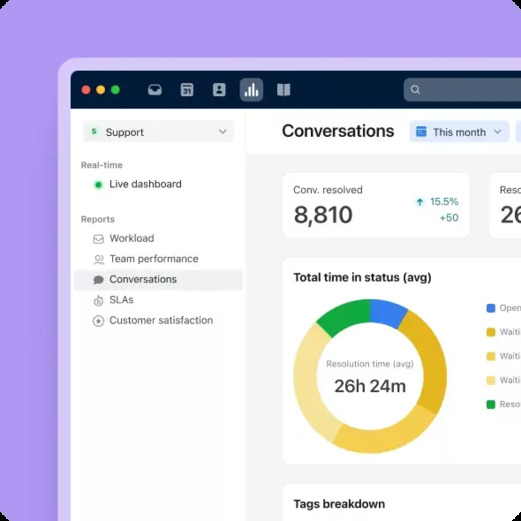
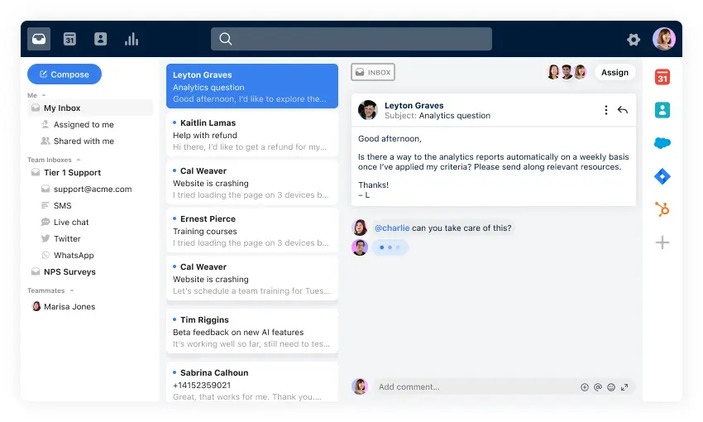
Front transforms the traditional help desk experience by merging email’s familiar interface with powerful service desk capabilities. This customer communication platform centralizes support interactions while maintaining a personal touch through its intuitive design.
Key Features
Front offers several standout capabilities for IT service teams:
Omnichannel support
that consolidates emails, chats, and other communication channels into one unified inbox
Advanced automation
through customizable Macros and Connectors that improve team efficiency by performing multiple actions simultaneously
AI-powered assistance
with AI Summarize and Compose features that help draft messages faster
Seamless collaboration
via shared inboxes and internal comments to keep teams aligned without information silos
Performance tracking
through pre-built reports and custom dashboards for service desk optimization
Knowledge base builder
that creates self-service paths, reducing tickets and freeing up IT team time
Pros and cons of Front
Pros
- Combines email familiarity with service desk efficiency
- Unified inbox simplifies multi-channel communication management
- Robust team collaboration features enhance internal coordination
- Flexible automation workflows improve support efficiency
- Extensive customization options adapt to specific business needs
Cons
- Lacks specialized IT service management features like service catalogs
- No change or problem management modules for complex IT operations
- Absence of self-service portal for user-driven issue resolution
- Less suitable for IT departments requiring advanced ITSM functionalities
Front best for
Front excels primarily for:
Customer support teams managing inquiries across multiple channels
Sales and account management teams requiring personalized client communication
Organizations seeking to consolidate various communication tools into one platform
Teams needing advanced internal collaboration capabilities
Businesses requiring highly customizable workflows and branding options
11. Spiceworks
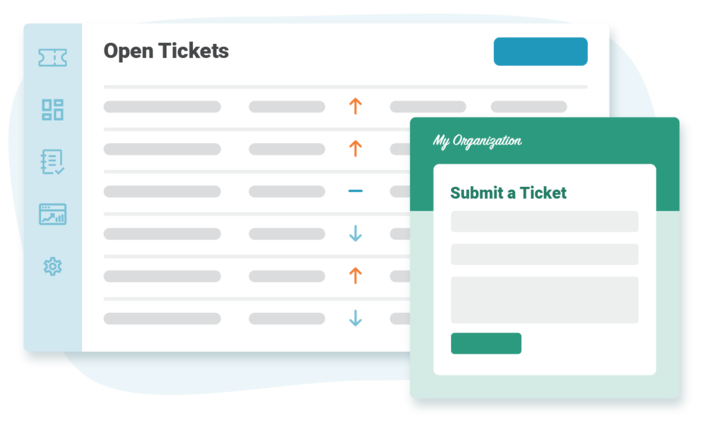
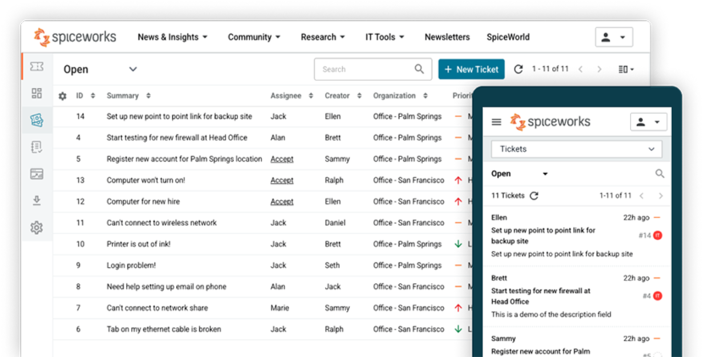
Spiceworks stands alone in the service desk market as a completely free platform that delivers essential IT support functionality without the financial barriers of most competitors. Operating as a cloud-based solution since 2006, this service desk tool enables IT teams to track and manage user requests efficiently.
Key Features
Spiceworks Cloud Help Desk focuses on simplifying IT support operations with several key capabilities:
Ticket management
through email or customizable web portal with automatic assignment and routing based on priorities and categories
Mobile application
allowing technicians to manage tickets on-the-go through the native help desk app
Customizable reports
with advanced filtering options and Power BI integration for deeper data analysis
Knowledge base functionality
for creating and sharing technical information within teams
Automated responses
that save time by eliminating repetitive writing
Task organization
with custom ticket queues and views based on multiple criteria
Pros and cons of Spiceworks
Pros
- Completely free platform with excellent support
- Straightforward deployment without server procurement or maintenance
- Strong community forum with users worldwide
- Efficient email-to-ticket conversion for end users
- Integration with inventory management and network monitoring tools
Cons
- Limited integration with social logins like Twitter and LinkedIn
- No multi-stage approval workflows for software requests or network access
- SNMP sniffer requires significant effort to function correctly
- Manual removal of offline devices required
- Less functionality compared to paid ITSM solutions
Spiceworks best for
In essence, Spiceworks is ideally suited for:
Small businesses operating under budget constraints (ranked as best option for this category by PC Magazine)
IT professionals seeking to improve user self-help capabilities
Startups lacking an established service desk system
Teams needing basic ticketing without complex ITSM requirements
Organizations looking for cloud-based solutions with minimal setup overhead
12. ManageEngine ServiceDesk Plus
ManageEngine ServiceDesk Plus operates as a versatile ITSM solution from Zoho’s enterprise division that accommodates different deployment preferences. I found that this platform caters specifically to small and mid-sized IT departments seeking comprehensive help desk functionality without excessive complexity.
Key Features
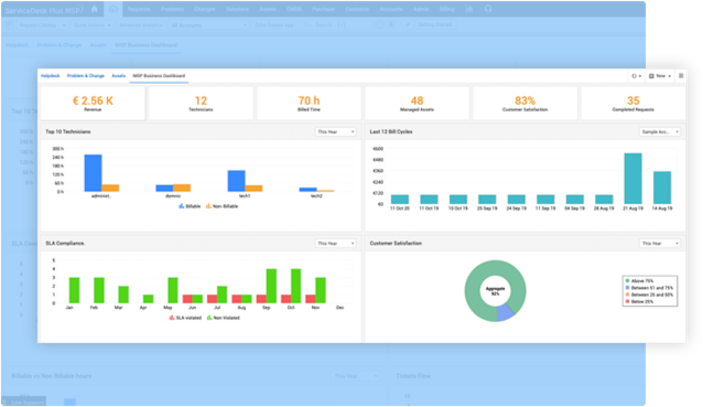
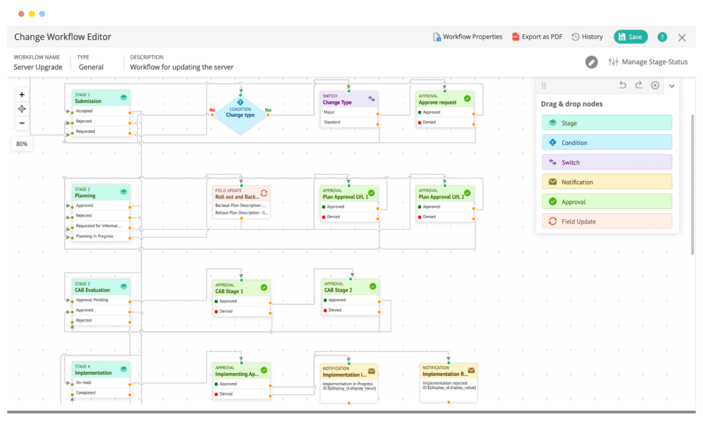
ManageEngine ServiceDesk Plus delivers a complete ITIL-ready package:
Full-stack ITSM suite
with incident management, asset management, and service level management in a unified console
Knowledge base integration
enabling self-service options for resolving common issues
Comprehensive reporting
with 380 predefined reports across the entire system
Multi-channel support
processing requests via email, web portal, and phone
Mobile application
allowing technicians to manage tickets on-the-go
The platform further distinguishes itself with Microsoft Teams integration in the cloud version, exposing all help desk tools directly within the Teams environment.
Pros and cons of ManageEngine
Pros
- Excellent project management and change management capabilities
- Auto-routing feature significantly reduces manual assignment efforts
- Robust ticket management for both internal and external tickets
- Strong integration capabilities with modular expandability
- Cost-effective pricing model with free tier availability
Cons
- Interface appears dated according to some users
- Limited customization for reporting requires external tools for detailed analysis
- Configuration setup can be complex for advanced features
- Occasional performance lags with large ticket volumes
- Customer support response times sometimes inconsistent
ManageEngine best for
In my experience, ManageEngine ServiceDesk Plus works exceptionally well for:
Small to mid-sized IT teams requiring comprehensive yet affordable service desk solutions
Organizations needing both help desk functionality and asset management in one platform
Companies with tight budgets concerned about data security (device-based pricing and on-premises options)
Businesses in information technology, healthcare, and financial services sectors
Teams requiring extensive customization of dashboards and reports
13. Groove
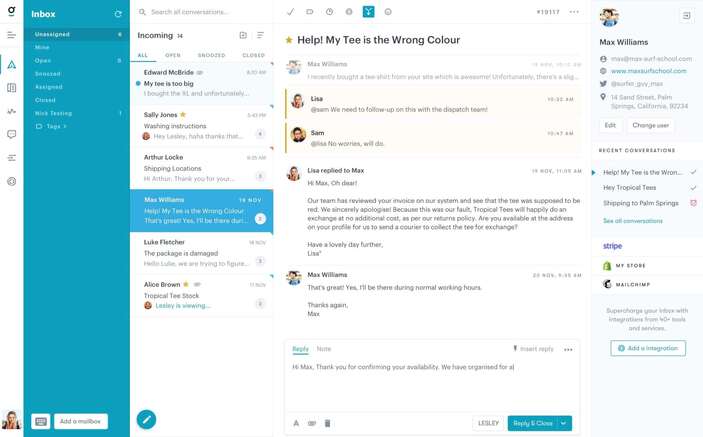
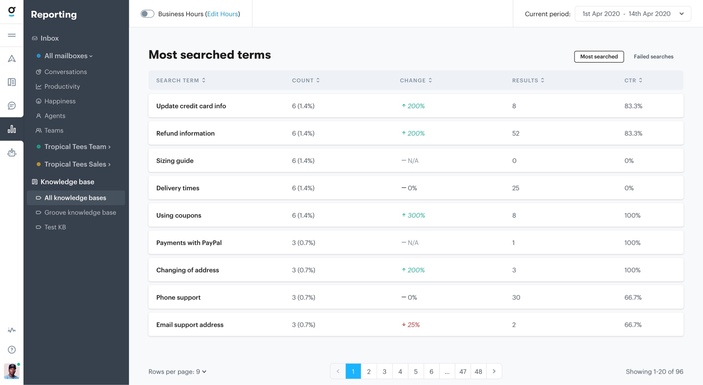
Groove simplifies customer support with its email-like interface, providing a straightforward yet powerful service desk solution for growing businesses. I’ve discovered that its familiar design significantly reduces the learning curve for teams transitioning from basic email systems to structured help desk software.
Key Features
Groove centers its functionality around an intuitive shared inbox with several standout capabilities:
Conversation management
with clear assignments, collision detection to prevent duplicate responses, and private internal notes for team collaboration
Live chat support
featuring round-robin assignment, unattended message logic, and email continuation when customers drop offline
Knowledge base
that reduces support requests by up to 43%, with full team access and mobile optimization
Insightful reporting
tracking performance metrics, conversation insights, and customer satisfaction
Native integrations
eliminating tab-switching by bringing various tools into one interface
Pros and cons of Groove
Pros
- Intuitive, email-like interface requiring minimal training
- Robust canned replies for consistent responses to common questions
- Comprehensive automation tools for optimizing outbound communication
- Excellent AI features that summarize, suggest, and edit messages
Cons
- Limited customization for reporting features
- Search functionality described as slow and clunky by some users
- Lacks advanced ITSM features compared to specialized solutions
- Some users find the side navigation menu icons not intuitive without text labels
Groove best for
Essentially, Groove works exceptionally well for:
Small-to-medium businesses seeking simplified customer support tools
Teams transitioning from email to structured help desk systems
Organizations valuing an intuitive, familiar interface over complex ITSM features
Companies prioritizing AI-assisted support and comprehensive reporting
14. Kayako
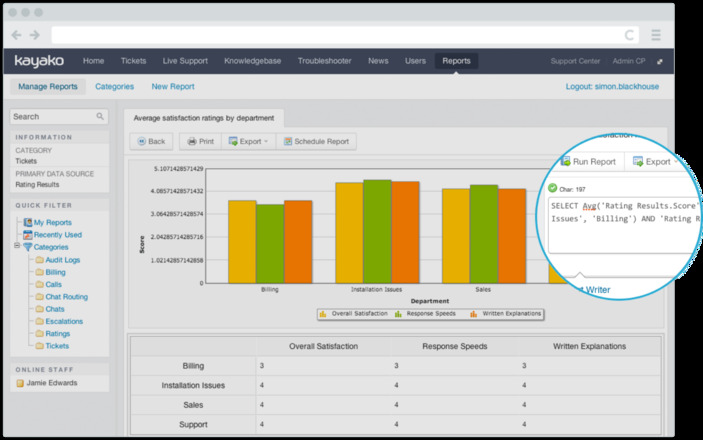
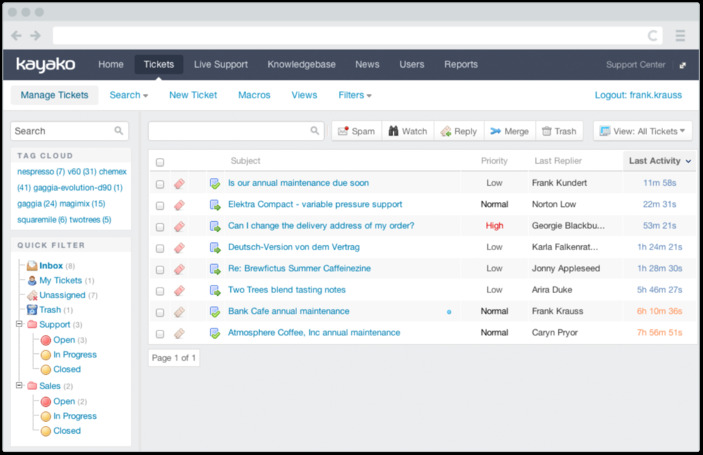
Kayako forges a new path in customer support with its AI-powered helpdesk that focuses on autonomous resolution, allowing teams to automate up to 80% of repetitive support tickets. As an overlay solution that works standalone or integrates with existing platforms, this service desk tool emphasizes intelligent learning and workflow automation.
Key Features
Kayako delivers several standout capabilities:
AI-powered automation
that continuously learns from support interactions to improve resolution accuracy
Multi-channel support
centralizing inquiries from email, direct messaging, social media, and self-service Help Centers
Fully autonomous resolutions
available in the Enterprise plan, eliminating manual intervention for common issues
No-code onboarding
allowing teams to implement AI helpdesk automation without technical expertise
Seamless integration
with existing systems like Zendesk, Freshdesk, or custom-built support platforms
The platform also offers multilingual content support, audio file transcriptions, and customizable branding options in higher-tier plans.
Pros and cons of Kayako
Pros
- Extraordinary autonomous solve rates reaching 82% in just two months for some clients
- Significant cost savings with reported USD 500000 annual operational cost reduction
- First-contact resolution improvements from 55% to 85% in documented case studies
- Extensive customer profile building for personalized support experiences
Cons
- Interface described as cluttered by some users, creating navigation difficulties
- Higher price point compared to alternatives, particularly for small companies Occasional tech
- Occasional technical issues reported by long-term users
- Parent company changes have reportedly affected support quality
Comparison Table | |||||||||||||||||||||||||||||||||||||||||||||||||||||||||||||||||||||||||||
|
Conclusion
After examining these 15 service desk solutions, selecting the right platform clearly depends on your specific organizational needs and constraints. The market offers remarkable diversity in 2026, from completely free options to enterprise-grade solutions with advanced AI capabilities. Most providers recognize budget constraints with tiered pricing, while several offer free plans supporting up to 3 agents, making quality help desk software accessible to organizations of all sizes.
AI-driven features emerged as a significant differentiator throughout our analysis. Motadata ServiceOps particularly stands out with its Deep Learning Framework for IT Operations, delivering impressive automation capabilities that reduce resolution times by up to 85%. This aligns perfectly with the industry-wide shift toward AI-powered support that I mentioned at the beginning of this guide.
Essentially, your selection should balance several critical factors: budget constraints, team size, required channels, automation needs, and integration requirements. Small teams migrating from email might find Help Scout or Groove ideal, while enterprises managing complex IT operations would benefit from comprehensive solutions like Motadata ServiceOps.
User experience matters tremendously when deploying service desk software. Therefore, I recommend taking advantage of free trials offered by most providers before making your final decision. This hands-on approach will help your team assess usability, workflow compatibility, and potential ROI far better than feature lists alone.
Ultimately, the best service desk solution empowers your team to deliver exceptional support efficiently. Whether you prioritize cost, simplicity, or comprehensive capability, this comparison guide should help you navigate the options available in 2026 and beyond.
Author
Arpit Sharma
Senior Content Marketer
Arpit Sharma is a Senior Content Marketer at Motadata with over 8 years of experience in content writing. Specializing in telecom, fintech, AIOps, and ServiceOps, Arpit crafts insightful and engaging content that resonates with industry professionals. Beyond his professional expertise, he is an avid reader, enjoys running, and loves exploring new places.