What is Cloud Infrastructure? Everything You Need to Know
Modern businesses need infrastructure that can scale as quickly as their demands change.
Yet many organizations still struggle with infrastructure that is costly to maintain, difficult to expand, and slow to adapt to new requirements. As applications, users, and data continue to grow, managing resources efficiently becomes increasingly challenging.
Cloud infrastructure provides a more flexible approach. By delivering computing, storage, and networking resources on demand, it helps organizations support growth, improve agility, and reduce the complexity associated with traditional infrastructure management.
In this guide, you'll learn:
What cloud infrastructure is and how it works
The core components that power cloud environments
The differences between cloud infrastructure, cloud computing, and cloud architecture
The deployment and service models organizations use to support different business needs
By the end, you'll have a clear understanding of cloud infrastructure and how it supports modern applications and services.
What is Cloud Infrastructure?
Cloud infrastructure is the complete set of hardware and software resources that a cloud computing environment is built on.
It includes the physical equipment (servers, storage systems, and networking devices) and the software layer (virtualization, management, and security tools) that turns that equipment into on-demand computing resources delivered over the internet.
A cloud provider owns and operates the physical equipment inside data centers around the world. Software then pools and divides those resources so they can be provisioned in seconds, scaled up or down as demand changes, and released when they are no longer needed.
You access and pay for the capacity as a service, instead of buying and maintaining the underlying hardware yourself.
That market has become enormous. Global spending on cloud infrastructure services reached 419 billion dollars in 2025, according to Synergy Research Group, with generative AI named as the main driver of the growth.
The figure matters less than the signal behind it: the foundation of modern IT now lives, for most organizations, in someone else's data center.
A simple way to hold the idea in your head. Cloud infrastructure is the engine and the wiring. The cloud service you log into is the car.
How Does Cloud Infrastructure Work?
Cloud infrastructure works by turning physical hardware into virtual resources that many users can share at the same time without affecting each other. It runs as a stack of layers, each doing a specific job:
The physical layer: It contains servers, storage arrays, and networking equipment available in the provider's data centers.
The virtualization layer: It has a virtualization software, run by a hypervisor, splits each physical server into independent virtual machines, each with its own operating system.
The pooled resource layer: It has storage and networking that are abstracted into elastic, software-defined capacity you can grow or shrink on demand.
The management layer: It has orchestration software that decides where workloads run, balances traffic, enforces policy, and reclaims resources you are no longer using.
Within that virtualization layer, it also helps to understand the difference between containers and virtual machines, because containers package an application and its dependencies into a lighter unit that starts faster than a full virtual machine.
Strip out this whole stack and the cloud would just be a very large pile of idle hardware.
What are the Core Components of Cloud Infrastructure?
Most explanations list three or four parts. The honest version has five, because the management layer does as much work as the hardware it governs.
1. Compute
Compute is the processing power that runs your workloads, delivered as virtual machines, bare-metal servers, or containers. A virtual machine is a software-defined computer that behaves like a physical one.
Bare-metal is a dedicated physical server with no virtualization layer, which suits data-heavy or latency-sensitive jobs. Containers sit in between, packaging an app so it runs the same way anywhere. The mix you pick decides how fast you can scale and how much isolation you get. When comparing hosting options, the cloud hosting and VPS comparison from BuyVPS outlines differences in resource allocation, scalability, and billing to consider alongside your workload requirements.
2. Storage
Storage is where your data lives, hosted on the provider's disks and presented to you as capacity you can resize on demand. It usually comes in three shapes:
Object storage for unstructured files like images, video, and backups.
Block storage for databases and anything that needs fast read and write speed.
File storage for shared folders and documents.
Picking the wrong storage class for a workload is one of the most common ways a cloud bill quietly balloons.
3. Networking
Networking is the set of connections that let your cloud resources talk to each other and to the outside world. It includes virtual switches, load balancers that spread traffic so no single server gets overwhelmed, and firewalls that filter what gets through.
Much of this runs on software-defined networking, which means the network is controlled by software rather than configured device by device. That is what lets a provider stand up an isolated network for you in moments.
4. Virtualization
Virtualization is the layer that abstracts physical hardware into the pooled, shareable resources everything else depends on. It is not a component you click on directly, but remove it and cloud infrastructure stops being cloud.
This is the piece that turns one expensive server into capacity for many tenants, and it is the foundation the other four components stand on.
5. Management and Security Software
The management layer is the software that monitors, provisions, secures, and optimizes everything above it.
This includes:
Identity and access controls that decide who can touch what.
Encryption that protects data while it moves and while it sits at rest.
Dashboards and automation that show what is running, how it performs, and what it costs.
Treat this layer as optional and you end up with infrastructure nobody can see clearly, which is exactly how small problems grow into outages.
What is the Difference Between Cloud Infrastructure, Cloud Computing, and Cloud Architecture?
These three terms get used as if they mean the same thing. They do not, and the difference is worth a couple of minutes of your attention, because mixing them up leads to muddled decisions about what to buy and who owns what.
Aspect | Cloud Computing | Cloud Infrastructure | Cloud Architecture |
What it is | The delivery of IT services over the internet | The hardware and software those services run on | The design that arranges the components |
Its role | The activity you perform | The foundation underneath | The blueprint that connects everything |
Examples | Running an app, a server, or an analytics job | Servers, storage, networking, virtualization | Microservices layout, data flow, redundancy |
Who shapes it | The user consuming the service | Mostly the cloud provider | Your own team or solution architect |
You change it by | Using more or fewer services | Choosing models and deployment types | Redesigning how components connect |
Analogy | Living in the finished house | The building materials | The blueprint |
Here is each one in a little more detail.
Cloud computing is the activity. It is the on-demand delivery of computing services, such as storage, processing, databases, and applications, over the internet. When your team spins up a server, runs an analytics job, or opens a web app, that is cloud computing in action. It is what people mean when they say they have moved to the cloud.
Cloud infrastructure is what makes that activity possible. It is the physical and virtual stack underneath: the servers, storage, and networking, plus the virtualization and management software that pools them into usable resources. Cloud computing has nothing to run on without it, the same way a service cannot exist without the hardware behind it. Most of this layer is owned and operated by the provider, not by you.
Cloud architecture is the design that connects the two. It is the blueprint that decides how the infrastructure components are arranged: which services talk to which, how data flows, where redundancy sits, and how the system scales under load. Two companies can use the same provider and the same building blocks and still end up with very different architectures, depending on how they wire it together. This is the layer where your own team makes the most decisions.
Put plainly, architecture is the plan, infrastructure is the materials, and computing is what you do once the house is built.
You can have all the materials in the world and still build something that falls over if the plan is wrong. Get the layering right and each term has a clear job: infrastructure supplies the resources, architecture organizes them, and computing puts them to work.
What are the Cloud Infrastructure Delivery Models?
Delivery models describe how much of the stack the provider runs and how much you run. There are three main ones, and they sit on a spectrum from most control to least.
Model | You manage | Provider manages | Best fit |
IaaS | OS, apps, data | Servers, storage, network | Teams wanting raw control |
PaaS | Apps, data | Everything below the app | Developers shipping fast |
SaaS | Your usage only | The whole application | End users, zero upkeep |
1. What is Infrastructure as a Service (IaaS)?
Infrastructure as a service hands you the raw building blocks: compute, storage, and networking that you configure yourself. You get the most control and you carry the most responsibility, including patching the operating system. It suits teams who need to shape the environment to their own requirements and have the people to manage it.
2. What is Platform as a Service (PaaS)?
Platform as a service goes a step further up the stack. The provider runs the operating system, the runtime, and the underlying servers, so your developers can focus on writing and shipping code rather than maintaining the machines it runs on. It trades some control for a lot less day-to-day upkeep.
3. What is Software as a Service (SaaS)?
Software as a service is the top of the stack. The provider runs the entire application and you use it through a browser, managing nothing except your own account. The email tool and the CRM your sales team logs into are almost certainly SaaS. Most organizations end up using all three models at once for different jobs.
What are the Types of Cloud Infrastructure Deployment?
Deployment type answers a different question: where does the infrastructure physically sit, and who shares it? The choice shapes your cost, control, and compliance posture.
Type | Resources | Control | Common fit |
Public | Shared, multi-tenant | Lower | Variable, scaling workloads |
Private | Dedicated, single-tenant | Higher | Sensitive or regulated data |
Hybrid | Mix of both | Balanced | Migrating or split workloads |
Multicloud | Several providers | Flexible | Avoiding vendor lock-in |
Public cloud means you use shared capacity from a provider who serves many customers from the same pool. You never see the hardware, you pay only for what you use, and you inherit the provider's scale. The three largest providers, AWS, Microsoft Azure, and Google Cloud, together held about 65 percent of global cloud infrastructure spending in the second quarter of 2025, according to Canalys.
Private cloud dedicates the infrastructure to a single organization. It can sit in your own data center or be hosted by a provider, but the resources are not shared. You gain control and isolation, which is why regulated industries lean on it, and you give up some of the cost savings that come from sharing.
Hybrid cloud blends the two, letting workloads move between a private environment and the public cloud based on need. Sensitive data can stay private while bursty, public-facing work runs on shared capacity.
Multicloud means using more than one public provider at once, often to avoid depending on a single vendor or to pick the best service for each job.
It is worth reading up on cloud deployment models in more detail before you commit, because each type carries operational baggage that does not show up in a pricing calculator.
What Are the Benefits of Cloud Infrastructure?
The appeal of cloud infrastructure is not magic. It comes down to a few concrete shifts in how you spend and operate:
Lower upfront cost: Instead of buying servers and hoping you sized them right, you pay only for what you consume, which turns a large capital purchase into a running expense you can adjust.
Elasticity on demand: When traffic spikes, capacity scales up in minutes, and when it drops, it scales back down so nobody pays for idle servers. It helps to know how elasticity and scalability actually differ in practice.
Reach and resilience built in: Providers run data centers across many regions, so workloads can sit close to users and redundancy comes without constructing a second facility.
Less maintenance to carry: Hardware refreshes, physical security, and a chunk of the patching become the provider's job, which frees your team for work that moves the business.
What Are the Drawbacks of Cloud Infrastructure?
Here is the part the brochures skip. Cloud infrastructure solves real problems and creates new ones, and pretending otherwise sets teams up to be surprised:
Cost can run away: Pay-as-you-go is cheap until forgotten resources, oversized instances, and data transfer fees pile up. Staying ahead of it takes active effort to keep cloud costs under control, not a one-time setup.
Gain control of your infrastructure: When the infrastructure lives in someone else's data center, you are tied to their maintenance windows, their outages, and their roadmap.
Complexity grows fast: A hybrid or multicloud setup spreads your resources across environments that each have their own tools, logs, and quirks. An engineer chasing a slow application at 2 a.m. can end up jumping between four consoles trying to find which layer is broken.
Vendor lock-in sets in: The deeper you build into one provider's services, the harder and more expensive it becomes to leave.
None of this is a reason to avoid the cloud. It is a reason to go in with your eyes open.
How Do You Move to Cloud Infrastructure?
If you are weighing a move, the order you do things in matters more than the speed. Here is a sequence that holds up.
Map what you have first: Before anything moves, list your applications, their dependencies, and how much they actually use. You cannot make good decisions about the cloud without knowing what you are putting into it, and this step almost always surfaces forgotten systems nobody owns.
Match each workload to the right model: Some apps belong on IaaS for control, some on SaaS to retire entirely. Sorting this early saves expensive re-platforming later. A reporting tool and a core banking system do not belong in the same bucket.
Move in waves, not all at once: Start with low-risk, low-dependency workloads to learn the process, then move the harder ones once your team has confidence. A staged cloud migration beats a big-bang cutover almost every time, because the first wave teaches you what your runbooks missed.
Build cost guardrails before you scale: Set budgets, tag resources by owner, and turn on alerts for spend anomalies from day one. The team that adds this after the first shocking bill has already lost money it did not need to.
Set up visibility from the start: Decide how you will monitor performance, availability, and cost across every environment before workloads go live. Bolting this on after an outage is the most expensive way to learn the lesson.
How Do You Keep Cloud Infrastructure Running Well?
Standing up cloud infrastructure is the easy half. The harder half starts the day after, when the work shifts from building it to keeping it healthy. This is the part most guides skip, and it is where teams either save money or quietly lose it.
Day to day, running cloud infrastructure comes down to staying on top of four things:
What is actually running. Resources appear and disappear constantly, so an inventory from last month is already wrong. A live picture beats a static diagram every time.
What it costs. Bills move with usage, so without tracking you only learn about a spike after it has landed.
How it performs. Latency, errors, and availability decide whether users notice a problem before you do.
Whether it stays secure. Access rights, configurations, and patch levels all drift over time if nobody is watching.
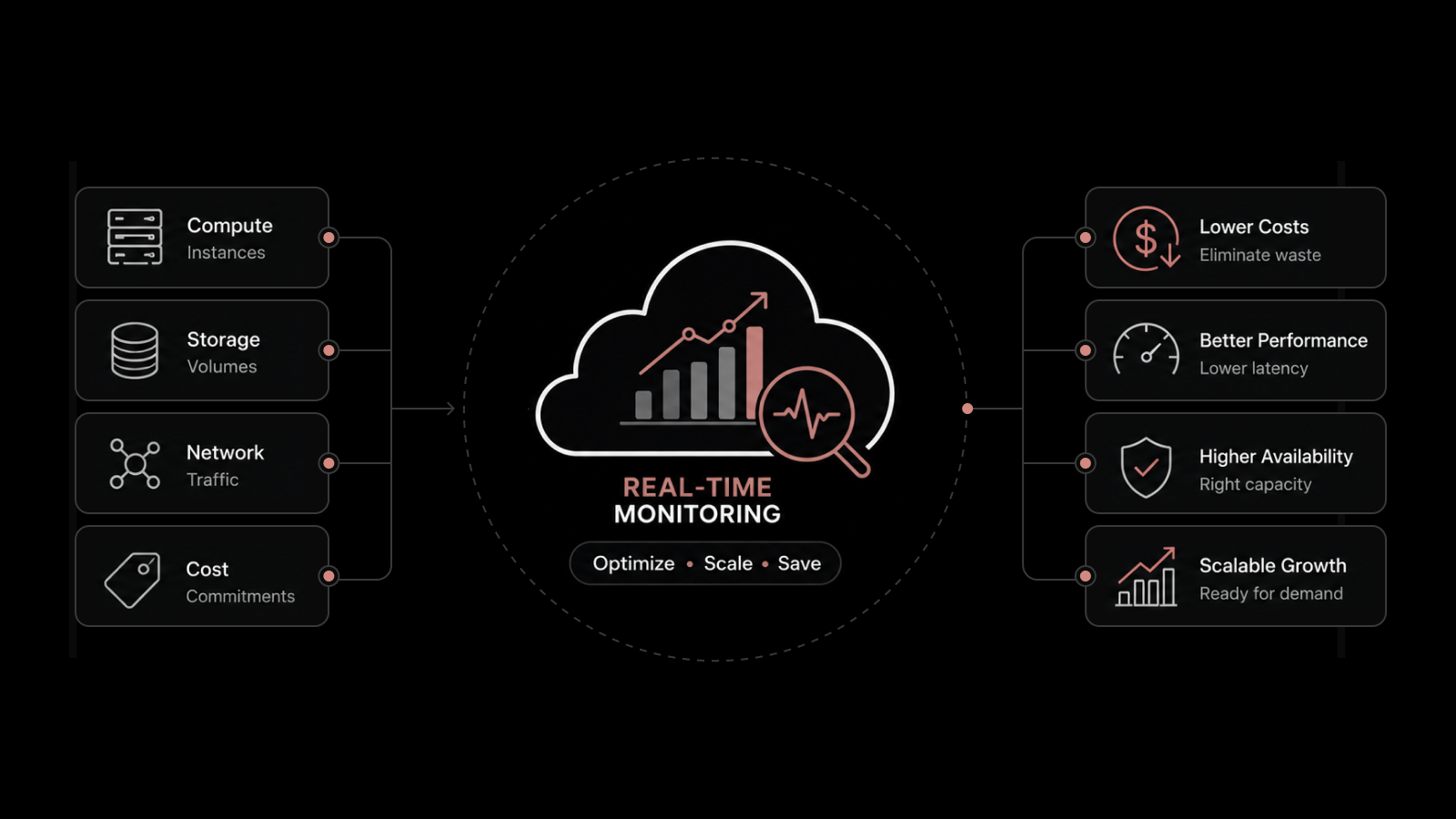
The common thread across all four is visibility. When something slows down or breaks, the cause could sit in compute, storage, the network, a third-party service, or the seam between two clouds, and without a single clear view you are left guessing. That is why monitoring stopped being optional for anyone serious about the cloud. If you want to go deeper, our guide to cloud monitoring covers how teams keep eyes on these environments.
The takeaway is simple. Cloud infrastructure rewards the teams who can see all of it, in one place, as it changes, and it frustrates the ones who cannot.
What Should You Take Away About Cloud Infrastructure?
Cloud infrastructure is not complicated once you see it for what it is: hardware made flexible by software, sold in different models and deployed in different shapes to suit different jobs.
Get the vocabulary straight and most of the confusion falls away.
The honest catch is that none of this runs itself. The cloud gives you elasticity and reach, and in return it asks for a discipline you did not need when servers sat in a room down the hall.
Cost drifts, complexity grows, and visibility is the first thing to slip.
Teams that treat that visibility as a core practice rather than an afterthought are the ones who get the speed and savings the cloud promises without the surprises.
If this guide was useful, you can subscribe to the Motadata blog for more plain-English breakdowns of how modern IT infrastructure actually works.
FAQs
What Is Cloud Infrastructure in Simple Terms?
Cloud infrastructure is the hardware and software a provider runs in its data centers so you can use computing power, storage, and networking over the internet instead of buying your own. You access it on demand and pay for what you use. It is the foundation that every cloud service is built on.
What Are the Main Components of Cloud Infrastructure?
The core components are compute (processing power), storage (where data lives), networking (the connections between resources), and virtualization (the layer that pools physical hardware into shareable virtual resources). A fifth piece, management and security software, monitors and protects everything else. Together these five make cloud services possible.
Is Cloud Infrastructure the Same as Cloud Computing?
No. Cloud computing is the activity of delivering services over the internet, while cloud infrastructure is the underlying hardware and software that makes that activity possible. Computing is what you do; infrastructure is what you do it on. Mixing the two is a common source of confusion.
What Is an Example of Cloud Infrastructure?
A practical example is a provider's regional data center full of servers, storage arrays, and networking gear, virtualized so thousands of customers can each use a share of it. When you launch a virtual server or a storage bucket from a public cloud, you are using a piece of that infrastructure. The provider owns the physical equipment; you use the capacity as a service.
Are Cloud Infrastructure Services Hardware or Software?
Both. The hardware is the physical servers, storage, and network equipment in data centers. The software is the virtualization, management, and security layers that turn that hardware into resources you can control remotely. Neither half works as cloud infrastructure without the other.
How Do You Choose a Cloud Provider?
Look past the headline price at data residency (where your data physically sits), compliance with your industry's rules, the reliability track record, and how hard it would be to leave later. Match the provider's strengths to your actual workloads rather than chasing the biggest name. The right choice is the one that fits your requirements, not the one with the longest feature list.
Author
Jagdish Sajnani
Senior Content Strategist
Jagdish Sajnani is a B2B SaaS content strategist and writer. He has experience across different B2B verticals, including enterprise technology domains such as IT Service Management, AI-driven automation, observability, and IT operations. He specializes in translating complex technical systems into structured, engaging, and search-optimized content. His work improves product understanding, strengthens organic visibility, and supports B2B demand generation.