DevOps to DevSecOps: A Practical Guide to Making the Transition
Rosy Cordeiro
DevSecOps is the practice of embedding security into every stage of the software development lifecycle — from planning and coding to testing, deployment, and monitoring — rather than treating it as a separate, end-of-pipeline checkpoint.
The Hook
Here's a pattern that plays out at companies every week: a development team ships a feature on schedule, the release passes functional tests, and everything looks clean. Two weeks later, a vulnerability scan catches a critical flaw in a third-party dependency. The fix requires rolling back the release, patching the code, and redeploying — burning a full sprint's worth of effort.
The root cause isn't bad engineering. It's a process gap. When security checks only happen at the end of the pipeline, problems get expensive fast.
The DevOps to DevSecOps transition closes that gap by shifting security left — making it a shared responsibility from the first line of code. This guide covers what changes, what's hard about it, and how to make the transition stick.
DevOps vs. DevSecOps: Understanding the Shift
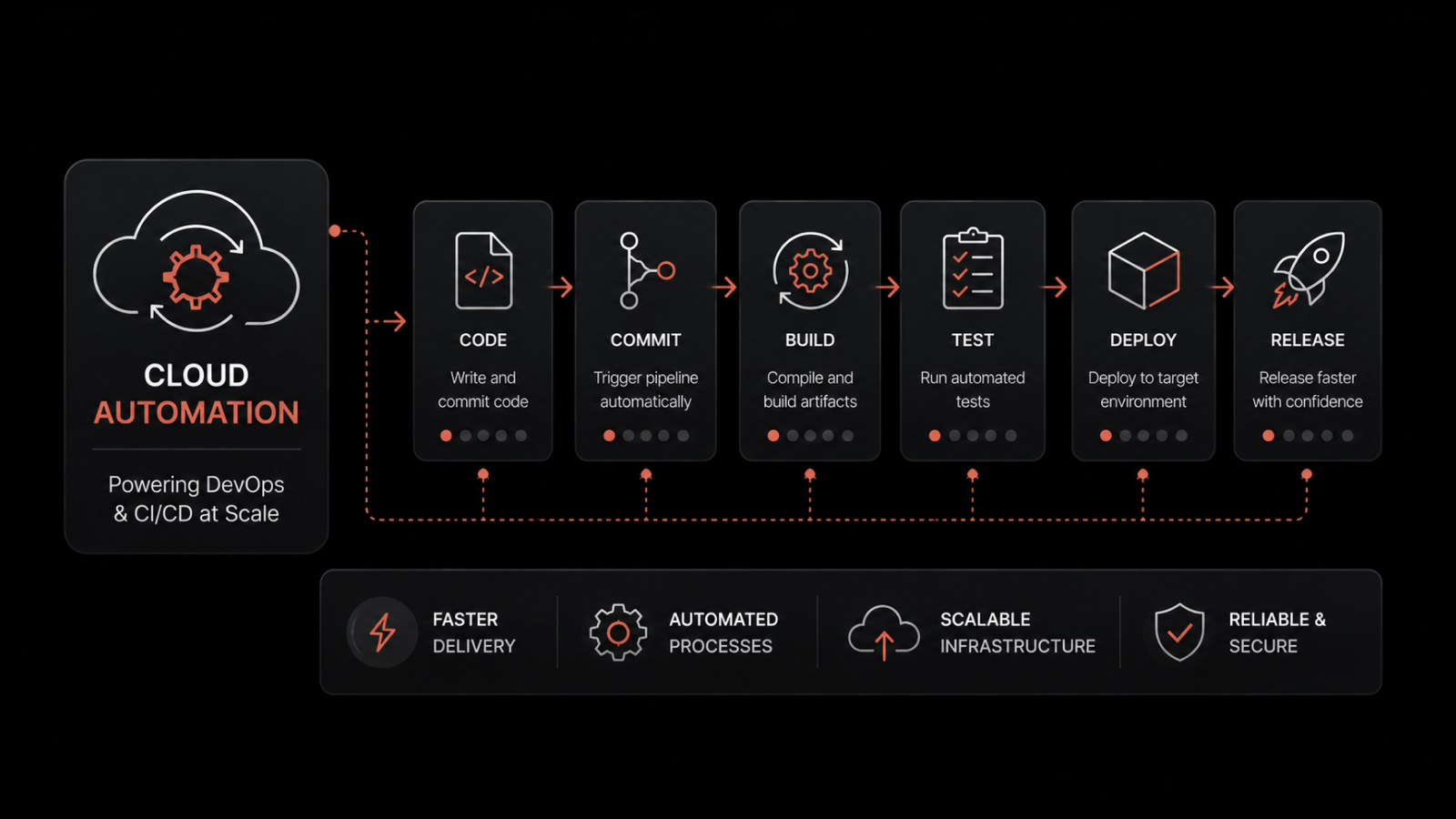
DevOps brings development and operations teams together under a shared workflow — combining collaboration, automation, and continuous feedback to deliver software faster. It's built on four principles:
Collaboration: Teams work across traditional silos, sharing ownership of the delivery pipeline.
Automation: Manual processes are automated to speed up builds, tests, and deployments.
Continuous feedback and improvement: Each release generates data — logs, metrics, user feedback — that feeds back into the next iteration.
Shared responsibility: Both dev and ops own the quality and stability of what ships.
DevSecOps takes DevOps further by embedding security into every stage of the software development lifecycle, rather than treating it as a final checkpoint. Development teams that adopt DevSecOps build security into their code from day one — catching vulnerabilities early instead of scrambling to fix them before release.
How DevSecOps Adds Security to the DevOps Lifecycle
DevSecOps uses a combination of tools, processes, and cultural practices to make security a built-in part of every development stage.
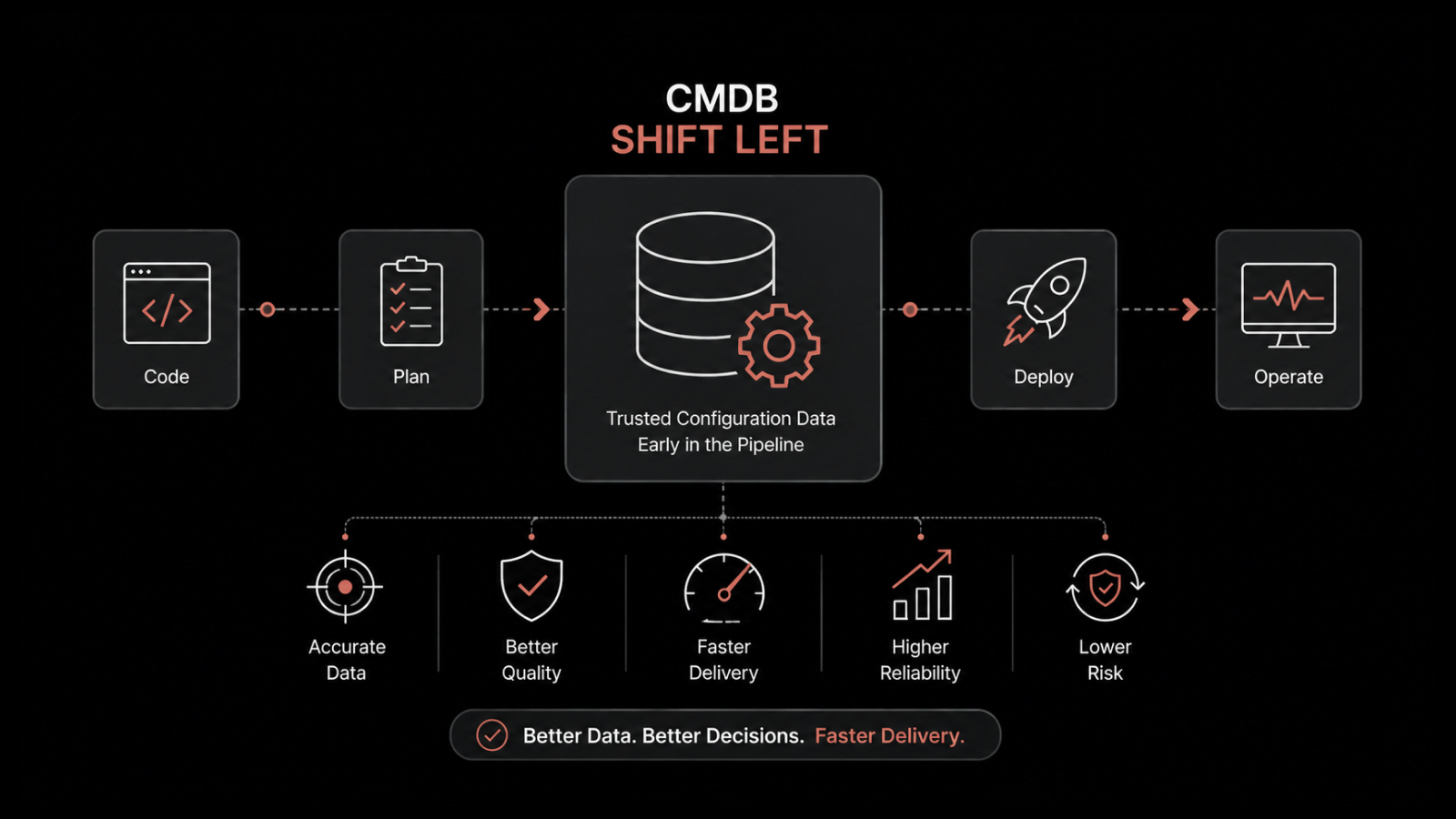
Security practices like threat modeling, code analysis, and vulnerability scanning are integrated directly into CI/CD pipelines. Issues get flagged and fixed as they happen, not weeks later. This approach is known as shift-left security — pushing security testing to the earliest possible stage of development.
Security as a Shared Responsibility
In traditional models, security was handled by a dedicated team that reviewed code at the end of the process. In a DevSecOps model, security is everyone's job. Developers write secure code. Ops engineers configure secure infrastructure. Security teams set policies and provide tooling.
This shared ownership drives faster iteration, quicker fixes, and a culture where security isn't seen as a blocker — it's part of the workflow.
Common Challenges in the DevOps to DevSecOps Transition
Moving to DevSecOps has clear benefits, but teams often hit real obstacles along the way. Understanding them upfront helps you plan around them.
Cultural Resistance and Lack of Security Mindset
This is the most common barrier. Developers and ops teams may resist changing established workflows. Some see security integration as overhead that slows down delivery. Overcoming this requires leadership support, clear communication about the "why," and early wins that demonstrate value.
Toolchain Integration and Complexity
DevSecOps requires adding security tools to an already complex pipeline. Each tool has its own interfaces, configurations, and output formats. Integrating them without creating maintenance headaches takes planning and standardization.
Skill Gap in Security Automation
Automating security procedures requires expertise in both cybersecurity and automation tooling. Finding people with both skill sets — or training existing team members to bridge the gap — takes time and investment.
Siloed Teams and Lack of Collaboration
Traditional development models create natural silos between dev, ops, and security. These silos lead to handoff delays, miscommunication, and vulnerabilities that slip through the cracks. The DevSecOps model breaks these silos down by design.
Compliance and Governance Hurdles
Maintaining regulatory compliance across multiple teams and environments is complex. Rules change as new threats emerge, and keeping every team aligned on the latest requirements demands ongoing effort.
Pipeline Latency Concerns
Teams worry that adding security gates to the CI/CD pipeline will slow down releases. And they're not entirely wrong — poorly implemented security checks can add latency. The key is choosing tools that integrate tightly, run in parallel, and provide fast feedback without blocking the pipeline.
7 Best Practices for Transitioning from DevOps to DevSecOps
1. Start with Security Training for Dev and Ops Teams
Training is the foundation. When developers understand common vulnerabilities (SQL injection, XSS, insecure deserialization) and know how to avoid them, they write more secure code from the start. Invest in hands-on workshops, not just slide decks.
2. Embed Security Early (Shift Left)
Don't wait until staging to run security checks. Integrate SAST tools into your build process so vulnerabilities are caught as code is written. The earlier you find a flaw, the cheaper it is to fix — by orders of magnitude.
3. Automate Security Testing
Manual security reviews don't scale. Implement automated testing at multiple levels:
SAST (Static Application Security Testing): Analyzes source code for vulnerabilities before execution — like an automated code review.
DAST (Dynamic Application Security Testing): Tests running applications for vulnerabilities like XSS and authentication flaws.
IAST (Interactive Application Security Testing): Combines SAST and DAST to test live applications in real time.
4. Adopt Secure Coding Standards
Vulnerabilities often start with poor-quality code. Establish standards for input validation, data protection, error handling, and authentication. Pair automated analysis tools with regular code reviews to catch vulnerabilities before they reach production.
5. Integrate Security Tools into Your CI/CD Pipeline
Tools like SonarQube, Checkmarx, Snyk, and Veracode automate vulnerability detection at every stage. They flag issues during builds, test runs, and deployments — giving teams fast, actionable feedback without manual intervention.
6. Monitor and Audit Continuously
Security doesn't stop at deployment. Implement continuous monitoring to track system behavior, detect anomalies, and respond to threats in real time. Regular audits verify that security controls are working and compliance requirements are met.
7. Align Security with Agile and DevOps Workflows
Make security part of your sprint planning, not an afterthought. Include security stories in your backlog, run threat modeling sessions at the start of each feature, and build security acceptance criteria into your definition of done.
How Motadata Supports Your DevSecOps Journey
Motadata's AI-native platform provides the monitoring and observability layer that DevSecOps teams need for continuous security visibility. With real-time log monitoring, infrastructure health checks, and AIOps-driven anomaly detection, Motadata helps you spot security issues as they happen — not after the damage is done.
The platform monitors your DevOps infrastructure end to end, including container orchestration platforms and configuration management systems, giving security and ops teams a shared view of what's running and what's at risk.
Ready to add continuous security monitoring to your DevSecOps pipeline? Motadata's AI-native platform gives your team real-time visibility into infrastructure health, application behavior, and security anomalies — all from a single dashboard. With built-in AIOps correlation and automated alerting, you can detect threats early and respond faster. Start your free trial and see how Motadata fits into your DevSecOps workflow.
People Also Ask
What is the main difference between DevOps and DevSecOps?
DevOps focuses on unifying development and operations to ship software faster through automation, collaboration, and continuous delivery. DevSecOps adds security as a first-class concern, integrating security testing and compliance checks into every stage of the development lifecycle rather than bolting them on at the end.
How long does the DevOps to DevSecOps transition typically take?
It depends on team size, existing tooling, and organizational culture. Small teams with modern CI/CD pipelines can start seeing results in 3–6 months. Larger enterprises with legacy systems and siloed teams often need 12–18 months for a full transition. The key is to start small — pick one pipeline, integrate one security tool, and expand from there.
What is shift-left security?
Shift-left security means moving security testing to the earliest possible stages of development. Instead of running security scans right before release, teams integrate tools like SAST and DAST into their CI/CD pipeline so vulnerabilities are caught during coding and build phases — when fixes are faster and cheaper.
Do I need new tools to adopt DevSecOps?
Not necessarily. Many teams already have monitoring, logging, and CI/CD tools that can be extended with security plugins or integrations. The bigger change is cultural — making security a shared responsibility across all teams. That said, dedicated tools like SAST/DAST scanners, secret managers, and continuous monitoring platforms (like Motadata) make the transition significantly smoother.
FAQs
What is DevSecOps in simple terms?
DevSecOps is a software development approach that builds security into every phase of the development process. Instead of having a separate security review at the end, teams test for vulnerabilities continuously — during coding, building, testing, and deployment. The goal is to catch and fix security issues early, when they're faster and cheaper to address, while maintaining the speed that DevOps delivers.
What skills do developers need for DevSecOps?
Developers need a baseline understanding of common vulnerabilities (OWASP Top 10 is a good starting point), secure coding practices, and the security tools integrated into their pipeline. They don't need to become security experts, but they should be able to read SAST/DAST scan results, understand what the findings mean, and know how to fix common issues like injection flaws, broken authentication, and insecure configurations.
How does DevSecOps affect release velocity?
Done well, DevSecOps actually improves release velocity over time. By catching vulnerabilities early, teams avoid the costly rework that happens when security issues are found late. Automated security testing runs alongside functional tests, so it doesn't add significant time to the pipeline. The initial setup takes effort, but the long-term result is faster, more confident releases.
Is DevSecOps only for large enterprises?
No. DevSecOps practices scale to teams of any size. Small teams can start with free or open-source tools (SonarQube, OWASP ZAP, Snyk's free tier) and basic secure coding training. The principles — shift left, automate testing, share responsibility — apply whether you have 5 developers or 500.
How does monitoring support DevSecOps after deployment?
Post-deployment monitoring is a critical part of DevSecOps. Tools like Motadata provide real-time visibility into system behavior, log anomalies, and infrastructure health. Continuous monitoring catches threats that pre-deployment testing might miss — like zero-day vulnerabilities, configuration drift, or unusual access patterns. It closes the security loop by ensuring that deployed applications stay secure over time.
Author
Rosy Cordeiro
Content Writer
Rosy Cordeiro is a seasoned documentation expert with over a decade of experience spanning ITSM, Telecom, and Security domains. Throughout her career, she has worked with diverse teams, collaborating with SMEs, engineers, and developers to create technical documents for several projects in the sectors like banking, education, security etc.