9 Powerful Log Monitoring Best Practices to Follow in 2026
How many of your last five incidents were already sitting in the logs before anyone noticed?
Most teams already collect more than enough log data. The problem starts with what happens next, and the same four gaps show up almost everywhere:
Log data is scattered across servers, applications, and cloud services, so no one has a single view.
The entries that matter are buried under millions of routine lines.
When an outage hits, engineers lose the first hour searching instead of fixing.
When an auditor asks for records, no one can produce them quickly.
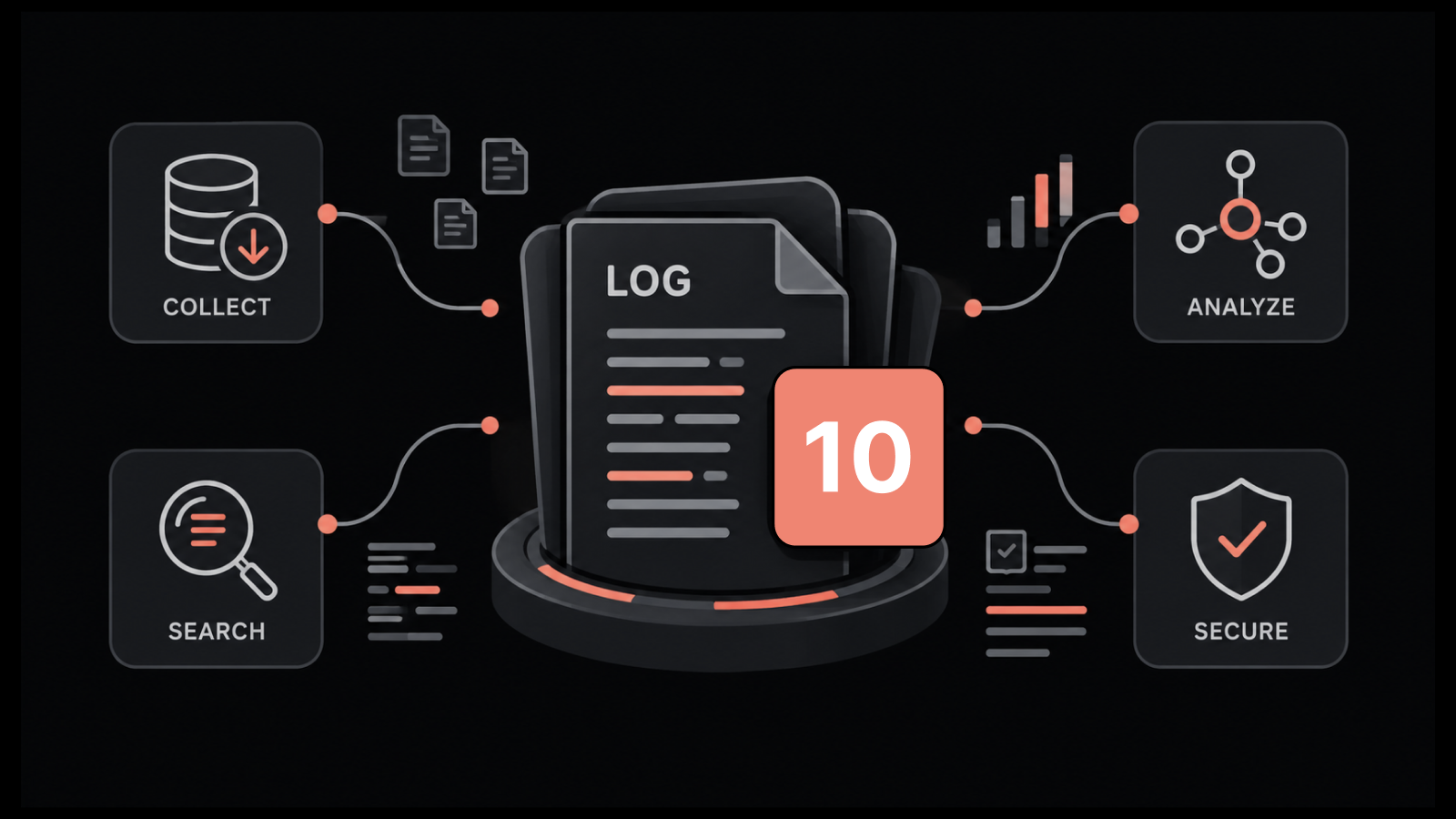
This guide covers the log monitoring best practices that close those gaps.
It walks through how to collect, structure, correlate, retain, and secure logs, so monitoring becomes a steady process and not a scramble during the next incident.
What is Log Monitoring, and How is It Different from Log Management?
Log monitoring is the continuous practice of collecting, watching, and analyzing log data from across your IT environment so you can detect issues as they happen.
It is the active layer that turns stored records into live signals about the health of your systems. If you want a fuller breakdown, our explainer on what log monitoring involves covers the basics.
Log management is the broader discipline that sits underneath it. Log management governs how logs are collected, stored, retained, and disposed of across their full lifecycle.
Monitoring focuses on the present moment, while management focuses on the lifecycle. You need management to keep logs in order, and you need monitoring to act on them.
The practices below cover both, because a monitoring strategy only works when the management foundation is solid.
9 Top Log Monitoring Best Practices to Look for in 2026
The practices that follow build on each other. The early ones get your data in order, the middle ones help you act on it, and the later ones keep it compliant and secure.
1. Centralize Logs From Every Source
Logs are hard to use when they live in separate places. The first step in log monitoring is to bring every log into one platform so you can search and compare across systems from a single view.
If you lead a team, the cost of scattered logs shows up in two places. The first is time, because engineers jump between separate consoles during an incident while the outage clock keeps running.
The second is budget, because every team that buys its own log store adds tooling you end up paying for more than once.
Collect logs from servers, applications, network devices, databases, and cloud services.
Use a mix of agent-based and agentless collection so no source is left out.
Forward every source to a central store with a consistent ingestion method.
Confirm the central system can handle your peak log volume without dropping data.
When everything lands in one place, you stop switching between tools during an incident and start finding answers faster.
A solid log aggregation guide can help you plan the collection layer before you scale it.
2. Standardize Your Log Format With Structured Logging
Logs written in different formats are hard to search and harder to correlate. Structured logging gives every entry a consistent shape so both people and machines can read it.
The inefficiency here is quiet but constant. When every service logs in its own style, each engineer has to learn a new format before they can help, and a dashboard breaks the moment one service changes its output.
A shared standard is a one-time investment that pays off for everyone who touches the logs after you set it.
Write logs in a structured format such as JSON wherever your applications allow it.
Include consistent fields like timestamp, severity, source, and message in every entry.
Apply the same time standard, ideally UTC, across every source.
Add a request or trace identifier so you can follow one event across services.
Structured logs turn a wall of text into searchable data, which means faster queries and cleaner dashboards.
3. Filter Low-Value Events at the Source
Collecting everything sounds safe, but it raises cost and buries the entries that matter. Decide what to keep before logs reach storage.
For a leader watching the budget, unfiltered logging is where cost quietly outpaces value. Storage grows faster than the business does, and the volume makes it harder for the team to spot the events that need a response.
Deciding what to keep is really a decision about where you want your team to spend its attention.
Drop repetitive debug entries that carry no investigative value.
Set log levels so production systems record what you need and skip the rest.
Sample high-volume events that repeat thousands of times per minute.
Keep security and audit events in full, since those are the ones auditors ask for.
Filtering at the source lowers storage cost and makes the data you keep far easier to monitor.
4. Correlate Logs With Metrics and Flows for Faster Root Cause
A log line tells you what happened, but not always why. The fastest investigations connect logs with metrics and network flows so you see the full picture in one view instead of three.
This is the practice where mean time to resolution is won or lost. Without correlation, an incident turns into cross-team ping-pong, where the logs, metrics, and network owners each look at their own slice and no one holds the full picture.
Leaders who want to cut resolution time start here, because it removes the handoffs that stretch a quick fix into a long bridge call.
Link a spike in error logs to the CPU or memory metric that moved at the same time.
Trace a slow request through application logs and the network flow behind it.
Place logs, metrics, and flows on one timeline so they line up by timestamp.
Group related entries automatically instead of reading them line by line.
Correlation is what separates searching for hours from finding the cause in minutes.
Platforms like Motadata ObserveOps bring logs, metrics, and flows into a single correlated view, which is the part most standalone log tools leave to you.
If you want to go deeper on why this changes investigations, our guide to log correlation walks through it step by step.
5. Monitor Logs in Real Time and Alert on What Matters
Logs only help if you see problems as they form. Real-time monitoring with targeted alerts moves you from reacting to outages to catching them early.
Every leader has felt the version of this where the first report of an outage comes from a customer, not from the team's own systems.
That gap costs credibility and turns a manageable issue into an escalation. The answer is not more alerts but fewer and better ones, because a team that trusts its alerts will act on them, while a team buried under low-value pages learns to ignore them.
Stream logs as they arrive so you watch events live rather than after the fact.
Set alerts on specific patterns, error rates, and security events.
Use dynamic baselines so alerts fire on genuine deviations, not normal variation.
Route each alert to the team that owns the affected system.
Targeted alerting means the right person hears about the right problem before users do.
6. Set a Log Retention Policy That Meets Compliance Needs
Logs hold value long after the moment they are written, but keeping everything forever is expensive and risky. A retention policy defines how long each type of log stays and where it goes.
When there is no policy, retention gets decided by accident, by whatever default each system happened to ship with. That leaves a leader exposed on both sides.
You either pay to keep logs no one will ever read, or you find out during an audit that the records you needed were deleted months ago.
Match retention periods to the rules that apply to you, such as PCI DSS, HIPAA, SOX, or GDPR.
Keep security and audit logs longer than routine operational logs.
Move older logs to lower-cost storage instead of deleting them outright.
Document the policy so an auditor can see the reasoning behind each period.
A clear retention policy keeps you compliant and controls storage cost at the same time. Writing it down as part of your log management policies makes the next audit far less stressful.
7. Protect Log Data From Tampering and Unauthorized Access
Logs are evidence, so they need the same protection as any other sensitive record. If logs can be changed or read by anyone, they lose their value for both security and compliance.
The risk a leader carries here is that logs fail at the worst possible moment.
During a breach or a dispute, unprotected logs can be altered or quietly deleted, and the one record that could explain what happened is gone. Treating logs as controlled evidence rather than a convenience is what keeps that record intact when it counts.
Restrict access to logs with role-based controls.
Store logs in a way that prevents edits after they are written.
Encrypt log data both in transit and at rest.
Track who views and exports logs through an audit trail.
Protected logs hold up as evidence during an investigation or an audit, which is exactly when their integrity matters most.
The link between logs and security is covered well in our piece on log management in IT security.
8. Map Log Collection to Compliance Frameworks
Most teams collect logs first and worry about compliance later. Working the other way around saves rework, because each framework tells you which events you are required to capture.
Most of the wasted effort in compliance comes from working backward. The team collects whatever logs felt useful, then rushes before each audit to prove those logs meet the standard.
A leader who flips the order, by deciding what each framework requires and collecting against it from the start, turns the audit from a yearly project into a status check the team can pass on any given day.
List the frameworks that apply to your industry and region.
Identify the specific events each one requires, such as access attempts and configuration changes.
Confirm your collection covers those events across every in-scope system.
Run regular checks to prove your configuration still meets each standard.
Mapping collection to frameworks turns compliance from a yearly scramble into a process that runs in the background.
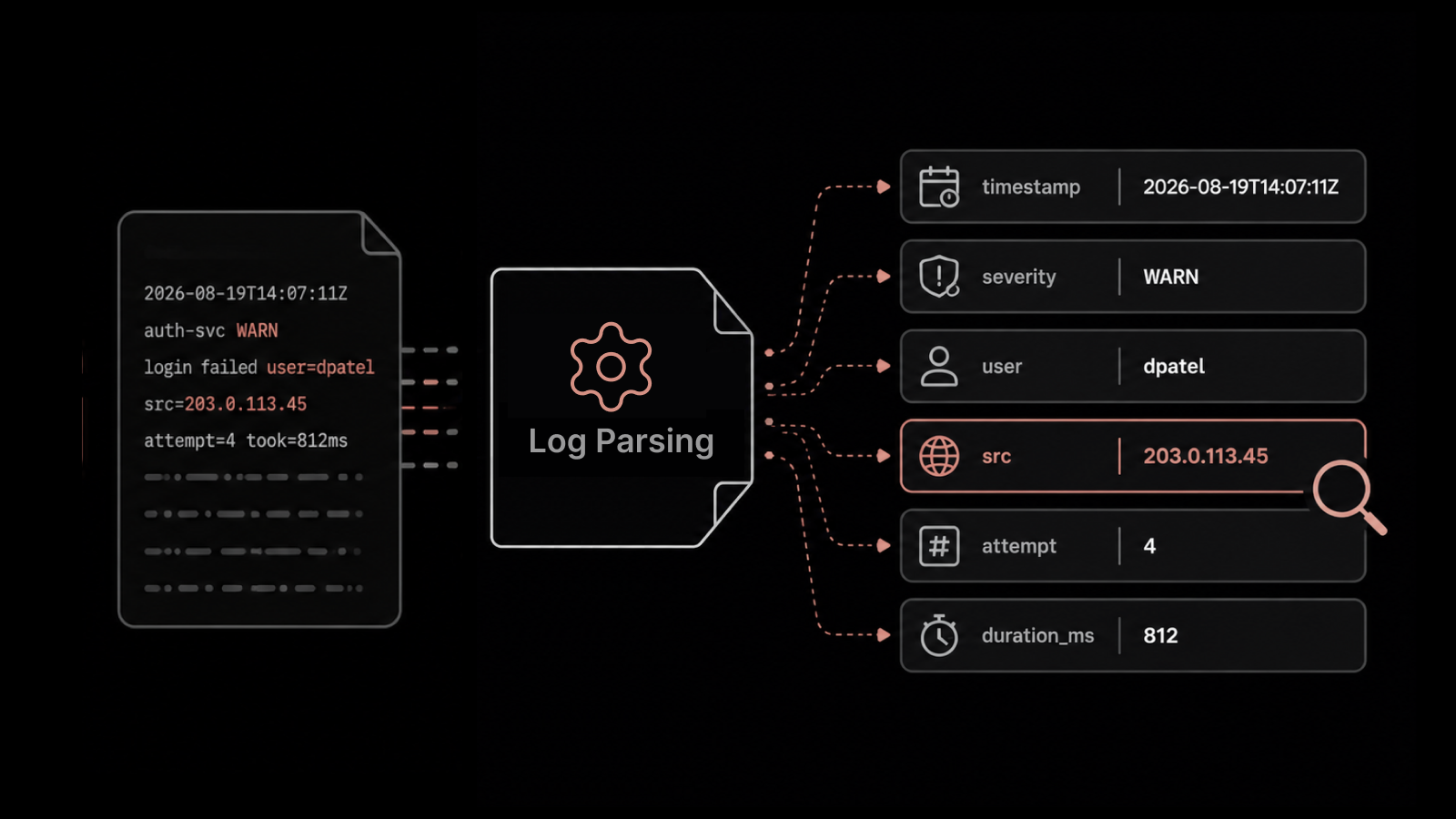
9. Automate Log Parsing and Pattern Detection
Reading logs by hand does not scale past a certain volume. Automation handles the parsing and the pattern detection so your team focuses on decisions instead of line-by-line review.
Manual log review has a ceiling, and most teams hit it without noticing.
Past a certain volume, you are paying skilled engineers to scan lines that software could parse in seconds, which is rarely the best use of the people you worked hard to hire.
Automation moves that effort to the system and frees your team for the judgment calls that need a person.
Use parsers to break raw log lines into structured fields automatically.
Apply machine learning to surface patterns that point to failures or threats.
Save common searches so recurring checks run on their own.
Let the system group similar events instead of asking an engineer to spot them.
Automated parsing and detection cut the manual work and shorten the time it takes to find a genuine issue. If you are setting this up, the basics of log parsing are a good place to start.
How to Choose a Log Monitoring Tool
The right tool depends on your environment, your compliance needs, and how much your team can manage on its own. A strong log monitoring tool does more than display log lines.
It collects from every source you run, on premises and in the cloud.
It correlates logs with other signals rather than showing logs in isolation.
It supports the retention and security controls your auditors expect.
It scales to your peak volume without slowing down searches.
Motadata ObserveOps suits teams that want log monitoring inside a wider observability platform rather than as a standalone product.
Its Log Explorer parses millions of lines with built-in parsers, supports live tail and surrounding-log views for root cause, and applies machine learning to flag patterns that point to issues.
Because it runs on the same platform as metric and flow monitoring, it correlates all three signals in one place.
If you want to see how that works against your own log volume, you can book an ObserveOps demo and walk through an investigation using your own data.
ObserveOps is built for teams that want unified observability.
If you're weighing open-source options like the ELK Stack or OpenSearch against commercial platforms, BigDataBoutique's log management tools comparison breaks down the cost and architecture trade-offs in more depth.
Monitor Your Logs Using Unified Observability Platform with Ease
Log monitoring works when you stop treating logs as storage and start treating them as a live signal.
Every practice above shares one idea, which is to make log data easy to find, easy to trust, and easy to connect to the rest of your environment.
None of this happens overnight. Centralizing sources and setting retention policies takes planning, and the first few weeks of tuning alerts will feel slower than the result you are aiming for.
That part is harder than it looks, and most teams underestimate it.
Once the foundation is in place, your team spends less time searching and more time fixing, and your compliance reviews stop being a scramble.
If you want to see how unified log monitoring works on your own data, you can start a free ObserveOps trial and run your logs through it with your team.
Frequently Asked Questions
What is the difference between log monitoring and log management?
Log management is the full lifecycle of log data, including how it is collected, stored, retained, and disposed of. Log monitoring is the active layer that watches and analyzes those logs in real time to catch issues as they happen. You need management to keep logs in order and monitoring to act on them. Most modern platforms handle both together.
What should security controls on log data reflect?
Security controls on log data should reflect who can access the logs, whether the logs can be changed after they are written, and how the data is protected in storage and transit. They should also record every access and export through an audit trail. The goal is to keep logs trustworthy as evidence, so the controls focus on integrity, confidentiality, and accountability.
What logs should you collect for regulatory compliance?
The logs you collect depend on the framework that applies to you. Most standards expect records of access attempts, authentication events, configuration changes, and administrative actions. Frameworks such as PCI DSS, HIPAA, SOX, and GDPR each define their own scope, so the safest approach is to map your collection to every framework that governs your industry and region.
How long should you retain log data?
Retention depends on the rules that apply and the value of each log type. Compliance frameworks often set minimum periods, and security and audit logs usually need to be kept longer than routine operational logs. A common approach is to keep recent logs in fast storage and move older logs to lower-cost storage until their retention period ends.
What is the difference between compliance logging and security logging?
Compliance logging captures the records a regulation requires you to keep, often for a fixed period and in a specific form. Security logging captures the events your team needs to detect and investigate threats. The two overlap, since many security events are also required for compliance, but their purpose differs. Compliance logging proves you followed the rules, while security logging helps you respond to attacks.
How do you implement log monitoring at scale?
Start by centralizing every log source into one platform so you are not searching across silos. Standardize the log format, filter low-value events at the source, and automate parsing so volume does not overwhelm your team.
Use correlation and machine learning to surface the events that matter, then route alerts to the teams that own each system. Platforms built for scale, such as Motadata ObserveOps, handle the parsing and correlation so growth does not slow you down.
Why should logs be protected from modification?
Logs are often the only record of what happened during an incident or a breach. If anyone can edit them, they cannot be trusted as evidence, and an attacker could erase their own tracks. Write-once storage, access controls, and audit trails keep logs intact so they hold up during an investigation or an audit.
Author
Jagdish Sajnani
Senior Content Strategist
Jagdish Sajnani is a B2B SaaS content strategist and writer. He has experience across different B2B verticals, including enterprise technology domains such as IT Service Management, AI-driven automation, observability, and IT operations. He specializes in translating complex technical systems into structured, engaging, and search-optimized content. His work improves product understanding, strengthens organic visibility, and supports B2B demand generation.