What is IT Service Management (ITSM)? Everything You Need to Know
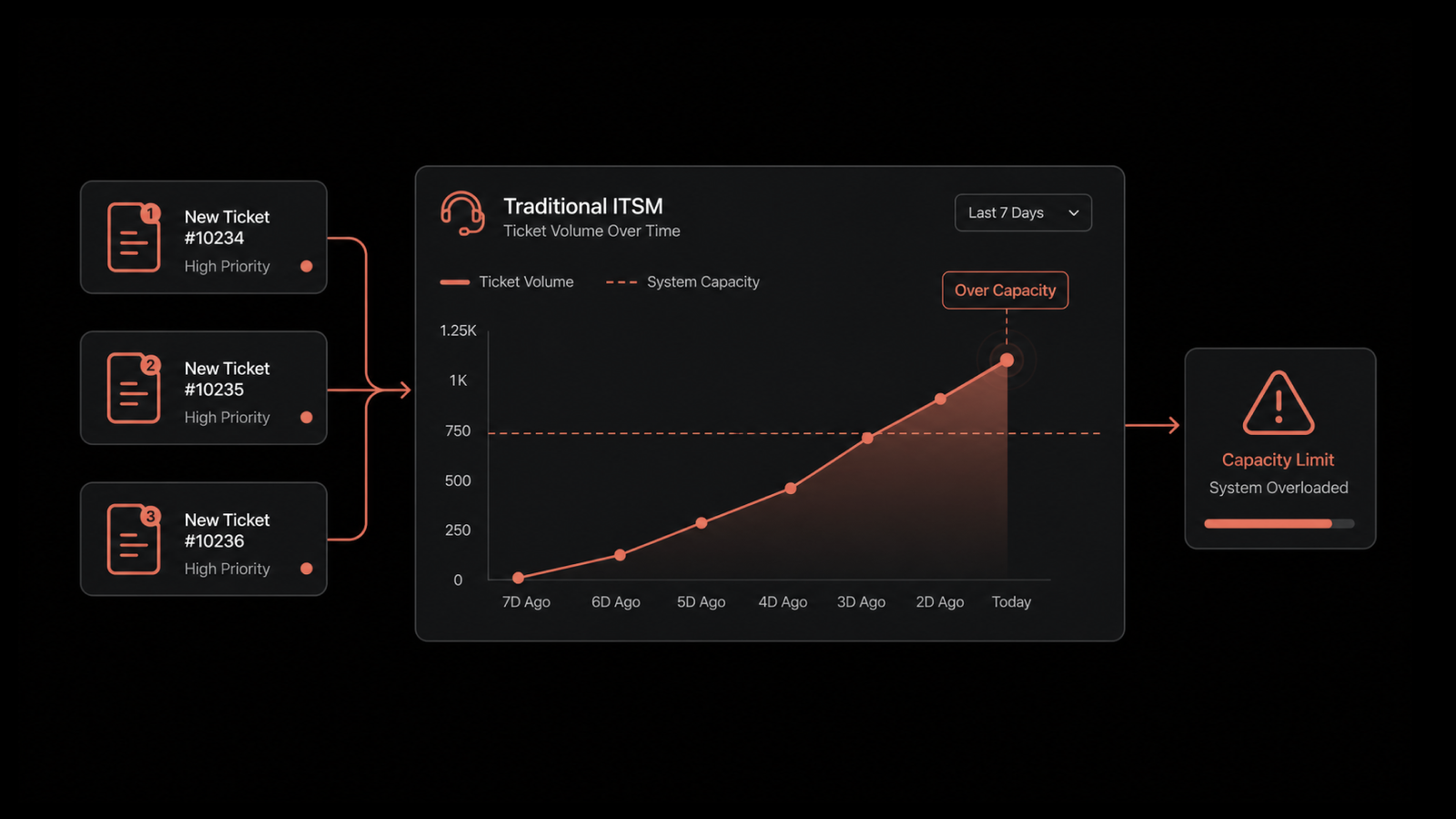
When a critical application crashes, how does your IT team respond?
Is there a documented process everyone follows, or does the outcome depend on who happens to be available at the time?
Without structured service management, responses often vary from one situation to another.
hat inconsistency leads to delays, missed handoffs, and slower resolution of issues. Requests become harder to track, and recurring problems continue to disrupt day-to-day operations.
IT Service Management (ITSM) addresses this by introducing standardized processes for delivering, supporting, and improving IT services.
It helps teams work in a more consistent and controlled way, improving both speed and service quality.
This guide explains what ITSM is, how it works, its core processes and benefits, and how it differs from ITIL, ITOM, and ITAM.
You’ll also learn best practices for building an effective ITSM strategy and choosing the right solution for your organization.
What Is ITSM and What Does It Stand For?
ITSM stands for IT Service Management, and it covers the full lifecycle of designing, delivering, managing, and improving the IT services a company gives its employees and customers.
The goal is to keep IT lined up with business goals. You run technology as a set of managed services, each with an owner and a standard, instead of a help desk that only reacts when something breaks.
It helps to know what counts as a service. Email is a service, and so are network access, the HR portal, and the laptop a new hire needs on day one.
ITSM is the structure that decides how you request, deliver, support, and improve each one over time. Without it, those things still get done, just slower, and only when someone remembers to chase them.
Why Does ITSM Matter for Your Business?
ITSM is not something IT sets up for its own comfort. It earns its place by fixing the quiet, costly problems that rarely reach a status report. The value is easiest to see one problem at a time.
1. Stops Surprise Outages
Most outages a team causes itself come from one change that nobody reviewed. When you run every change through an impact check and warn the teams it affects, a routine update stops taking down a system somewhere else. This is one of the cheapest fixes in IT, and many teams still skip it.
2. Tracks Every Ticket
The same habit works for tickets. You log every request, incident, and change as it comes in, so a manager can see what is open, what is stuck, and which service level agreement is about to slip. Nothing gets lost, because nothing sits unrecorded in someone's inbox.
3. Scales Support Without New Hires
Automation, self-service, and smart routing let one team handle more work without adding people. The work grows, but the headcount does not have to. That is the difference between support that keeps up with the business and support that slows it down.
4. Shifts IT From Cost to Value
All of this changes how the business sees IT. Once leaders can see what IT delivers and what it costs, the talk moves from expense to value. IT stops being the line item people complain about and becomes the team they plan around.
Skip the structure and the bill still arrives. It just comes in pieces: repeat incidents, slow fixes, and lost trust every time a customer reports an outage before you do.
Our breakdown of the benefits of ITSM covers that cost in full.
What are the Benefits of ITSM?
The benefits land differently depending on where you sit, so it helps to split them by group.
For the business:
Operating costs drop as cleaner workflows cut waste and rework on the service desk.
The company adapts to change faster, because standard processes make each change easier.
Compliance gets easier, because audit trails and steady change records match what regulators want.
For the IT team:
The team gets more done, because less of the day goes to firefighting and chasing context across tools.
The team catches and fixes incidents faster, with better visibility across services and assets.
Growth stays manageable, because repeatable processes scale with the business instead of breaking under it.
For end users and employees:
Fixes come sooner and people can see where their ticket stands, so they spend less time blocked.
Requests come in through one front door, a self-service portal on the channels people already use.
Ownership is obvious, so everyone knows who handles what and where a request sits.
What are the Principles of ITSM?
Most teams borrow their principles from ITIL 4, the current version of the framework.
They read less like a rulebook and more like a way of thinking, and they hold up no matter which tool you run. There are seven.
Focus on value: Everything you do should tie back to value for the customer or the business. If a task does not, ask why it exists.
Start where you are: Do not rip everything out and start over. Look at what already works, keep it, and improve from there.
Progress iteratively with feedback: Move in small steps and check each one before the next. Big-bang rollouts are where ITSM programs stall.
Collaborate and promote visibility: Work across teams and keep the work in the open, because hidden work cannot be improved or trusted.
Think and work holistically: No service stands alone. Treat people, process, and technology as one system, not separate parts.
Keep it simple and practical: Use the fewest steps that get the result. Every extra step is overhead until it proves its worth.
Optimize and automate: Tidy the process first, then automate it. Automating a broken workflow just makes the mess run faster.
These are the official ITIL 4 guiding principles. They hold up whether you adopt ITIL fully or just borrow the thinking.
What are the Core ITSM Processes?
Ask most people what ITSM is and they point to the help desk. The help desk is only the part you can see. Underneath it runs a set of connected processes, and each one has a job. These are the ones that matter most.
1. Incident Management
An incident is anything that breaks normal service, like a server going down, an app crashing, or a user who cannot log in. Incident management restores that service as fast as possible, with the least damage.
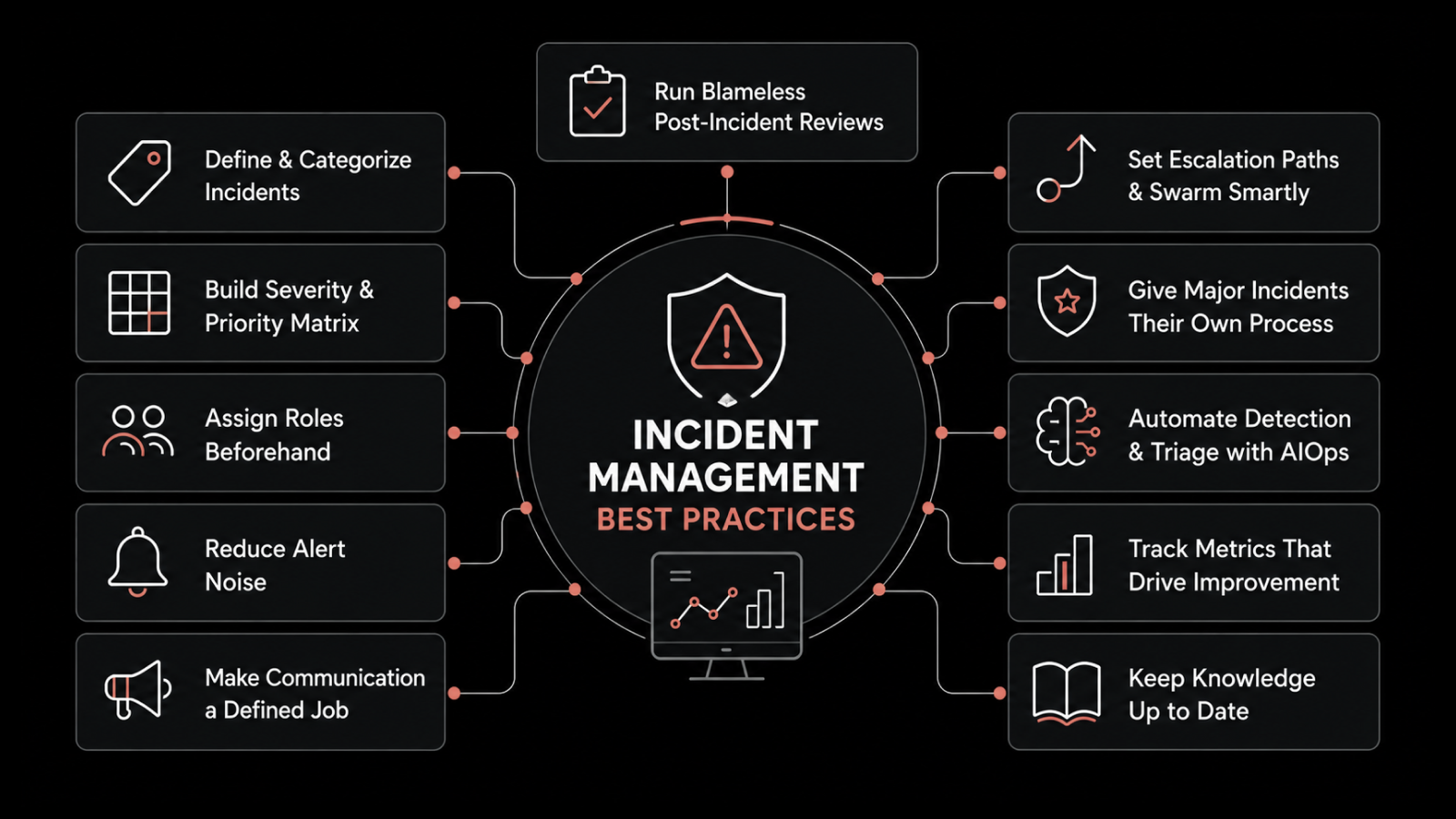
That means severity levels everyone agrees on, escalation paths set up ahead of time, and steady updates while the issue is live. After the big ones, the team reviews what happened so the same problem does not return.
2. Change Management
Every change carries risk, from a small patch to a full migration. Change management keeps that risk in check.
It makes sure you plan each change, check it for impact, approve it, and record it before it reaches production. Done right, it turns guesswork into a release you can predict and roll back if you need to.
3. Problem Management
Incident management gets the service back, while problem management finds out why it broke in the first place.
When the same issue keeps coming back, problem management traces it to the root cause and removes it, so the team stops fixing the same thing every week.
4. Service Request Management
Not everything that reaches IT is broken. A password reset, access to a new tool, or a spare laptop is a service request, not an incident.
A good request process sets expectations up front, runs approvals on its own, and gets people what they need without a long email chain. This is also where a self-service portal earns its place, because users can raise and track their own requests.
5. IT Asset Management
IT asset management tracks every piece of hardware and software through its life, from purchase to retirement.
It answers the basic questions that save money and cut risk: what do we own, where is it, is the license valid, and when should we replace it.
Link those assets to a configuration management database, and you can see how one failing part affects the services that depend on it.
6. Knowledge Management
A knowledge base people actually use cuts ticket volume and shortens the tickets that remain. When technicians write down their fixes and users can search them, the easy questions get answered before they become tickets.
It works best inside the service desk, close enough that the right article shows up while an agent is still typing.
7. Release Management
If change management approves a change, release management ships it. It plans, tests, and rolls out new software and updates in a controlled way, usually in batches on a schedule instead of one risky push.
Get it right and you see fewer broken deployments, with a way back when one slips through. We cover the details in our guide to release management.
8. Configuration Management
You cannot manage what you have not mapped, and that mapping is what configuration management does. It tracks the parts behind your services, the servers, applications, and network gear, along with the people who own them, and how they all connect.
That map lives in a configuration management database, or CMDB. It lets you answer the question behind every change: if this breaks, what else goes down with it?
9. Service Level Management
A service level agreement only matters if someone watches it, and that is the job of service level management.
It sets the targets, like response time, resolution time, and availability, then tracks performance against them and steps in before a near miss turns into a breach. This is where IT stops saying the service is good and starts proving it with numbers.
How Does ITSM Differ from ITIL, ITOM, and ITAM?
These four terms get mixed up all the time. They are related, but they are not the same, and telling them apart shows you what you are responsible for.
1. ITSM vs ITIL
This is the most common mix-up. ITSM is the work of managing IT services. ITIL is a framework, one well-known set of guidelines for doing that work well. ITIL 4 is the current and most used version, but not the only one.
COBIT leans toward governance and risk, and ISO/IEC 20000 is a standard you can be certified against. You can follow ITIL closely or adapt it to your size, and our guide on ITSM vs ITIL covers the comparison in full.
2. ITSM vs ITOM
ITSM works from the user's side: requests, incidents, changes, and the service desk. IT operations management, or ITOM, works the layer underneath.
It watches servers, networks, and applications to keep them healthy. The two meet at the handoff. When monitoring finds a problem, that signal should open a ticket and start the service workflow, and that is where observability and service management connect.
You can learn the difference between ITSM vs ITOM in detail here.
3. ITSM vs ITAM
IT asset management, or ITAM, is the lifecycle and cost view of your hardware and software. ITSM is broader and uses that data.
Instead of competing with ITAM, ITSM pulls its data into its own processes, for example to see which service a failing server supports.
Think of ITAM as one input that makes ITSM smarter, and we break the boundaries down in detail in ITAM vs ITSM vs ITOM.
What are the Main ITSM Frameworks?
ITSM is the work you do. A framework gives you a tested plan for running it, so you are not building a process from scratch. A few come up far more often than the rest.
ITIL: The most widely used framework, it maps the full service lifecycle and covers core processes like incident, problem, and change management. Most teams build on ITIL 4 before anything else.
COBIT: Governance comes first with COBIT. It ties IT decisions to business goals, manages risk, and supports compliance. That is why it shows up most in audit-heavy, regulated industries where IT answers to the board.
ISO/IEC 20000: This is the international standard for service management, and the one you can be certified against. The certification matters when a customer or auditor wants documented proof.
CMMI: Capability Maturity Model Integration rates how mature and repeatable your processes are, so you can see where you stand and what to fix next.
Six Sigma: Six Sigma uses the DMAIC cycle (define, measure, analyze, improve, control) to cut defects and variation. Teams run it next to ITSM to raise quality, not replace it.
Most teams do not pick one and stop. They standardize ITIL and add COBIT, ISO/IEC 20000, or Six Sigma where each one fits.
How are AI and Automation Changing ITSM?
The biggest change in ITSM over the past few years is the move from manual work to AI-driven workflows. Modern platforms route tickets by skill and workload on their own.
They suggest the right knowledge article before a user finishes typing, and they flag repeat incident patterns before they grow into an outage.
The bigger payoff is predictive operations. Instead of waiting for a service to fail, the system reads patterns across your telemetry and surfaces the problem while there is still time to act.
Automation is a big topic on its own, so we cover where to start and what to automate first in our guide to ITSM automation.
The rule is simple: automate the repetitive, rule-based work, and keep people on the decisions that need judgment.
What are the Latest ITSM Trends?
ITSM is not standing still. A few shifts are changing how teams run service management right now.
AI moves from add-on to core: Routing, knowledge suggestions, and pattern detection are becoming standard instead of paid extras. The gap between AI-native and bolt-on platforms keeps growing.
Operations turn predictive: Instead of waiting for something to fail, teams use signals across the stack to catch issues early. This moves them from cleanup to prevention.
Self-service moves to the front line: Virtual agents on Teams, Slack, and similar channels handle routine requests, so ticket volume drops before a human gets involved.
ITSM spreads beyond IT: The same catalog and workflow model now runs HR, facilities, and finance requests, an approach called enterprise service management.
Automation reaches deeper: Workflows now run from request all the way to fulfillment, with fewer manual handoffs in between.
We track where this is heading in our ITSM trends piece.
How Do You Build an ITSM Strategy?
You cannot install a tool and call it ITSM. A strategy that works gets built in a few steps, and each step sets up the next.
Start with business goals, not IT goals. Sit down with business leaders and write down what the company needs from IT, whether that is fast growth, lower cost, or a better customer-facing service. Your ITSM plan should serve those goals.
Map your core processes. Decide which ones you need first, usually incident and service request management, then set roles, owners, and success metrics for each.
Audit what you have now and find the gaps. Look for where tickets stall, what is still manual that should not be, and which services have no owner. That audit becomes your roadmap.
Pick a platform that fits your maturity. Buy for the stage you are in, not the one you picture later. Look for AI routing, built-in SLA tracking, a self-service portal, and solid integrations, and skip modules you will not use yet.
Use a framework as a guide, not a rulebook. Use ITIL 4 to shape your processes, set SLAs from day one, and build the knowledge base as you go.
Measure, then improve. Track a few numbers like mean time to resolution, first-contact resolution, and SLA compliance, and use them to guide the next round of changes. ITSM is a program you keep running, not a project you finish.
What are the Common ITSM Challenges?
Most ITSM programs do not fail on technology. They fail on the same few human problems, and these cause most stalled rollouts.
1. Rolling Out Too Many Processes at Once
Teams try to set up every process at once, run out of steam, and drop half of them. Start small instead, usually with incident and service request management. One win that sticks gives you room to expand.
2. Poor Adoption Across the Team
If technicians do not trust the new system, they work around it, and the data inside goes stale. Soon the reports built on it stopped meaning anything. Winning over the people who use it every day matters more than any feature on the comparison sheet.
3. Buying a Tool Before Fixing the Process
Buy the platform before you fix the process, and you just automate the same mess at higher speed. Fix the workflow first, then let the tool support it.
4. Letting the CMDB Fall Out of Date
A configuration database nobody keeps current goes stale without anyone noticing, and every impact analysis built on it turns into a guess. The CMDB is only as good as the work that keeps it current, so the upkeep is the job, not an afterthought.
5. Running Without Owners or Metrics
With no owner on each process and no small set of numbers to track, nobody can say whether the program is working or where it is stuck. Put an owner on each process and pick the few metrics that show it is doing its job.
The common thread is that these are people's problems, not tool problems, and a better platform alone never fixes them.
We walk through how to avoid each one in our guide to ITSM implementation pitfalls.
What ITSM Best Practices Should You Follow?
A few habits separate the teams that run ITSM well from the ones that just own a tool. Most come down to discipline, not technology.
Define and enforce SLAs: A service level agreement sets written, measurable targets for response, resolution, and availability, so everyone works to the same standard. Leave them vague and expectations drift.
Automate the repetitive work: If a task runs the same steps every time, it should not tie up a person. Start with ticket routing, status updates, password resets, and standard approvals.
Keep the knowledge base alive: A knowledge base nobody updates is worse than none, because it teaches users to stop trusting it. Make writing the fix part of closing the ticket.
Track the metrics that matter: Review a small set on a set schedule and act on what they show, instead of building dashboards nobody opens.
Plan for scale and for MSPs: If you run a managed service business, multi-tenant support and per-client branding become requirements, not extras. Build for the number of customers you expect, not the number you have today.
What ITSM Metrics Should You Track?
You cannot improve a service you are not measuring, and the wrong metrics are worse than none, because they aim the team at the wrong target. Go for a small, honest set, not a wall of dashboards. These earn their place.
Service availability: This is the share of time a service stays up and usable. For most users, it is the number they feel first.
Mean time to resolution (MTTR): This measures how long an incident takes to close, from report to fix. Pulling it down is usually where the fastest wins are, and our guide on how to reduce MTTR walks through the levers.
First-contact resolution: This is the share of tickets solved on the first contact. It shows how strong your knowledge base and frontline are.
SLA compliance: This tracks how often you hit the response and resolution targets you agreed to. When it slips, the cause is usually a broken process, not one busy week.
Customer satisfaction (CSAT): This comes from a short post-ticket survey. It shows whether the experience felt good to the person on the other end.
The trap is tracking everything and acting on nothing. Pick four or five, review them on a set schedule, and tie each one to a decision you are ready to make.
What are the Most Popular ITSM Tools?
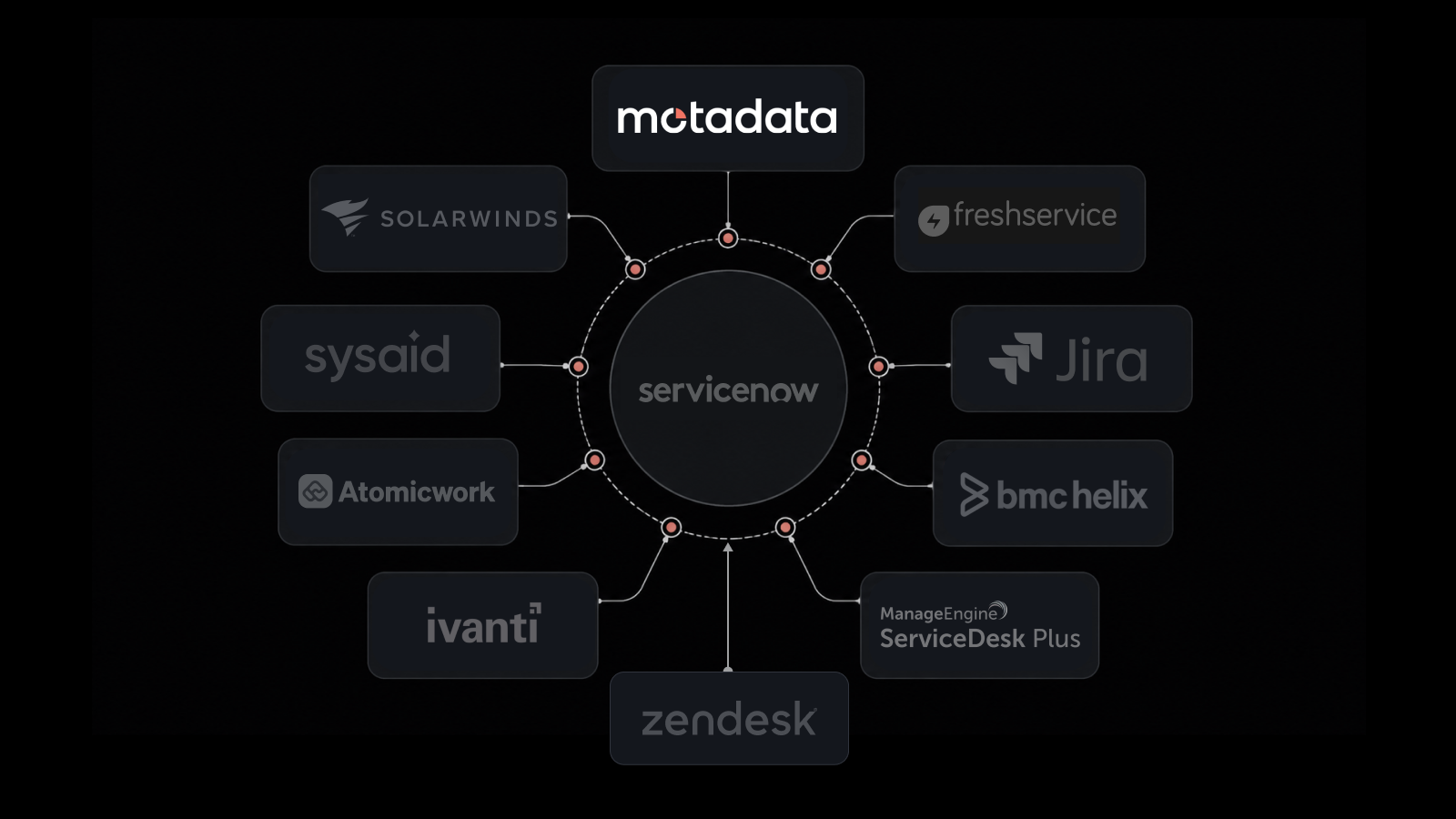
Most organizations run ITSM on a dedicated platform. The market runs from heavy enterprise suites to lighter tools you can set up in a week. These are the names that come up most when teams build a shortlist.
Tool | Best For | Key Strengths | Deployment |
Motadata ServiceOps (recommended) | Mid-market to enterprise IT and MSPs | Service desk, assets, and patch on one shared CMDB; dual ITIL 4 certified; AI routing built in | SaaS, private cloud, or on-prem |
ServiceNow | Large enterprises with deep budgets | Highly customizable, broad app ecosystem, mature ITIL coverage | Cloud (SaaS) only |
Atlassian Jira Service Management | Teams standardized on Jira | Fast to start, agile, strong Jira and dev-team tie-in | Cloud or Data Center |
IBM | Large enterprises prioritizing AI | AI-led service optimization at enterprise scale | Cloud or on-prem |
ManageEngine ServiceDesk Plus, Freshservice | Mid-market teams wanting quick wins | Quick setup, solid core ITSM, friendly pricing | Cloud or on-prem |
The brand matters less than the fit. The right tool matches your processes, your budget, and the way you need to deploy. The next section helps you work that out.
How Do You Select the Right ITSM Tool?
The platform you choose shapes how every process above runs, so this decision matters more than a feature list suggests. Run your shortlist through these filters.
Unified scope: Does it cover the service desk, asset management, and patch management in one place, or will you stitch three products and three contracts together? A shared data layer lets one team see the whole picture.
A working CMDB: A configuration management database maps how assets and services depend on each other. It turns a ticket queue into operations that understand impact, and without it you guess at blast radius on every change.
AI that is built in, not bolted on: Routing, suggestions, and SLA handling should run natively across the platform, not behind a separate add-on license. The bolted-on kind tends to stay half set up.
Self-service people will use: A simple portal and a virtual agent on the channels your users already use handle the easy requests before they reach the queue.
Integrations and deployment fit: Check that it connects to your identity provider, your monitoring stack, and your collaboration tools. Check that it offers the deployment model you need, whether SaaS, private cloud, or on-premises.
Cost consideration: Look for modular licensing so you pay only for what you use, and weigh total cost against the big incumbents, not just the sticker price. For a full walkthrough, our guide to selecting the right ITSM solution goes criterion by criterion.
How Does Motadata ServiceOps Fit Your ITSM Requirements?
If you are weighing platforms, Motadata ServiceOps is built around the unified, AI-native approach these filters point to. Here is what it brings to an ITSM setup:
One platform, one CMDB: The service desk, IT asset management, and patch management share a single CMDB. A change, the assets it touches, and the services it affects all sit in one view, instead of three separate tools.
Dual ITIL 4 certification: ServiceOps holds both PinkVERIFY and PeopleCert ATV recognition. That is outside validation, not a self-declared ITIL claim.
AI across every module: Ticket routing by skill and workload, knowledge suggestions, and SLA escalations run natively, not behind a separate add-on license.
A closed loop with observability: ServiceOps shares Motadata's DFIT engine with the ObserveOps platform. A monitoring alert can open and route a ticket on its own, which closes the loop from detect to resolve.
Deployment and reach to match: It runs as SaaS, private cloud, or on-premises. It also supports multi-tenant setups for MSPs and teams that run several entities from one instance.
Motadata reports figures like an 80% MTTR reduction and 95% faster incident resolution. Read those as the company's marketed numbers, not independently audited benchmarks, and test them against a trial on your own workload.
To see it run on your own setup, you can book a ServiceOps demo and walk a live ticket through it.
Improve Your Business Services with Motadata ServiceOps
The shift ITSM asks for is not a new tool. It is moving IT away from reacting to whatever breaks and toward running services to a plan, with named owners, visible work, and automation handling the routine. That is what turns IT from a cost center into something the business can count on.
It will not happen overnight, and forcing it usually backfires. The teams that succeed start small, often with incident and service request management, prove the approach, and grow from there. Trying to stand up every process at once is the most common way these programs stall.
Get the foundation right and the gains add up: fewer outages, faster fixes, and a team that grows with the business instead of breaking under it. If you want to see how a unified, AI-native platform handles that on your own stack, you can start a free ServiceOps trial and run a live workflow through it with your team.
FAQs
What is the difference between ITSM and ITIL?
ITSM is the work of managing IT services. ITIL is a framework, one set of guidelines for doing that well. ITIL 4 is the current and most adopted version, with COBIT and ISO/IEC 20000 as alternatives. Put plainly, ITSM is what you do, and ITIL is one way to do it.
What are the main principles of ITSM?
The most recognized set is the seven ITIL 4 guiding principles: focus on value, start where you are, progress iteratively with feedback, collaborate and promote visibility, think and work holistically, keep it simple and practical, and optimize and automate.
What are the benefits of ITSM?
ITSM cuts disruption through controlled change, improves accountability by tracking every request and incident, speeds up resolution, and keeps cost in check as you scale by letting automation and self-service absorb a growing workload without a matching rise in headcount.
What should you look for in an ITSM Tool?
Look for unified coverage of service desk, assets, and patching, a CMDB that maps dependencies, AI built into the platform rather than added on, self-service your users will actually use, the integrations and deployment model your environment needs, and modular licensing so you pay only for what you use.
Can MSPs use ITSM?
Yes. Managed service providers rely on ITSM heavily, but they need multi-tenant support so several clients can run from one instance, along with per-client branding and reporting. If you serve external customers, treat multi-tenancy as a hard requirement when you evaluate a platform.
Author
Jagdish Sajnani
Senior Content Strategist
Jagdish Sajnani is a B2B SaaS content strategist and writer. He has experience across different B2B verticals, including enterprise technology domains such as IT Service Management, AI-driven automation, observability, and IT operations. He specializes in translating complex technical systems into structured, engaging, and search-optimized content. His work improves product understanding, strengthens organic visibility, and supports B2B demand generation.