Service Desk Automation: What It Is and How to Get Started
How much of service desk work is problem solving and how much is repeat work that continues every day?
Most service desks follow the same pattern daily. Password resets, access requests, software installs, approvals, and routine fixes keep coming in.
These tasks are simple on their own, yet together they take most of the team’s time and push important incidents further down the queue.
The main challenge is the constant flow of repeat work that reduces time for focused tasks.
Service desk automation helps by moving repeat and rule-based tasks into automated workflows that run without manual effort. This reduces ticket load and gives teams more time for work that needs attention and judgment.
This guide covers:
What service desk automation is
Why service desk automation is important
What to look for in service desk automation
Benefits of service desk automation
Challenges of service desk automation
A bonus helpful section
By the end, you'll be able to look at your own queue and name the tickets a machine should be handling.
What is Service Desk Automation?
Service desk automation is software handling the routine parts of IT support so your team doesn't have to. It logs a ticket, sorts it into the right category, sends it to the right agent, resets a password, or surfaces the right knowledge article, all without a person stepping in.
These are the steps that follow the same pattern every time.
The key word is predictability of any task. If a task always happens the same way, a rule can handle it, and if it needs judgment, a person should. Good automation knows the difference, and weak automation doesn't.
One clarification matters here, because people mix the terms up.
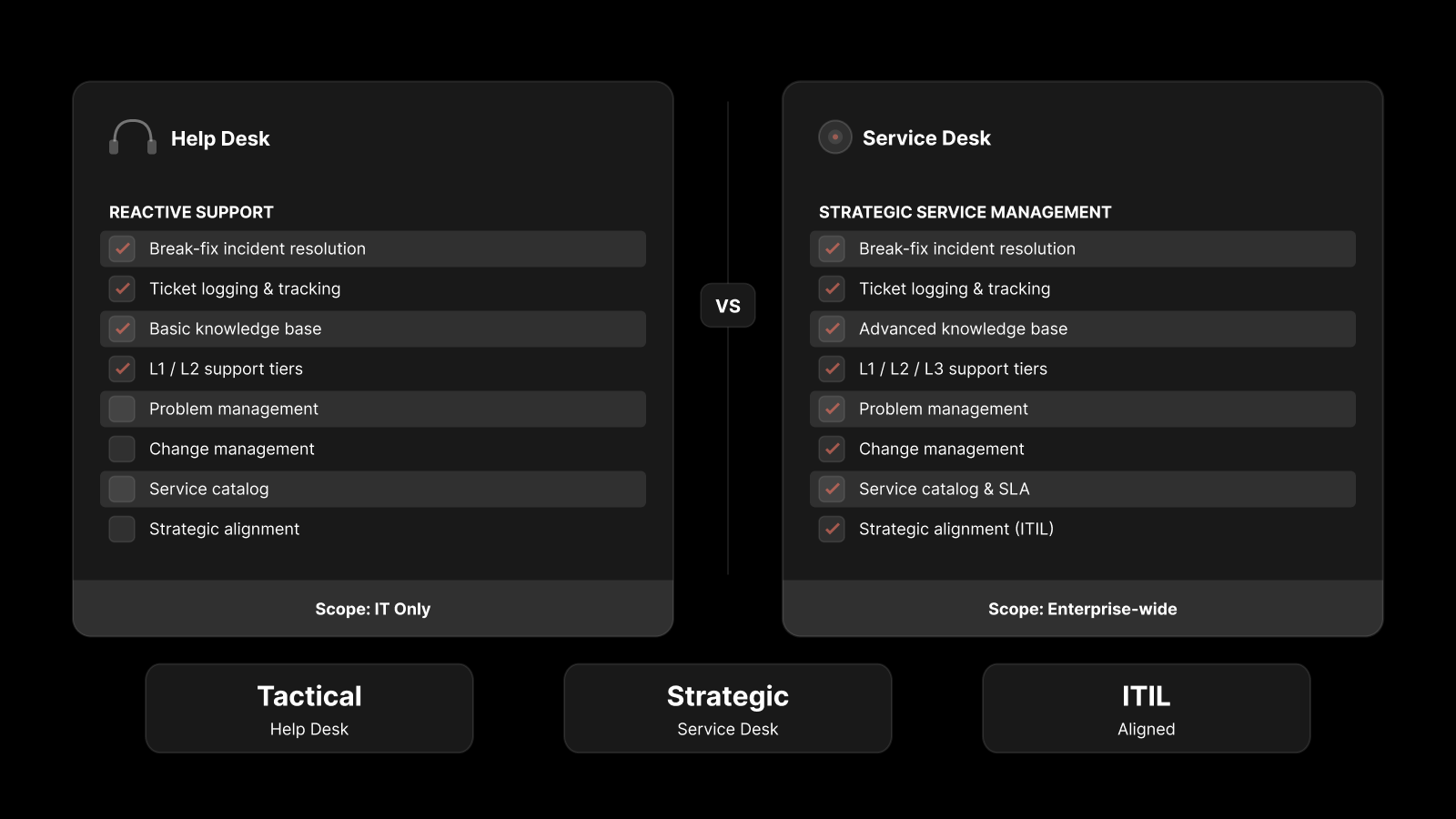
A help desk and a service desk aren't the same thing: a help desk fixes what breaks, while a service desk runs the wider set of IT services, from incident management to service requests to access provisioning.
IT service desk automation covers both, because the repetitive load turns up across all of them.
Under the hood, it's simple plumbing. A ticket comes in, a trigger fires, a rule (or increasingly an AI model) decides what happens, and the work moves forward on its own.
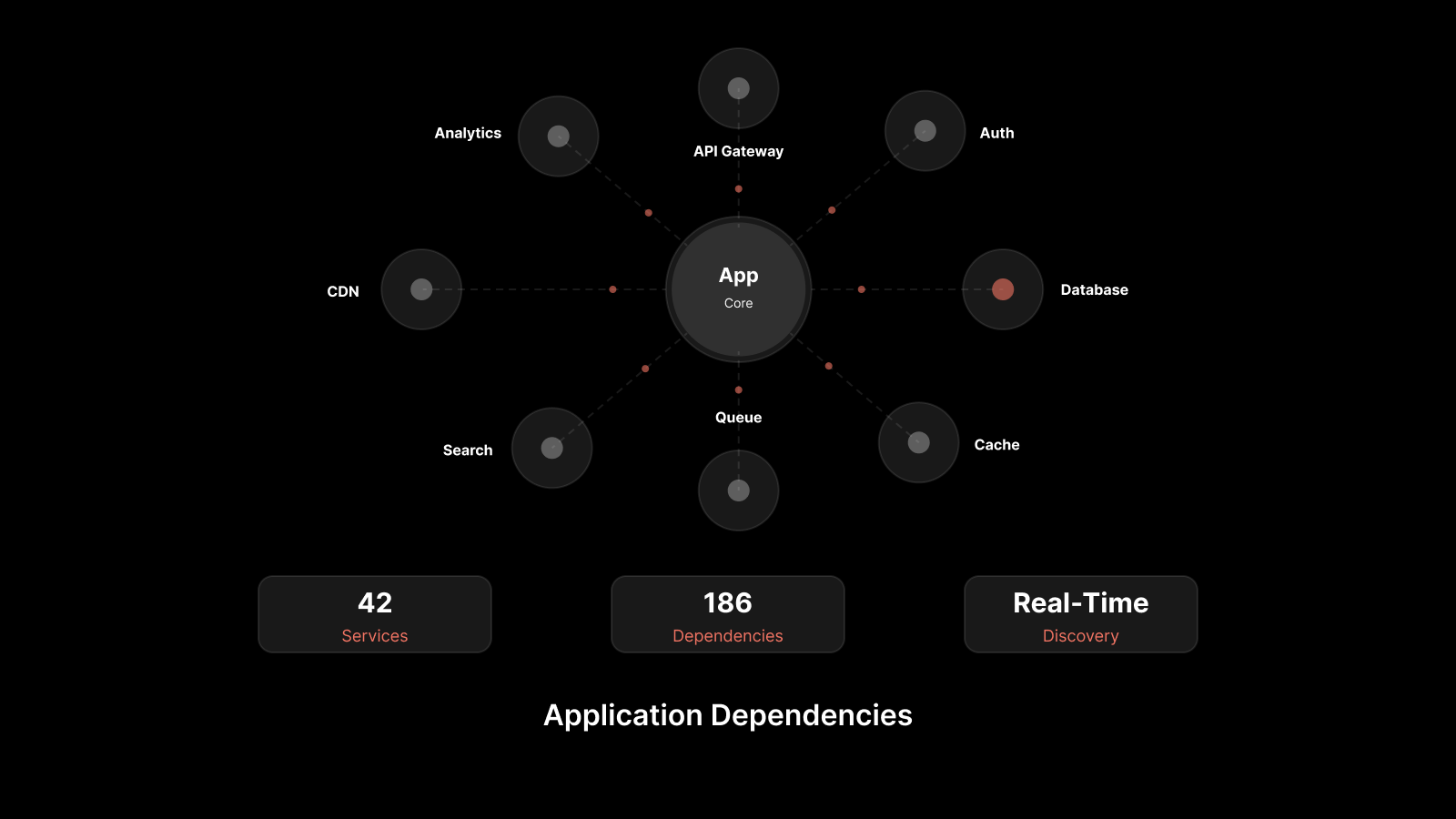
The better platforms lean on the CMDB, your single record of every asset and how they connect, so routing runs on real data instead of a guess.
Why is Service Desk Automation Important?
The reason is simple math. Tickets keep climbing while most teams stay the same size, and that gap lands on your agents as burnout, slipped SLAs, and a backlog nobody is proud of. A few pressures make it worse:
Password resets alone are crushing: Gartner estimates that 20% to 50% of all service desk calls are for password resets, and Forrester puts the cost of a single one near $70 once you count the labor.
Hybrid work multiplied the load: More apps, more logins, and more devices in more places mean more lockouts and access requests hitting the queue every morning.
Manual triage wastes your best people: When skilled agents sort and route tickets by hand, the real incidents wait behind a stack of resets.
Leave all of that manual, and the pattern never changes.
This is the point where ITSM automation stops being a nice-to-have and becomes the only way to keep up.
If you want the wider picture first, this read on how automation and AI are transforming service desks goes deeper.
What Impact Does Service Desk Automation Have?
The impact shows up in three places you can measure on a dashboard:
Ticket volume drops: When people reset their own password or request software through a self-service portal, those requests never reach a human. That is your deflection rate, and it is the fastest win available. If 35% of a 600-ticket month is resets, automating that one task frees hundreds of agent-hours a year.
Resolution speeds up: Automated ticket routing sends each request to the right agent the moment it lands, instead of waiting for manual triage. That handoff lag is usually the biggest slice of your MTTR (mean time to resolution), and most of it disappears.
Consistency improves: Every ticket follows the same path, every SLA timer starts on its own, and escalations fire before a deadline slips. Things stop falling through the cracks because the process no longer runs on memory.
What's left for your agents is the work that's actually worth paying for.
What Are the Benefits of Service Desk Automation?
Once the routine work moves off your team, the gains stop being operational and start being the kind of thing you can take into a budget meeting. Here is what you actually get back.
1. Lower Cost per Ticket
Deloitte's 2022 Global Intelligent Automation survey found that organizations expect a 31% average cost reduction from intelligent automation. You reach it by cutting the tickets your agents ever touch, because a self-served reset costs a fraction of one worked by hand.
Multiply that gap across the thousands of tickets you handle in a year, and it turns into real money you can point to.
2. Fewer SLA Breaches
When a ticket arrives, routing and escalation fire right away instead of waiting for an agent to notice. The request reaches the right person in seconds, and the SLA timer starts on its own. Your deadlines stop slipping simply because nobody was watching the clock.
3. Happier Employees
Your users get an answer in minutes rather than waiting in line behind a printer complaint. When the portal quietly resolves a request at 9 p.m. with nobody on shift, the rest of the company starts to trust IT a little more. That goodwill is hard to buy any other way.
4. A Team That Scales with Volume, Not Headcount
A busy month no longer forces you into an automatic hiring request. Automation soaks up the spikes, like onboarding season, a big rollout, or a Monday wave of password resets, that would otherwise swamp a small team. You grow on capability instead of on payroll.
5. Lower Agent Attrition
Nobody builds a career resetting passwords, so taking that work away helps you keep the people worth keeping. Agents who spend their day on problems that actually need them tend to stay, and every one who stays saves you the real cost of hiring and training a replacement.
6. Cleaner Data and Audit Trails
Because every automated action is logged the same way, you get accurate reporting and the paper trail your compliance team keeps asking for. That kind of consistency is almost impossible when the record depends on what each agent remembers to write down. When an auditor comes knocking, your history is already sitting there.
Be honest with yourself about where the real value lands, though. It isn't the speed. It's what your sharpest people do with the hours you just handed back to them.
What Are the Challenges of Service Desk Automation?
Automation isn't a switch you flip, and the teams that treat it that way usually regret it. A few traps catch people first:
Automating a broken process: If your categories are vague and your routing rules are a mess, automation just moves that mess faster. You end up sending the wrong tickets to the wrong people at speed. Fix the workflow on paper first, then wire it up.
Over-automation: Some tickets need a human, and a chatbot that loops a frustrated user in circles is worse than an honest queue. Always leave a clear path to a real person, because knowing where to stop is the real skill.
Set-and-forget thinking: Rules that worked last year drift out of date as your tools and teams change. Automation needs an owner who reviews it every quarter, or it slowly starts making decisions that no longer fit.
A few things also have to be in place before any of it works:
Clean ticket data, so the system routes on facts rather than noise. Standard categories and a sensible priority scheme matter more than any clever rule sitting on top of them.
A maintained knowledge base, since AI suggestions are only as good as the articles behind them. An empty or outdated knowledge base means the system has nothing useful to offer the user.
Buy-in from your agents, who hear automation and assume layoffs until you show them it removes the work they hate, not the work they're paid for. Bring them in early and let them flag which tasks they would happily never do again.
The right integrations, because automation that can't reach your identity, chat, and asset tools can only do half the job. A reset workflow is useless if it can't actually talk to your directory.
You'll need patience too. Most teams take a quarter or two before the numbers turn, and the first month can even look busier while you are still setting things up.
That early dip is normal, so measure against where you started rather than expecting a clean win in week one.
What Are Some Practical Service Desk Automation Ideas?
You don't have to automate everything at once, and you shouldn't try. Start with the high-volume, low-judgment tasks, prove the savings, then expand. Here are eight ideas, roughly in the order they pay off:
Self-service password resets are the single biggest win, since resets can be half your total volume.
Automated ticket routing and categorization assign each request by skill, workload, and availability instead of by manual triage.
A self-service portal with a service catalog lets standard requests (a new laptop, VPN access, common software) follow a set path without an agent typing a word.
Knowledge suggestions at ticket creation surface the right article before the user even hits submit.
Approval workflows for routine requests move low-risk items along automatically, with a clear escalation route for anything unusual.
SLA reminders and auto-escalation reassign an at-risk ticket before it breaches rather than after.
A virtual agent on Microsoft Teams or Slack uses NLP to handle status checks and simple requests where people already work.
Auto-close and follow-up close resolved tickets after a set window and fire a short CSAT survey on their own.
Pick one or two, show the savings, then work down the list.
What Should You Look for in Service Desk Automation Tools?
Most service desk automation tools demo well. The difference shows up later, when your live ticket volume hits them. A handful of things matter far more than the feature checklist:
A shared CMDB lets automation act on accurate asset and dependency data instead of stale records.
A codeless workflow builder keeps you moving, because if every small change needs a developer, your automation stalls in week one.
Context-aware AI routes and suggests based on meaning, not keyword matching, which breaks the moment someone phrases a ticket differently.
A self-service portal people will actually use, because a clunky portal gets ignored, and an ignored portal deflects nothing.
Integrations with your chat and identity tools, so resets and approvals flow without copy-pasting between systems.
ITIL alignment, a clean audit trail, and role-based access control, which become must-haves the moment you work in a regulated industry.
Reporting that proves what automation is saving, so you can defend the budget when someone asks.
A tool that can't show its own impact is hard to keep funded, so make that one a dealbreaker.
How Does Motadata ServiceOps Support Service Desk Automation?
We built Motadata ServiceOps as an AI-enabled, ITIL v4-aligned ITSM platform that runs the service desk, IT asset management, and patch management on one shared CMDB.
That single data layer is what makes the automation trustworthy, because every routing and impact decision sits on real records instead of a stale spreadsheet.
The automation maps directly onto the ideas above:
Smart ticket routing assigns work by skill, workload, and availability, so triage stops being a manual job.
A codeless workflow automation engine runs approvals, notifications, status changes, and SLA management without a line of code.
The self-service portal pairs with a knowledge base anyone can read without logging in, and article suggestions surface as a user types out a ticket.
Virtual agents live on Microsoft Teams, Slack, WhatsApp, and Line, handling natural-language requests in chat.
AI-driven SLA automation reassigns a ticket the moment it is about to breach.
On the trust side, ServiceOps is dual-certified: it holds PinkVERIFY from Pink Elephant and PeopleCert ATV as ITIL 4 compliant across 12 practices.
That matters in regulated settings like banking and manufacturing, where it already runs at organizations such as Central Bank of India and Nuvoco Vistas.
Motadata markets figures like up to 95% faster incident resolution and an 80% MTTR reduction, and the honest move is to treat those as vendor numbers rather than audited benchmarks, then test them against your own queue.
There is one honest catch. The platform rewards setup, so if your routing rules and service catalog are messy going in, ServiceOps will automate that mess just as faithfully, and the real payoff lands after you map what good looks like.
If you want to see it run against your own ticket flow, you can book a ServiceOps demo and walk a real request through it end to end.
Conclusion
Strip it back, and service desk automation comes down to one idea. You get your people off the work that never needed them, so the resets handle themselves and the engineers get back to engineering.
It won't rescue a broken process, and the first quarter can feel heavier before it gets lighter. Anyone selling you an overnight fix has never run a real rollout.
Still, teams that automate the predictable load usually win back a day or more per agent every week, and that time flows into the incidents that move the business. If you want to see whether the same holds on your stack, you can start a free ServiceOps trial and automate a single workflow this week.
FAQs
How do you start automating a service desk?
Start with the highest-volume, lowest-judgment task, which is usually password resets, and prove the time savings before you expand. From there, you can layer in auto-routing, a self-service portal, knowledge suggestions, and approval workflows. Fix any messy process before you automate it, because automation amplifies whatever you give it.
What are common service desk automation use cases?
The usual ones are self-service password resets, automated ticket routing and categorization, self-service request fulfillment through a catalog, knowledge base suggestions at ticket creation, approval workflows, SLA escalation, and chatbot-driven status updates. Together they cover the bulk of repetitive service desk work in most organizations.
Is service desk automation the same as help desk automation?
They overlap a great deal, and people often use the terms interchangeably. Help desk automation leans toward break-fix support and ticket handling, while service desk automation covers a broader set of IT services and requests. In practice, the same techniques (routing, self-service, and workflow automation) apply to both.
Who provides ai-enabled service desk automation?
Several ITSM vendors offer AI-driven automation, and the right fit depends on your size, budget, and compliance needs. Motadata ServiceOps is one option built around native AI, codeless workflows, and a shared CMDB, with virtual agents and smart routing included rather than sold as add-ons. Either way, test a tool against your own ticket volume before you commit.
Author
Jagdish Sajnani
Senior Content Strategist
Jagdish Sajnani is a B2B SaaS content strategist and writer. He has experience across different B2B verticals, including enterprise technology domains such as IT Service Management, AI-driven automation, observability, and IT operations. He specializes in translating complex technical systems into structured, engaging, and search-optimized content. His work improves product understanding, strengthens organic visibility, and supports B2B demand generation.