Why Your Organization Needs Web Server Monitoring: A Complete Guide
Amartya Gupta
Every second of downtime costs money. For large enterprises, that number can exceed $5,600 per minute. For e-commerce businesses, a slow-loading page doesn't just frustrate visitors -- it sends them straight to a competitor. And when search engines detect poor performance, your rankings drop, making it even harder for new customers to find you.
Your web server is the engine behind every digital interaction your business has. When it's healthy, nobody notices. When it fails, everyone does.
Web server monitoring is the continuous process of tracking, measuring, and analyzing the performance, availability, and health of web servers (such as Apache, Nginx, IIS, and LiteSpeed). It involves monitoring key metrics like response time, uptime, CPU usage, memory utilization, disk I/O, and network traffic to detect issues before they impact end users.
Key Takeaways:
Web server downtime directly impacts revenue, brand reputation, search rankings, and customer satisfaction
Proactive monitoring detects issues before they cause outages, reducing mean time to resolution
Key metrics to track include response time, uptime, CPU/memory usage, error rates, and throughput
Modern AI-native monitoring platforms provide intelligent alerting and automated root cause analysis
Motadata's unified IT infrastructure monitoring platform delivers comprehensive web server monitoring with AI-powered insights
---
What Is Web Server Monitoring and How Does It Work?
Web server monitoring continuously checks your servers' health by collecting and analyzing performance data in real time. Here's how a typical monitoring workflow operates:
Data collection: Monitoring agents or agentless protocols (SNMP, WMI, SSH) collect performance metrics from your web servers at regular intervals -- typically every 30-60 seconds.
Metric analysis: The monitoring platform processes collected data against predefined baselines and thresholds. It tracks trends over time to identify gradual degradation, not just sudden failures.
Alerting: When metrics breach thresholds -- say, CPU usage exceeding 90% or response time spiking above 3 seconds -- the system generates alerts via email, SMS, Slack, or integrated ITSM tools.
Visualization: Dashboards display real-time and historical performance data, giving operations teams instant visibility into server health across their entire infrastructure.
Root cause analysis: Advanced platforms correlate metrics across servers, networks, and applications to pinpoint the underlying cause of issues, not just the symptoms.
The goal is simple: catch problems while they're small and fixable, not after they've cascaded into full-blown outages.
The Business Impact of Poor Web Server Performance
When web servers underperform or go down, the consequences hit your business from multiple angles simultaneously.
Revenue Loss
For any organization with an online presence -- e-commerce, SaaS, digital services, or even lead generation -- downtime translates directly to lost revenue. When potential customers arrive and find a broken or slow-loading site, they leave. Most won't come back.
The financial impact scales with your business size. Studies show that IT-related downtime costs small enterprises over $55,000 annually, midsize organizations over $91,000, and large enterprises over $1 million per year. For high-traffic e-commerce platforms, even a few minutes of downtime during peak hours can mean six-figure losses.
Web server monitoring prevents these losses by catching performance degradation early -- before response times spike high enough to drive visitors away.
Brand Reputation Damage
Your website is your organization's digital storefront, accessible 24/7 from any device, anywhere in the world. It's often the first touchpoint for potential customers, partners, and investors. When that first impression is a broken page or a timeout error, the damage extends far beyond a single lost visit.
In a market where over 90% of purchase journeys start with a digital channel, website reliability is brand reliability. Repeated performance issues erode trust, weaken brand perception, and push prospects toward competitors who deliver a smoother experience.
Search Engine Ranking Penalties
Search engines factor page load time and uptime directly into ranking algorithms. Google has explicitly used page speed as a ranking signal since 2010, and it's become even more important with Core Web Vitals.
When search engine crawlers attempt to index your site during downtime, it negatively affects your rankings. Slow page load times cause sustained ranking damage because search engines interpret poor performance as a poor user experience -- exactly what they're designed to penalize.
The compounding effect is brutal: poor performance leads to lower rankings, which leads to less organic traffic, which leads to fewer conversions. Web server monitoring breaks this cycle by ensuring your servers deliver fast, consistent performance.
Customer Satisfaction Erosion
Even loyal, long-term customers lose patience with unreliable websites. Despite strong branding, competitive pricing, and quality products, negative experiences caused by poor web server performance create trust deficits that are difficult to reverse.
Dissatisfied customers are significantly more likely to share negative experiences than positive ones. In the age of social media and review platforms, a single high-profile outage can generate lasting reputational damage that extends far beyond the users directly affected.
Key Metrics to Monitor on Your Web Servers
Effective web server monitoring tracks a specific set of metrics that together provide a complete picture of server health:
Response time: How quickly your server responds to incoming requests. Target under 200ms for optimal user experience.
Uptime/availability: The percentage of time your server is accessible. Industry standard targets 99.9% or higher (less than 8.76 hours of downtime per year).
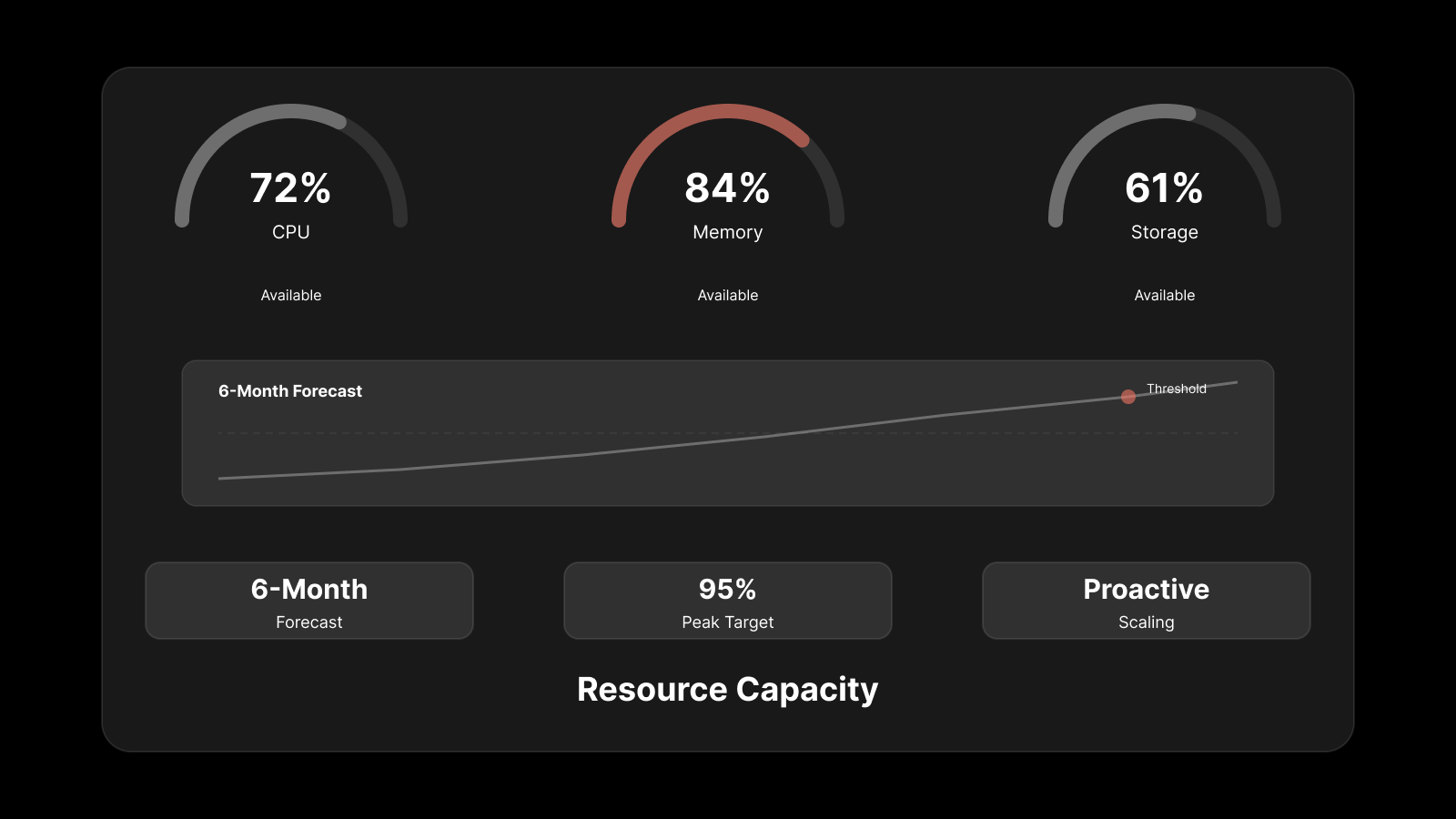
CPU usage: Sustained high CPU usage (above 80-90%) indicates your server is struggling to handle its workload and may need optimization or scaling.
Memory utilization: Memory leaks or insufficient RAM cause performance degradation and eventually crashes. Monitor both usage levels and trends.
Disk I/O: Read/write performance affects how quickly your server can retrieve and serve content. High disk I/O wait times signal storage bottlenecks.
Network throughput: The volume of data your server sends and receives. Sudden spikes or drops indicate traffic anomalies or network issues.
Error rates: The frequency of HTTP 4xx and 5xx errors. Rising error rates point to application issues, misconfigurations, or resource exhaustion.
Active connections: The number of simultaneous connections your server is handling. Approaching connection limits can cause request queuing and timeouts.
Types of Web Server Monitoring
Different monitoring approaches provide visibility into different aspects of server health:
Availability Monitoring
The most fundamental type -- it checks whether your server is up and responding. Simple ping checks and HTTP request tests run from multiple locations to detect outages quickly. If your server doesn't respond, you know immediately.
Performance Monitoring
Goes deeper than availability to measure how well your server is performing. It tracks response times, throughput, resource utilization, and processing speed to identify degradation before it becomes an outage.
Security Monitoring
Tracks server access patterns, authentication attempts, SSL certificate status, and potential intrusion indicators. It detects brute force attacks, unauthorized access attempts, and suspicious traffic patterns that could indicate a security breach.
Log Monitoring
Analyzes web server logs (access logs, error logs) to identify patterns, errors, and anomalies. Log monitoring reveals issues that metric-based monitoring might miss, like specific URL errors, unusual request patterns, or application-level failures.
Best Practices for Web Server Monitoring
Implementing monitoring is just the first step. These best practices ensure you get maximum value:
Monitor from multiple locations. Your server's performance from your office doesn't reflect what users in other regions experience. Use distributed monitoring points that match your user base's geography.
Set intelligent alert thresholds. Avoid alert fatigue by setting thresholds based on historical baselines, not arbitrary numbers. Use tiered alerting: warnings for early degradation, critical alerts for immediate action items.
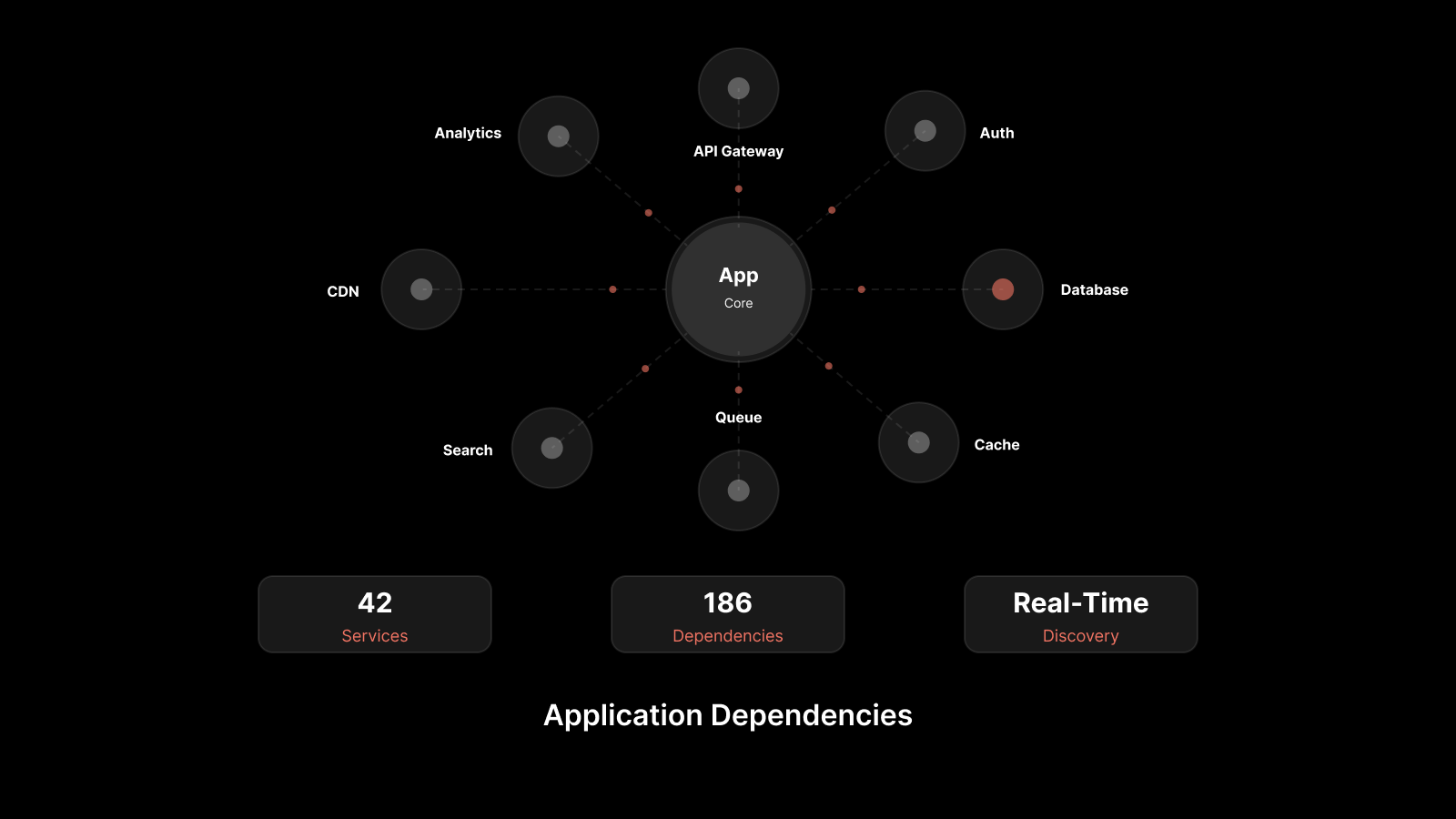
Monitor dependencies, not just servers. Your web server depends on databases, DNS, CDNs, APIs, and network infrastructure. A database slowdown causes web server performance issues. Monitor the entire stack, not just individual components.
Automate responses where possible. For known issues with documented fixes -- like restarting a service or clearing a cache -- automated remediation reduces MTTR from minutes to seconds.
Review and tune regularly. Your monitoring configuration isn't a set-and-forget setup. Review alert thresholds quarterly, update baselines as your infrastructure evolves, and retire monitors for decommissioned systems.
Correlate metrics for root cause analysis. A CPU spike alone tells you something is wrong. A CPU spike combined with a traffic surge and increased database queries tells you exactly what's wrong and why. Use a monitoring platform that correlates metrics across your stack.
People Also Ask
What is web server monitoring?
Web server monitoring is the process of continuously tracking and analyzing the performance, availability, and health of web servers. It involves collecting metrics like response time, uptime, CPU usage, memory utilization, and error rates to detect and resolve issues before they impact users.
What are the most important web server metrics to track?
The most critical metrics are response time, uptime/availability, CPU usage, memory utilization, disk I/O, network throughput, error rates (HTTP 4xx/5xx), and active connections. Together, these metrics provide a comprehensive view of server health and performance.
How does web server monitoring prevent downtime?
Monitoring detects early warning signs -- rising CPU usage, increasing response times, growing error rates -- before they escalate into outages. Alerts notify operations teams in real time, enabling them to resolve issues proactively rather than reactively.
What's the difference between web server monitoring and website monitoring?
Website monitoring checks the end-user experience (page load time, content rendering, availability from the user's perspective). Web server monitoring goes deeper, tracking the server-side infrastructure that delivers those web pages -- CPU, memory, disk, network, and process-level metrics.
Protect Your Digital Foundation with AI-Native Monitoring
Your web servers are the backbone of every digital interaction your organization has. When they perform well, your business runs smoothly. When they don't, the impact ripples through revenue, reputation, rankings, and customer trust.
Reactive monitoring -- finding out about problems from user complaints -- isn't sustainable. You need visibility that's proactive, intelligent, and comprehensive.
Motadata's AI-native IT infrastructure monitoring platform delivers unified web server monitoring with intelligent alerting, automated root cause analysis, and predictive insights. It monitors Apache, Nginx, IIS, and other web servers alongside your entire infrastructure stack -- giving you a single pane of glass for complete operational visibility.
Don't wait for the next outage to invest in monitoring. Start your free trial with Motadata and take control of your web server performance today.
---
FAQs
What is web server monitoring?
Web server monitoring is the process of continuously tracking and analyzing the performance, availability, and health of web servers. It involves collecting metrics like response time, uptime, CPU usage, memory utilization, and error rates to detect and resolve issues before they impact users.
What are the most important web server metrics to track?
The most critical metrics are response time, uptime/availability, CPU usage, memory utilization, disk I/O, network throughput, error rates (HTTP 4xx/5xx), and active connections. Together, these metrics provide a comprehensive view of server health and performance.
How does web server monitoring prevent downtime?
Monitoring detects early warning signs -- rising CPU usage, increasing response times, growing error rates -- before they escalate into outages. Alerts notify operations teams in real time, enabling them to resolve issues proactively rather than reactively.
What's the difference between web server monitoring and website monitoring?
Website monitoring checks the end-user experience (page load time, content rendering, availability from the user's perspective). Web server monitoring goes deeper, tracking the server-side infrastructure that delivers those web pages -- CPU, memory, disk, network, and process-level metrics.