How to Choose the Right Server Monitoring Tool: A Step By Step Guide for 2026
How do you pick one server monitoring tool when every vendor page promises the same thing?
A few years ago, two monitoring vendor websites showed you two different products. Today you can open five and read nearly the same feature list on each one. Real-time dashboards, instant alerts, AI everywhere.
That sameness has made evaluation harder than ever. The marketing tells you nothing, and the wrong choice follows your team for years, either as features nobody opens or as the one missed alert at 2 a.m.
That is why we stopped judging monitoring tools by what they promise. We judge them by what happens months in: whether engineers still trust the alerts, and whether the tool survives its first audit and budget review.
This guide is built around the factors that decide that outcome:
The infrastructure and team assessment most buyers skip before booking demos.
The agent-based versus agentless decision that quietly shapes everything else.
Nine selection criteria that separate working tools from shelfware.
An honest free versus paid breakdown.
A shortlist with real trade-offs listed, ours included.
A trial checklist you can copy into your next proof of concept.
By the end, you will have a complete idea on how to pick the server monitoring tool that is right for your requirements.
Before that, let’s have a quick overview of server monitoring tool.
What is a Server Monitoring Tool?
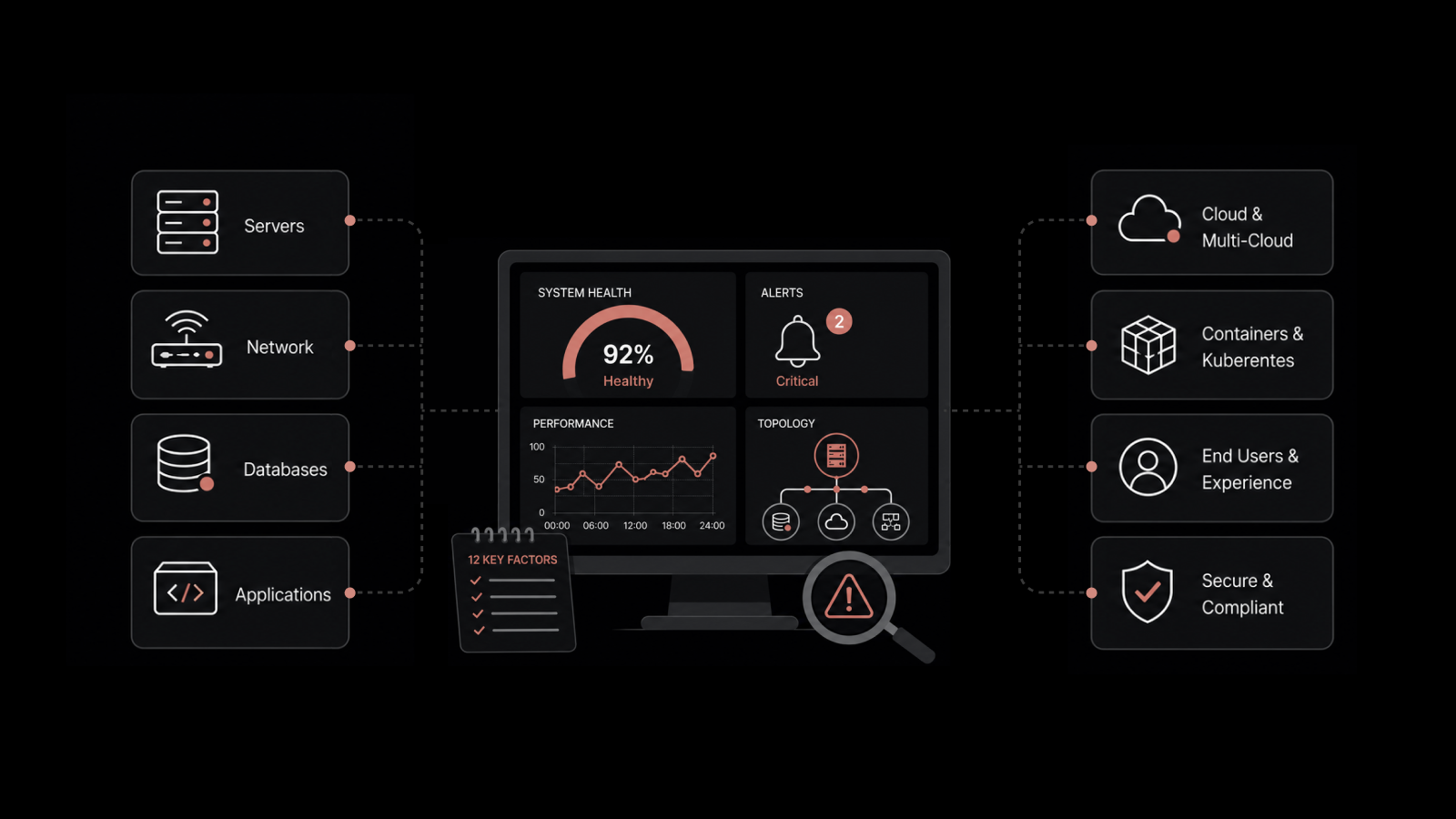
A server monitoring tool is software that tracks the health, performance, and availability of physical and virtual servers in real time. It collects metrics such as CPU utilization, memory consumption, disk usage, and network throughput, then raises alerts when those values cross defined thresholds.
A good server monitoring solution does more than collect numbers. It shows you trends over weeks and months, connects a slow application to the resource starving it, and tells the right person before users start calling.
That last part matters more than most feature lists admit. A tool that gathers perfect data but buries it in noise has not monitored anything. It has just recorded the outage for the post-mortem.
Why Does the Right Server Monitoring Tool Matter?
Every IT or network engineer knows that server downtime is expensive, and the bill arrives whether or not you saw the failure coming.
One of the reports of the ITIC 2024 Hourly Cost of Downtime survey, over 90 percent of mid-size and large enterprises put the cost of a single hour of server downtime above $300,000.
The wrong tool costs you in quieter ways too. Here are a few scenarios:
Teams that buy oversized platforms spend months on configuration and still monitor only half their estate.
Teams that stretch a free tool too far end up with alert rules nobody trusts and dashboards nobody opens.
There is also a human cost. When alerts fire for everything, engineers stop reading them.
When the tool covers Linux well but treats Windows as an afterthought, half your IT infrastructure becomes a blind spot.
Picking the right tool is less about features and more about whether your team will still trust it twelve months in.
What Should You Assess Before Comparing Tools?
Most evaluations fail in the first week, before any vendor is involved. The team opens a comparison listicle, picks three names, and books demos. Nobody writes down what the tool actually needs to do.
Spend a few days on the three assessments below first. They will cut your shortlist in half before you watch a single demo.
1. Your Environment: On-Premises, Cloud, Hybrid, or Multi-Cloud
Where your server is set up decides which tools are eligible.
On-premises estates need deep hardware visibility: physical disks, RAID status, power, temperature, and the network gear sitting between racks.
Cloud workloads on AWS, Azure, or GCP need native API integrations, because instances appear and disappear faster than manual onboarding can follow.
Hybrid and multi-cloud environments need one tool that covers both worlds in one view. Running separate tools per environment is how correlation dies and finger-pointing starts.
Write down your actual requirements. A team that is 80 percent on-premises with a small Azure footprint has different needs than a team mid-migration, even if both call themselves hybrid.
2. Your Scale: Server Count Today and in Two Years
Count your servers, then count again for two years out. Pricing models punish teams that guess wrong here.
Per-device licensing feels cheap at 50 servers and brutal at 500. Sensor-based licensing looks flexible until you realize one server can consume ten sensors. If your roadmap includes containers or a virtualization push, the count you license today will not survive the year.
Scale also affects architecture. A single-site deployment is simple. Monitoring branch offices over WAN links, or keeping monitoring alive when the primary site fails, requires distributed collectors and high availability options that not every vendor offers.
3. Your Team: Who Responds to Alerts and How
A monitoring tool is only as good as the team using it at 2 a.m. Be honest about three things: how many people manage the tool, what their skill level is, and where alerts need to land.
A two-person IT team has no time to maintain custom scripts and hand-built dashboards. A larger NOC may need role-based views so the helpdesk sees status while engineers see diagnostics.
And if your alerts need to open tickets automatically, integration with your ITSM platform stops being optional.
It also helps to fix your monitoring practices before you change tools, because a new platform inherits old habits.
Our guide to server performance monitoring best practices covers the groundwork worth doing either way.
Agent-Based or Agentless Monitoring: Which Approach Fits You?
Every server monitoring tool collects data in one of two ways, and many do both. Knowing the difference helps you question vendors properly.
Agent-based monitoring installs a small piece of software on each server. The agent reads metrics directly from the operating system and sends them to the central platform.
The payoff is depth and frequency: agents can poll every second, capture process-level detail, and keep collecting locally if the network drops, forwarding data once the link returns.
Agentless monitoring collects data remotely using protocols like SNMP, WMI, or SSH. Nothing gets installed on the target.
That makes it faster to roll out across hundreds of devices and the only option for hardware you cannot install software on, such as switches, firewalls, and appliances.
In practice, the question is not which approach wins. It is whether the tool supports both well.
Most real environments need agents on critical application servers and agentless coverage for network devices and locked-down systems. A tool that forces you into one model will leave gaps.
What Features Should You Look for in a Server Monitoring Tool?
These nine criteria come up in almost every evaluation we see. Together they cover what a tool must prove before it earns a place in your stack.
1. Real-Time Metrics With Flexible Resource Usage Alerts
The baseline is live visibility into CPU, memory, disk, and network, with alerts that fire when usage crosses thresholds you define.
Look hard at the flexibility of those thresholds: a database server running at 85 percent memory may be perfectly normal, while the same number on a web server signals trouble.
Per-server and per-group thresholds with multiple severity levels are the difference between alerting and noise.
2. Coverage Across Windows, Linux, Virtual Machines, and Cloud Instances
Almost no estate is one operating system on bare metal anymore, so test the full spread. Windows monitoring should cover services, event logs, IIS, and SQL Server without custom scripting.
Linux coverage should span the distributions you actually run.
Then go further: VMware and Hyper-V hosts and guests, cloud instances on AWS and Azure, and containers if Kubernetes is anywhere on your roadmap.
A tool that monitors half your estate well creates blind spots in the other half.
3. Dashboards With Role-Based Access Control
Different people need different views of the same data. Engineers want drill-down detail, the helpdesk wants a status board, and managers want trends.
Dashboards should be customizable without vendor support, and role-based access control should restrict who can see and change what.
RBAC matters more than teams expect once auditors start asking who modified an alert rule and when.
4. Automated Reporting and SLA Evidence
Reports prove value to the people who never open the tool.
Look for scheduled reports that land in stakeholder inboxes automatically: uptime summaries, capacity trends, and SLA compliance evidence.
If producing a monthly availability report means exporting CSVs and building charts by hand, the reporting feature does not really exist, and your team will pay for that gap every month.
5. Anomaly Detection That Works Without Long Training
Threshold alerts catch problems you predicted. Anomaly detection catches the ones you did not, by learning what normal looks like for each server and flagging deviations early.
The question that separates vendors here: how long before the AI becomes useful? Some platforms need weeks of baseline calibration before they say anything trustworthy.
Others adapt without a training period. Ask directly, and make them demonstrate it.
6. Root Cause Context, Not Just Red Alerts
A wall of simultaneous alerts during an incident is barely better than no alerts at all.
Strong tools correlate related events, suppress the downstream noise, and point you at the likely origin: the failing disk behind the slow database behind the timing-out application.
This is where monitoring tools earn or lose their keep, because it directly decides how long your team spends finding causes instead of fixing them.
7. ITSM, Collaboration, and API Integrations
An alert that dies in an inbox helps nobody.
The tool should push notifications to the channels your team lives in, such as email, Slack, and Teams, and open tickets in your ITSM platform automatically with the diagnostic context attached.
Insist on a documented REST API as well. Every environment eventually needs an integration the vendor never predicted.
8. Automated Remediation for Known Failures
A meaningful share of server incidents are repeat offenders: a service that needs restarting, a temp directory that fills, a stuck process.
Tools with runbook-style automation can execute the known fix the moment the alert fires, before a human is even paged.
You will not automate everything, and you should not. But automating the predictable failures gives your team back real hours every week.
9. Deployment Flexibility, Scalability, and Security
The tool must fit your constraints today and grow with you without a re-architecture.
Ask three things in the same breath: can it deploy on-premises as well as in the cloud, how does it handle distributed sites and high availability, and what security does it carry, including encryption, audit trails, and support for frameworks like GDPR, HIPAA, and SOX.
Regulated industries should ask the on-premises question first. Plenty of SaaS-only tools quietly exit the evaluation the moment data residency comes up.
Should You Choose a Free or Paid Server Monitoring Tool?
Free tools are genuinely good now, so this deserves an honest answer instead of a sales pitch.
Open-source options like Zabbix or Prometheus with Grafana can monitor a serious estate at zero license cost.
If you have a small environment, a technical team with time to invest, and no compliance pressure, a free tool may be all you need for years. Plenty of capable IT shops run exactly that.
The hidden cost is people. Free tools trade license fees for engineering hours: setup, dashboard building, alert tuning, upgrades, and the slow accumulation of custom scripts only one person understands.
When that person leaves, the monitoring stack becomes a liability.
Teams usually outgrow free tools at a recognizable point. The signs look like this:
Alert noise has grown faster than anyone's ability to tune it.
Leadership wants reports and SLA evidence the tool cannot produce without manual work.
The estate now spans cloud and on-premises, and the free tool covers one side well and the other poorly.
Nobody wants to be on the hook for maintaining the monitoring system itself.
If two or more of those sound familiar, the license fee for a commercial tool is usually cheaper than the engineering time you are already spending. If none do, keep the free tool and revisit in a year.
Which Server Monitoring Tools Should Be on Your Shortlist?
No single tool wins every environment, so this list is built around fit. Every tool gets the same treatment, including one honest limitation each, because a shortlist without trade-offs is just an ad.
1. Motadata ObserveOps (Recommended)
Best for: Mid-sized and enterprise IT teams that want server, network, log, and application monitoring unified in one platform instead of stitched across three tools.
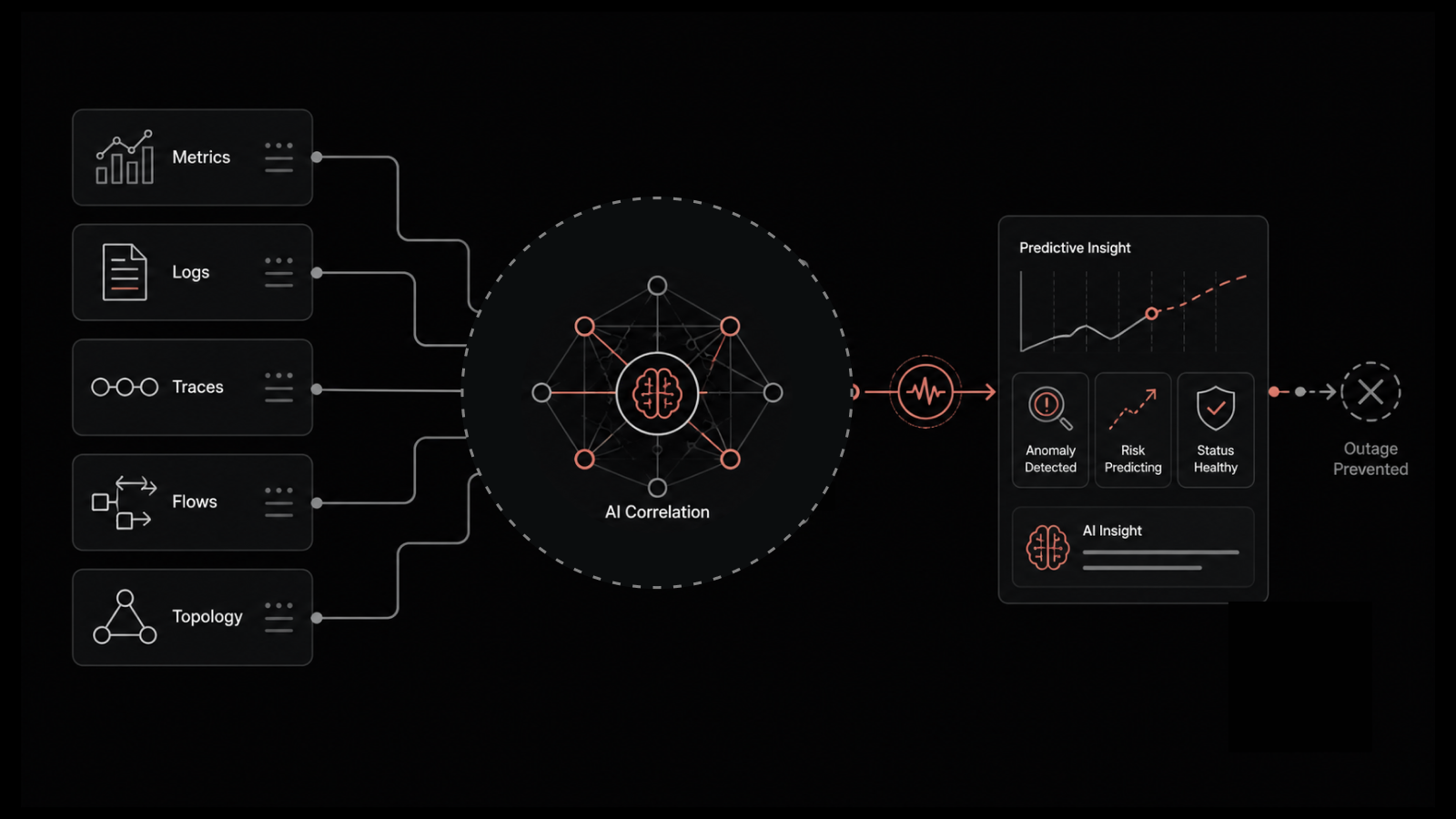
Motadata ObserveOps is a unified observability platform that brings metrics, logs, flows, traces, and topology into a single correlated view.
It is built on DFIT, Motadata's deep learning framework, which applies adaptive AI for anomaly detection and alert correlation without a pre-training period, so useful insights start early instead of after weeks of baseline calibration.
For server monitoring specifically, the MotaAgent endpoint agent polls Windows and Linux servers as fast as every second and stores data locally during network drops, forwarding it once the connection returns.
Agentless coverage handles network devices and restricted systems alongside it, so one platform covers both collection models.
What makes ObserveOps stand out:
Logs, metrics, and flows are triangulated in one place, so you trace a slow server to its root cause without jumping between tools.
Adaptive AI requires no baseline training period, which shortens time to trustworthy alerts.
Six deployment modes, including high availability, disaster recovery, and HA over WAN, fit regulated and distributed environments.
Native integration with Motadata ServiceOps turns alerts into tickets automatically, with marketed customer outcomes of up to 80 percent MTTR reduction (Motadata's marketed figures, not independently audited).
The honest trade-off: ObserveOps has a smaller third-party plugin community than ecosystem giants like Datadog, so highly unusual integrations may need REST API work rather than an off-the-shelf connector.
Pricing follows a subscription model with on-premises, private cloud, and public cloud deployment, plus a free 30-day trial.
The fastest way to judge fit is to point it at your own servers: you can book an ObserveOps demo and walk through your actual monitoring gaps with the team.
2. SolarWinds Server & Application Monitor
Best for: Windows-heavy enterprises that want deep application-level monitoring templates out of the box.
SolarWinds SAM ships with monitoring templates for more than a thousand applications, which makes initial coverage fast in Microsoft-centric estates.
Coverage of the Windows stack, from IIS to SQL Server to Active Directory, is among the deepest available without custom work.
The Orion platform underneath is mature and widely understood, which carries a practical hiring benefit: administrators who already know it are easy to find.
For large enterprises standardizing on one monitoring backbone, that familiarity reduces onboarding risk.
What makes SolarWinds SAM stand out:
The largest out-of-the-box application template library in this list.
Deep, mature Windows and Microsoft stack coverage.
A large installed base, which means abundant documentation and experienced hires.
The honest trade-off: licensing climbs quickly as modules stack up, and the platform can feel heavy for teams that only need infrastructure monitoring rather than the full suite.
Pricing is quote-based, with subscription and perpetual licensing options.
3. ManageEngine OpManager
Best for: Mid-market teams that want servers and network devices in one affordable console.
OpManager covers servers, virtual machines, and network devices from a single interface, with a setup process a small team can complete without consultants.
It occupies a sensible middle ground: a clear step up from free tools without enterprise-platform complexity or pricing.
Its tiered per-device licensing keeps costs predictable as you grow, which is exactly what mid-market budgets need when the server count is climbing but the headcount is not.
Day-to-day administration stays manageable for a generalist IT team rather than demanding a dedicated tool owner.
What makes OpManager stand out:
Server and network monitoring unified in one console at a mid-market price.
Per-device pricing tiers that are easy to forecast.
Setup and administration sized for generalist IT teams.
The honest trade-off: advanced capabilities such as application performance monitoring and flow analysis live in separate add-ons, so total cost grows module by module, and parts of the interface show their age.
Pricing is tiered per device, with a free edition for very small environments.
4. Paessler PRTG
Best for: Smaller teams that want fast deployment and everything bundled under one license.
PRTG bundles server, network, and application monitoring into a single product licensed by sensors, where each monitored metric or service consumes one sensor.
Deployment is genuinely fast, and for a few dozen servers plus the network around them, it is hard to beat on time-to-value.
The sensor model also makes starting cheap: the free tier includes 100 sensors, which comfortably covers a very small environment, and paid tiers scale from there.
For teams without a dedicated monitoring administrator, PRTG's maps and auto-discovery do a lot of the early work.
What makes PRTG stand out:
One license covers servers, network, and applications with no module shopping.
Fast deployment with strong auto-discovery.
A genuinely useful free tier of 100 sensors.
The honest trade-off: the sensor math turns against you at scale. A single server can consume five to ten sensors, so a growing estate hits license ceilings sooner than expected, and very large deployments need careful architecture.
Pricing is tiered by sensor count, starting with the free 100-sensor tier.
5. Zabbix
Best for: Technical teams with engineering time to invest and zero license budget.
Zabbix is the most capable fully free option on this list. It monitors servers, virtual machines, and network devices at serious scale, and two decades of community development have produced templates for nearly everything. Paid support contracts are available without paid licenses, which suits organizations that want a safety net but not a subscription.
What it asks for in return is effort. Installation, alert tuning, and dashboard building all consume real engineering hours, and the platform rewards teams that treat monitoring as an owned discipline rather than a checkbox.
What makes Zabbix stand out:
Full monitoring capability with no license cost at any scale.
A vast community template library built over two decades.
Optional paid support without mandatory paid licensing.
The honest trade-off: the learning curve is steep, modern cloud-native coverage takes more assembly than commercial rivals, and the hidden cost arrives as engineering time, especially when the one person who built it leaves.
Pricing is free and open source, with optional paid support tiers.
How Should You Evaluate Tools During a Trial?
A demo shows the tool at its best. A trial in your own environment shows the truth. Run every shortlisted tool through the same two-week test so the comparison stays fair.
Copy this checklist into your proof of concept:
Deploy against real servers: Monitor at least ten production-representative machines with a genuine mix of Windows and Linux, including one server you already know misbehaves. Clean lab VMs hide exactly the problems you are buying a tool to find.
Time the setup honestly: Record the hours from installation to the first alert you would actually act on. Multiply that figure by your full estate, and ask whether the rollout survives contact with your team's calendar.
Break something on purpose: Fill a disk, stop a service, and push a CPU to its limit. Measure three things for each: how fast the alert arrived, whether its severity matched reality, and whether it pointed toward the cause or just announced the symptom.
Measure the alerts: Run for two full weeks and count every false positive and every duplicate alert for the same underlying issue. A tool that cries wolf in week one will be muted by month three, and a muted tool protects nothing.
Build one dashboard and one report without help: Pick a real audience, such as your manager's monthly uptime review, and produce it inside the trial using only the documentation. If your team cannot do it now with vendor attention at its peak, they will not do it after the invoice is paid.
Wire up one end-to-end integration: Connect the tool to your ticketing system or chat platform, trigger a real alert, and follow it the whole way. Confirm the ticket carries diagnostic context, not just a subject line that says something is down.
Test the support before you need it: Raise one genuine technical question as a support ticket during the trial. The speed and quality of that answer, while the vendor is still courting you, is the best support there will ever be.
Score each tool on the same sheet. The winner is rarely the one with the longest feature list. It is the one your team still trusts after two weeks of real alerts.
Pick the Right Server Monitoring Tool Now
The right server monitoring tool is the one that matches your environment, your scale, and your team, in that order. Features come last, because every vendor has features, and almost none of them matter if the tool does not fit how your team actually works.
The honest caveat: no tool fixes a broken monitoring practice. If alert ownership is unclear or thresholds were last reviewed two years ago, a new platform will inherit those problems on day one.
Get the choice right, though, and the payoff compounds. Fewer surprise outages, alerts your engineers trust, and capacity decisions made from data instead of guesswork.
If you want to see how that looks against your own servers rather than a vendor slide deck, you can start a free ObserveOps trial and run it through the exact checklist above.
FAQs
How do I choose the right free server monitoring tool?
Match the tool to your team's skills and time, not just its feature list. Zabbix suits teams comfortable with configuration-heavy setups, while Prometheus with Grafana fits cloud-native environments. Confirm the tool covers your full estate, both Windows and Linux, and be honest about the maintenance hours it will consume. Free means no license fee, not no cost.
How do I choose the right windows server monitoring tool?
Check for native WMI support, monitoring of Windows services and event logs, and templates for the Microsoft stack you run, including IIS, SQL Server, and Active Directory. Test alerting on a real Windows failure during the trial. Tools built primarily for Linux often treat Windows event log monitoring as an afterthought, and that gap only shows up under load.
How do I choose a server monitoring tool with resource usage alerts?
Look for per-server threshold customization, multi-level severity (warning versus critical), and alert routing to the channels your team actually watches. The differentiator is intelligence: tools with anomaly detection alert on unusual behavior even when usage sits below a static threshold, which catches slow-building problems early.
What is the best server monitoring approach for smes?
Small and mid-sized teams should weight ease of setup and low maintenance over feature depth. A tool your two-person IT team configures in a day beats a platform that needs a dedicated administrator. Tiered or per-device pricing keeps costs predictable, and a unified tool covering servers plus network devices avoids paying for two products.
Do I need a separate tool for SQL server monitoring?
Usually not. Most capable server monitoring tools include database templates that track SQL Server availability, query performance, and resource consumption alongside the host metrics. A dedicated database monitoring product only becomes worthwhile when you need deep query-plan analysis that general-purpose tools do not attempt.
How do I choose a server monitoring tool for multi-cloud deployments?
Insist on one platform with native integrations for every cloud you run, plus your on-premises estate. Separate tools per cloud destroy correlation, which is the whole point of monitoring. Also check that licensing tolerates elastic workloads, because per-device pricing gets messy when instances scale up and down hourly.
Author
Jagdish Sajnani
Senior Content Strategist
Jagdish Sajnani is a B2B SaaS content strategist and writer. He has experience across different B2B verticals, including enterprise technology domains such as IT Service Management, AI-driven automation, observability, and IT operations. He specializes in translating complex technical systems into structured, engaging, and search-optimized content. His work improves product understanding, strengthens organic visibility, and supports B2B demand generation.