9 Best Help Desk Software for Small Business in 2026
Why is your network slow or failing even when your devices seem to be working?
Finding the cause of a network problem can take time. You may need to check packet loss, trace the network path, find a busy link, or see why an application is not connecting.
A simple ping test can tell you whether a device responds, but it cannot always show what is causing the problem.
Network diagnostic tools help you narrow down the cause by checking devices, ports, routes, packets, traffic, and link performance.
In this guide, we compare 9 help desk software for small businesses to help you understand what each tool does, when to use it, its limitations, and its pricing.
What is IT Help Desk Software?
Employees may forget their passwords, have problems with their laptops, or need new software installed.
IT help desk software turns each request into a ticket, allowing the IT team to track the issue, assign it to the right person, and see when it is resolved.
Some tools focus on receiving, assigning, and closing support tickets. Others also help manage devices, software, approvals, and IT changes. If your team also needs to track company devices and software, IT asset management software can help keep this information organized.
The right choice depends on the type of support and IT operations your team needs to manage.
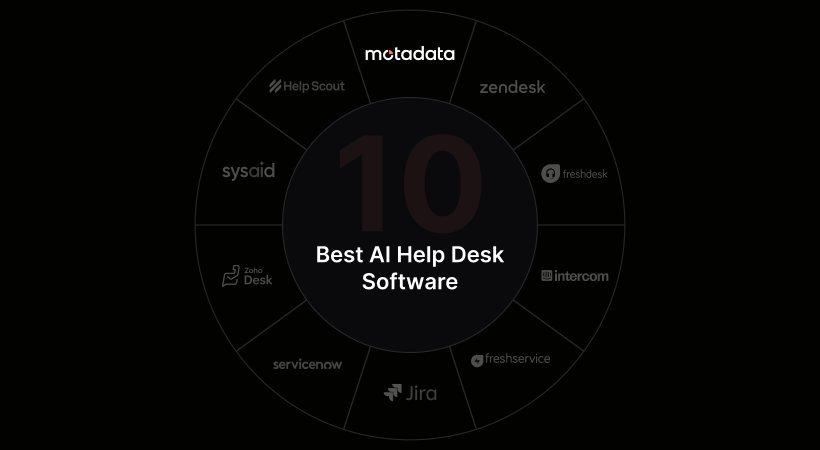
9 Best Help Desk Tools For Small Businesses at a Glance
Tool | Best For | Free Plan | Starting Price |
Motadata ServiceOps | IT help desk, asset, patch, and software management | Free trial | Custom pricing |
Freshservice | Cloud-based IT help desk and service management | Free trial | $19/agent/month |
ManageEngine ServiceDesk Plus | Ticketing, asset management, and IT support | Free for up to 5 technicians | $13/technician/month |
Jira Service Management | IT support connected with development and incident management | Up to 3 agents | $20/agent/month |
SolarWinds Service Desk | Help desk, service requests, change management, and CMDB | 30-day trial | $39/technician/month |
SysAid | Help desk, asset management, and AI-powered support | Free trial | $89/agent/month |
InvGate Service Management | Service requests, approvals, and service management | Free trial | $1,499/year for 5 agents |
HaloITSM | Help desk, assets, workflows, reports, and integrations | 30-day trial | Custom pricing |
TOPdesk | IT support that can expand to other service teams | 30-day trial | £51/agent/month |
Prices can change. Check the billing period, minimum purchase, user or asset limits, and paid add-ons before choosing a plan.
1. Motadata ServiceOps
Best for: Small IT teams that want to manage employee requests, company devices, software, and patches in one place.
Motadata ServiceOps helps IT teams handle employee problems and service requests. Employees can ask for help by email, phone, chat, or through the self-service portal.
The request becomes a ticket, so the IT team can see who is working on it and what still needs to be done.
The product also handles problems, changes, releases, approvals, help articles, and service targets.
Its IT asset and configuration management tools connect tickets with company devices and software. When a technician opens a ticket, they can see the equipment linked to the employee or the problem.
Motadata also provides software and patch management. A small IT team can use the same product to answer support requests, keep device records, install software, and send security updates.
Pros
- The IT team can handle support tickets, company devices, software, and patches in the same product.
- Technicians can see device and software details while working on a ticket. They do not have to search through another system for this information.
- A business can use Motadata in the cloud or run it on its own servers.
Cons
- Motadata does not publish a fixed price. You need to contact the company for a quote.
- A team that only needs basic ticketing may not use many of the asset, software, and patch management features.
Pricing
Motadata does not list a fixed ServiceOps price on its website. The price depends on the deployment, modules, and number of licensed users. A free ServiceOps trial is available.
Before buying, confirm which service desk, asset, patch, and software management features are included. Also confirm whether implementation, support, or training has a separate charge.
2. Freshservice
Best for: Small businesses that need a cloud IT help desk now and may add more service management features later.
Freshservice is an IT service management product from Freshworks. Its Starter plan includes incident management, a support portal, knowledge management, and task management. Employees can send requests by email, phone, chat, or a website widget.
The Growth plan adds a service catalog, service level agreement management, on-call management, and cloud management. The Pro plan adds problem, change, release, and major incident management. This plan structure lets a small team start with ticketing and add formal ITSM processes later.
Freshservice also connects with Microsoft Teams and Slack. Employees can create and follow requests through tools they already use.
Pros
- The Starter plan includes the main tools a small IT team needs to replace a shared email inbox.
- The published prices make it easier to estimate the cost as the support team grows.
- The team can add formal ITSM processes through higher plans without moving its ticket history to another product.
Cons
- The Starter plan does not include the service catalog or service level agreement management found in the Growth plan.
- Problem, change, release, and major incident management require the Pro plan, which costs much more than the Starter plan.
Pricing
The Starter plan costs $19 per agent per month with annual billing. The Growth plan costs $49 per agent per month with annual billing. The Pro plan costs $99 per agent per month with annual billing. The Enterprise plan uses custom pricing.
Freddy AI Copilot costs another $29 per agent per month on supported plans. Freshservice offers a free trial.
3. ManageEngine ServiceDesk Plus
Best for: Small IT teams that need ticketing, asset records, and a choice between cloud and on-premises use.
ManageEngine ServiceDesk Plus combines an IT help desk with broader service management tools. The Standard plan focuses on ticketing. The Professional plan adds asset management. The Enterprise plan adds a service catalog, problems, changes, releases, projects, and a configuration management database.
The product is available in the cloud and as on-premises software. This gives a small business a choice between a hosted service and a system that runs on its own infrastructure.
Pricing is based on the number of technicians. When asset management is used, the number of managed IT assets also affects the cost.
Pros
- The Standard plan is free for up to five technicians, which suits a small team with basic ticketing needs.
- The business can choose cloud or on-premises deployment.
- Higher plans connect help desk work with assets and formal ITSM processes.
Cons
- Asset management is not included in the Standard plan, so the free plan will not meet every small IT team's needs.
- The total price can depend on technicians, assets, editions, and add-ons, which makes a detailed comparison harder.
Pricing
The Standard plan is free for up to five technicians. Paid on-premises subscriptions start at $13 per technician per month for the Standard plan, $27 per technician per month for the Professional plan, and $67 per technician per month for the Enterprise plan.
ManageEngine also offers cloud subscriptions, annual licenses, and add-ons. The final price depends on how many technicians use the help desk and how many IT assets the business wants to manage. A 30-day trial is available.
4. Jira Service Management
Best for: Small technical teams that want support tickets connected to Jira development and incident work.
Jira Service Management gives employees and customers a portal for reporting problems and requesting services. The support team can use forms, queues, and workflows to collect the right information and move each request through a set process.
Jira Service Management works with Jira and Confluence. A technician can open the related Jira issue, incident, or Confluence help article from the support ticket. This suits teams that already use Atlassian tools for development and IT work.
Jira Service Management is now included in Atlassian Service Collection. The collection also includes Customer Service Management, Assets, and Rovo tools.
Pros
- The Free plan gives a three-person service team useful ticketing and automation tools without a subscription.
- Technical teams can link help desk requests with development and incident work in the same product family.
- Employees and customers do not need paid agent seats to submit requests.
Cons
- Teams that do not already use Atlassian products may need more time to learn the system and build the right workflows.
- The Free plan has one shared monthly automation limit, which a busy team may reach quickly.
Pricing
The Free plan supports up to three agents and allows unlimited customers. The Standard plan costs $20 per agent per month. The Premium plan costs $51.42 per agent per month.
The Free plan includes 1,250 automation steps for the whole subscription each month. The Standard plan includes 3,000 automation steps per user each month. Atlassian offers a 14-day trial of the Standard and Premium plans.
5. SolarWinds Service Desk
Best for: Small IT teams that need ticketing, service requests, change management, and a CMDB in one system.
SolarWinds Service Desk is a cloud service desk for employee IT support. Its Essentials plan includes incident management, a service portal, a knowledge base, a service catalog, change management, a CMDB, and service level agreements.
The product also supports asset management, but asset pricing is provided separately. The Advanced plan adds more automation, runbooks, a virtual agent, network discovery, contract management, software license controls, and scheduled reports.
You pay for each IT staff member who works on support tickets. Employees can report a problem and check their ticket without a paid license.
Pros
- The Essentials plan includes several features that other vendors keep in higher plans.
- Every plan allows unlimited requestors, so the cost does not increase when more employees use the portal.
- The 30-day trial includes Premier plan features, which lets the team examine advanced tools before buying.
Cons
- The Essentials plan starts at $39 per technician per month, which is higher than several entry plans in this comparison.
- IT asset pricing is not included in the published technician price, so teams that need asset management must request the additional cost.
Pricing
The Essentials plan starts at $39 per technician per month with annual billing. The Advanced plan starts at $99 per technician per month with annual billing. The Premier plan starts at $124 per technician per month with annual billing.
All three plans support unlimited requestors. SolarWinds provides IT asset pricing separately and offers a fully functional 30-day trial.
6. SysAid
Best for: IT teams that need a help desk, asset management, and AI assistance in one system.
SysAid is an IT service management platform for incidents, service requests, changes, problems, assets, service targets, and reports. Employees can submit requests through several channels, while technicians work from shared queues and workflows.
The Professional plan includes AI tools for employees and technicians. It also includes prebuilt AI agents and automation connections. The Enterprise plan adds a sandbox, custom AI agents, more reporting tools, and additional support.
SysAid has more included ITSM functions than a basic help desk. Its price and setup are better suited to a business that will use those functions rather than a team that only needs email ticketing.
Pros
- The Professional plan includes incident, request, change, problem, asset, and service level management.
- AI tools are included instead of being sold only as a separate usage package.
- Asset details and service desk records stay in the same system.
Cons
- The Professional plan costs $89 per agent per month, which may be too high for a small team that only needs ticketing.
- The Enterprise plan starts at 20 agents, so it is not designed for a very small IT department.
Pricing
The Professional plan costs $89 per agent per month. The Enterprise plan uses custom pricing and starts at 20 agents.
SysAid offers a free trial without requiring a credit card. Confirm the billing period and any implementation or service costs before purchasing.
7. InvGate Service Management
Best for: Small IT teams that need a service portal, approval workflows, and service targets.
InvGate Service Management is an ITSM platform for tickets, a self-service portal, knowledge, service targets, workflows, problems, changes, and reports. It also offers AI tools for support agents and employees.
The Starter plan has a fixed annual price for five agents. It includes unlimited end users and approvers, single sign-on, and the AI Hub. The Pro plan adds the workflow builder, AI Service Agent, and connections for Microsoft Teams and WhatsApp.
InvGate also sells a separate asset management product. The two products can connect, but a business should include both prices when it needs help desk and asset records together.
Pros
- The Starter plan has a fixed price for five agents, which makes budgeting easier for a small team.
- Employees and approvers are unlimited, so wider portal use does not add more agent charges.
- The Pro plan adds workflow and AI service tools without requiring the Enterprise plan.
Cons
- A team with fewer than five agents still has to pay for the five-agent package.
- On-premises hosting is limited to the Enterprise plan, which starts at $12,000 per year.
Pricing
The Starter plan costs $1,499 per year for five agents. The Pro plan costs $500 per agent per year and starts at $2,500 per year for five agents. The Enterprise plan uses custom pricing and starts at $12,000 per year.
InvGate offers a free trial. InvGate charges separately for its asset management product. If you need both the service desk and asset management, add the cost of both products.
8. HaloITSM
Best for: IT teams that need help desk tools, asset records, workflows, reports, and integrations in one system.
HaloITSM covers incidents, service requests, problems, changes, assets, a CMDB, service level agreements, knowledge, projects, and reports. These processes share the same records, so a problem can stay connected to its incidents, changes, and affected assets.
Halo does not divide features into several product tiers. Its standard license includes current and future modules, automation, AI, the CMDB, project management, reporting, and integrations.
The product supports named licenses for regular users and concurrent licenses for teams that work in shifts. Both license types use the same per-agent price.
Pros
- Halo includes every module in one license, so the team does not need to move to a higher feature tier.
- The price is based on agents rather than tickets, employees, or stored data.
- Concurrent licenses may cost less when technicians use the system at different times.
Cons
- The exact per-agent price changes with the team size and region, so the business must use the pricing calculator or request a quote.
- A paid onboarding package is required, and its price depends on the work needed.
Pricing
Halo prices its platform per agent and includes every feature in that license. The exact amount depends on the number of agents, license type, and region. Employees and customers can use the portal without a paid license.
Onboarding is required and priced separately. Halo offers a 30-day free trial with all features and modules included.
9. TOPdesk
Best for: Small service teams that want to manage IT requests now and support other departments later.
TOPdesk is a service management platform for IT, facilities, human resources, and other internal teams. Its Essential plan includes incident management, asset management, a self-service portal, a knowledge base, dashboards, and reports.
The Engaged plan adds change management, problem management, contract and service level management, operations management, and several AI tools. The Excellent plan adds project management, live chat, more AI assistance, and advanced reporting services.
Every plan includes unlimited tickets, assets, and end users. TOPdesk charges for each staff member who works on tickets. Employees who only submit requests do not need a paid agent license.
Pros
- The Essential plan includes unlimited tickets, assets, and end users.
- The business can use the same platform for IT, facilities, and other service departments.
- Software hosting, product updates, and standard support are included in the subscription.
Cons
- Change management, problem management, and service level management require the Engaged plan.
- Consultancy and implementation services cost extra, even though hosting, updates, and support are included.
Pricing
On TOPdesk's UK pricing page, the Essential plan starts at £51 per agent per month. The Engaged plan starts at £72 per agent per month. The Excellent plan starts at £101 per agent per month.
Prices vary by region and number of agents. TOPdesk offers a 30-day free trial, and taxes are not included in the published prices.
How To Choose Help Desk Software For A Small Business
Start with your IT team's needs: Identify the types of requests and tasks your IT team handles, and choose software that supports them.
Check the number of users: Count everyone who will manage, assign, approve, or close tickets, and check whether the software has any minimum user requirements.
Review asset management: If your team manages laptops, servers, software, or licenses, check whether asset management is included in the plan or requires an additional fee.
Check the required ITSM features: Make sure the plan includes the processes your team needs, such as incident management, service requests, change management, and CMDB.
Choose the deployment option: Decide whether your team needs a cloud-based or on-premises solution, and check which features are available with each option.
Calculate the total cost: Include license fees, minimum purchases, implementation, support, add-ons, and other charges when comparing plans.
Conclusion
Choosing help desk software depends on what your IT team needs to manage, how many people will use it, and your budget.
If you want to manage help desk tickets, IT assets, software, and patches in one system, Motadata ServiceOps brings these tasks together in one platform. It also helps your team manage day-to-day IT service requests and keep track of the resources connected to them.
If you want help desk, asset, software, and patch management in one system, try Motadata ServiceOps and see whether it meets your team's needs.
FAQs
What is the best help desk software for a small business?
The best choice depends on the work the IT team manages. ManageEngine ServiceDesk Plus and Jira Service Management have useful free plans. Freshservice offers a simple cloud starting point. Motadata ServiceOps is a stronger fit when the team also needs asset, software, and patch management.
Is there free IT help desk software for small businesses?
Yes. ManageEngine ServiceDesk Plus has a free Standard plan for up to five technicians. Jira Service Management has a Free plan for up to three agents. Each free plan has limits, so compare the included ITSM and asset features.
How much does help desk software cost for a small business?
Paid plans in this comparison start at $13 per technician per month. Full ITSM products often cost between $19 and $99 per agent or technician per month. The final cost may also include onboarding, assets, AI tools, implementation, or a minimum number of licenses.
What is the difference between help desk and ITSM software?
Help desk software focuses on receiving, assigning, and closing support tickets. ITSM software adds structured processes for service requests, problems, changes, releases, assets, configuration records, and service targets. Many products in this guide provide both, but the wider tools may require a higher plan.
Should a small business choose cloud or on-premises help desk software?
Cloud software is usually easier to start because the vendor runs and updates it. On-premises software gives the business more control over hosting and data. A small team without dedicated system administrators will often find cloud software easier, while a business with strict hosting rules may prefer an on-premises option.
Author
Ramya Shah
Technical Writer
Ramya Shah is a technical content writer with a computer engineering background and roots in automotive journalism. He covers IT Service Management, observability, IT operations, and AI-driven automation. An early adopter of AI-assisted writing workflows, he turns complex IT processes into clear, engaging content optimized for search and answer engines (AEO), lifting content output and organic visibility.